ThinPrep™ 5000 Processor with AutoLoader Operator’s Manual
7.21
OPERATING INSTRUCTIONS
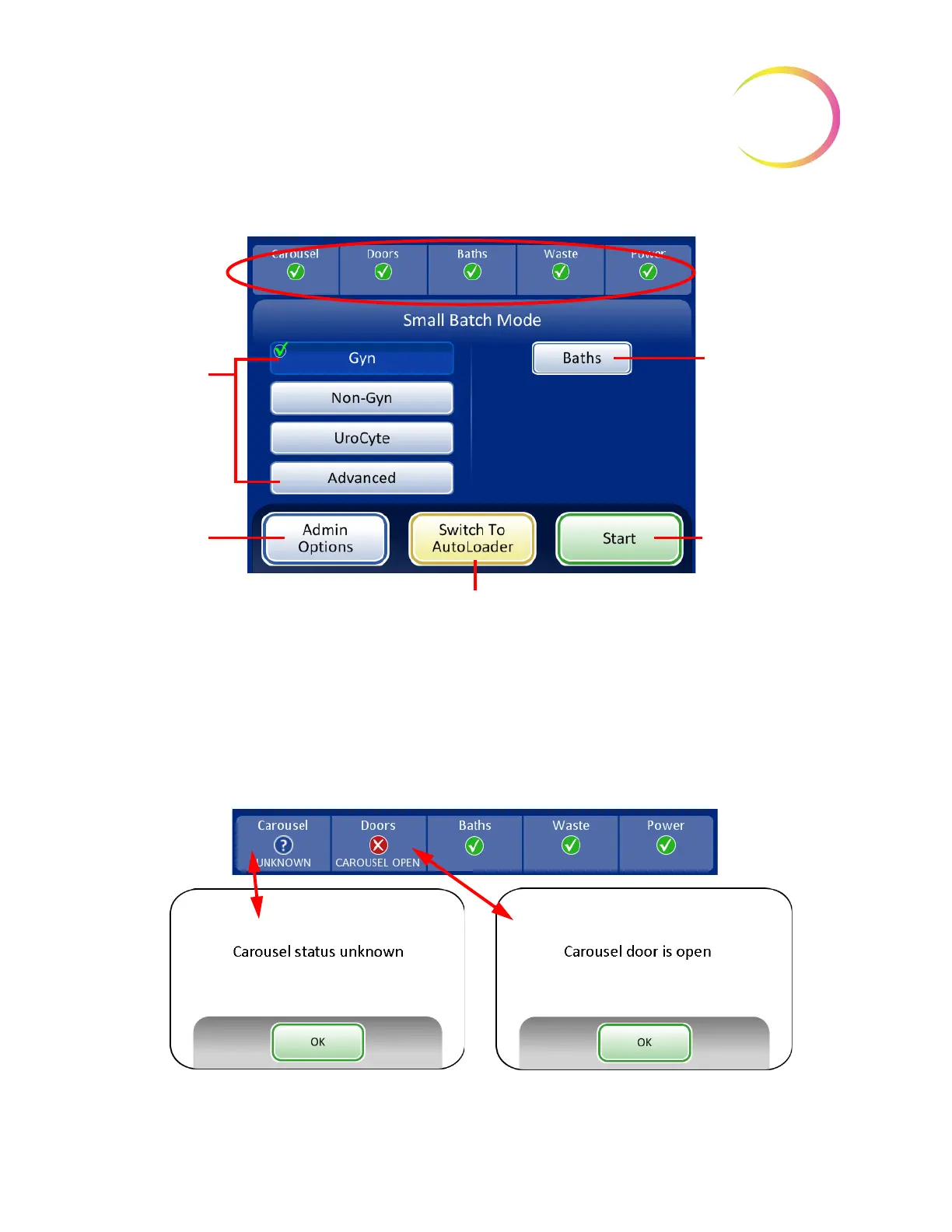
Figure 7-18 Small Batch Mode Main Screen
Status Indicators
The system status indicators are located at the top of the main screen display. All items must have a
green check mark before the system will begin processing a batch.
Touch the status indicator on the screen for a brief pop-up explanation of what the status means. A
table of the status indicators is shown below.
Figure 7-19 Examples of Status Indicator Messages
Process
Sequences
(Gyn selected)
Admin
Options
button
to access user
preferences
and settings
System status
indicators
Baths
button to
go to the baths
screen
Start Process
button
Switch to AutoLoader Mode
button
SMALL BATCH MODE



 To Next Page