OPERATING INSTRUCTIONS
7.22
ThinPrep™ 5000 Processor with AutoLoader Operator’s Manual
Slide Labeling Requirements
Slides that are processed directly from the carousel must be pre-labeled, as the system does not laser
etch these samples. Note that some slides may already be laser etched but did not process due to a
sample error. These may be used as they are.
Other slides must bear a label with an accession ID that matches the ID on the vial. (Refer to
Advanced Processing Options, page 7.28 for disabling slide ID match temporarily.)
Slide Barcode Label Format
Barcode labels must be 1-D or 2-D and may have alphanumeric character strings of 5 to 64 characters
with human readable accession ID. Slide labels may be printed and applied or directly printed or
etched onto the slide, but make sure the contrast is sufficient for the scanner to read the label.
The barcode label must be one of the symbologies supported:
• 1-D Code 128
• 1-D EAN-13/JAN
• 1-D Codabar (NW7)
• 1-D Interleaved 2 of 5
• 1-D Code 39
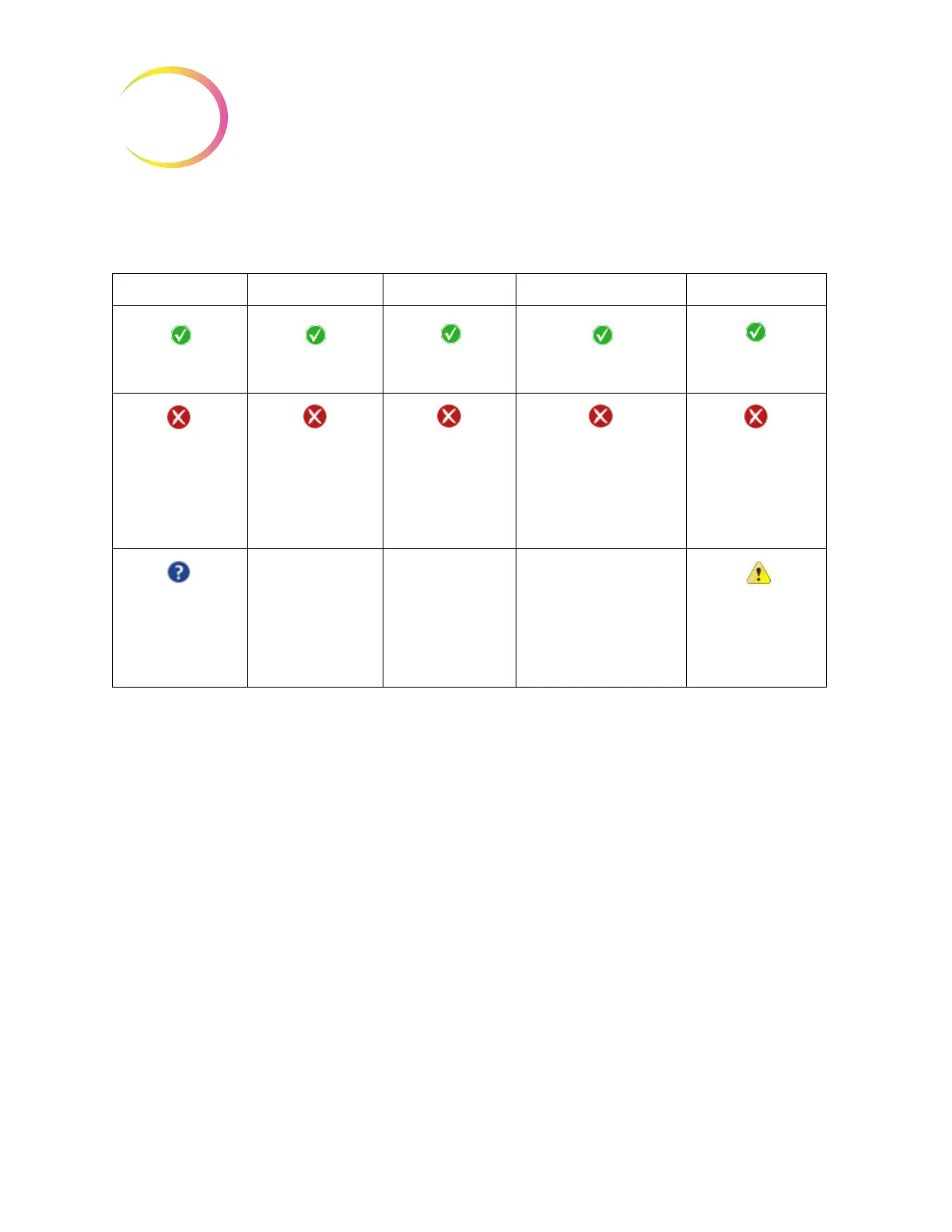
Table 7.3: Status Indicators
CAROUSEL DOORS BATHS WASTE POWER
Status OK, ready to
process
Status OK, ready to
process
Status OK, ready to
process
Status OK, ready to process
Status OK, ready to
process
Carousel not
detected. Insert car-
ousel or make sure it
is in position
One or more doors
are open. Close the
doors.
A fixative bath is not
detected. Insert a
fixative bath and
close the door.
Liquid waste must be
emptied. See page 8.10.
The system is running
on battery power
(UPS). If a batch is in
process, it will finish
the sample and pause
the batch.
The status of the
carousel is unknown
when the door is
open.
The UPS is not
detected
or
battery is low in
power.
SMALL BATCH MODE



 To Next Page