OPERATING INSTRUCTIONS
7.28
ThinPrep™ 5000 Processor with AutoLoader Operator’s Manual
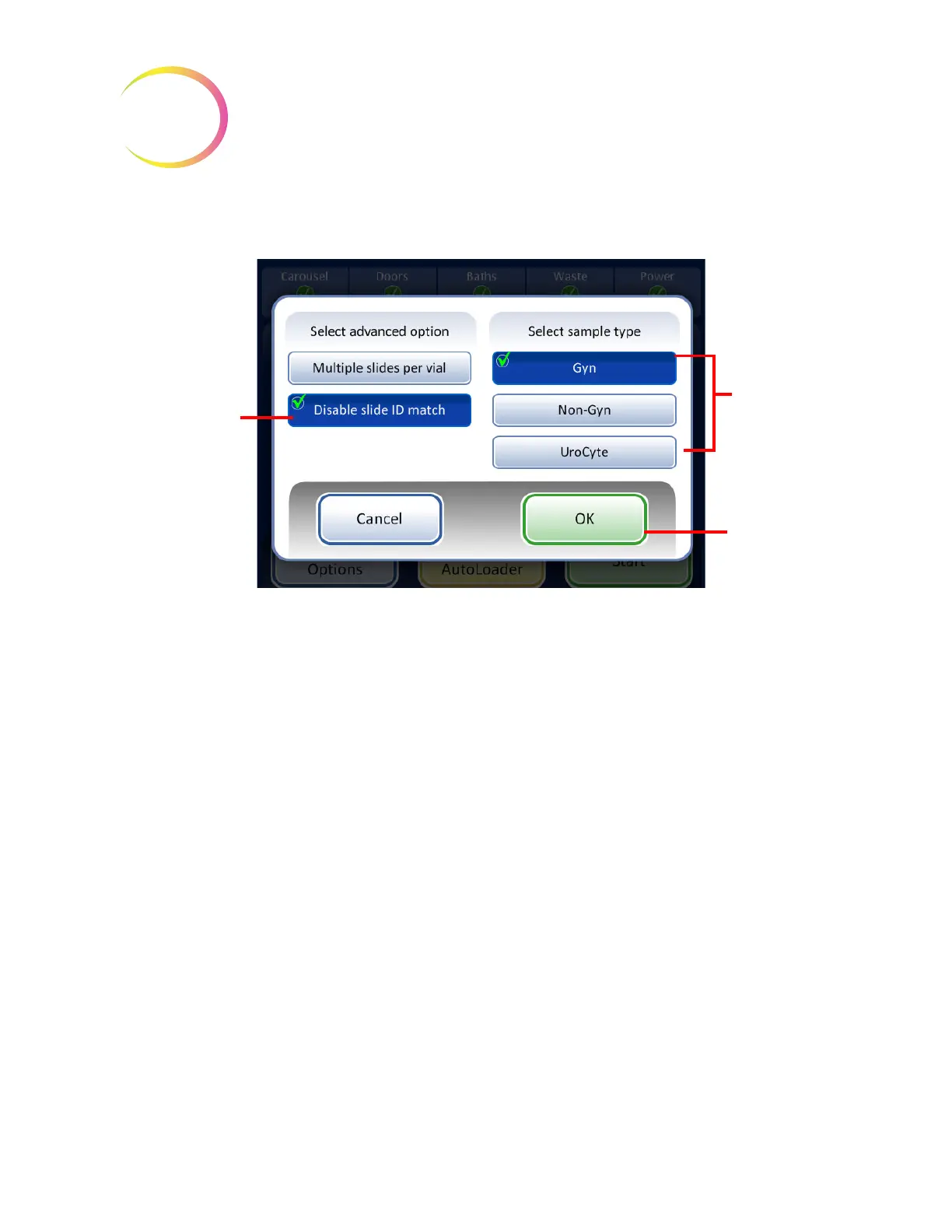
Disable Slide ID Match
Figure 7-26 Disable Slide ID Match
To run the specimen:
1. Load one vial and appropriate filter and slide type into any position on the carousel.
2. Load the carousel into the processor.
3. Put a filled fixative bath - with empty slide rack - into the bath compartment.
4. Close all doors.
5. Press the Advanced button on the main screen.
6. Press the Disable Slide ID Match setting button.
7. Select the sample type that is to be processed and press the green OK button.
The display returns to the main screen. Advanced is selected and the selected options are
detailed next to it. Figure 7-27.
8. Press the Start button to process the sample.
Disable slide ID
match
- in order
to run a sample
with the vial/slide
ID match turned
off.
Select sample
type in order to
run the correct
process
sequence
OK
button to
accept selec-
tion and return
to main screen
SMALL BATCH MODE



 To Next Page