ThinPrep™ 5000 Processor with AutoLoader Operator’s Manual
7.25
OPERATING INSTRUCTIONS
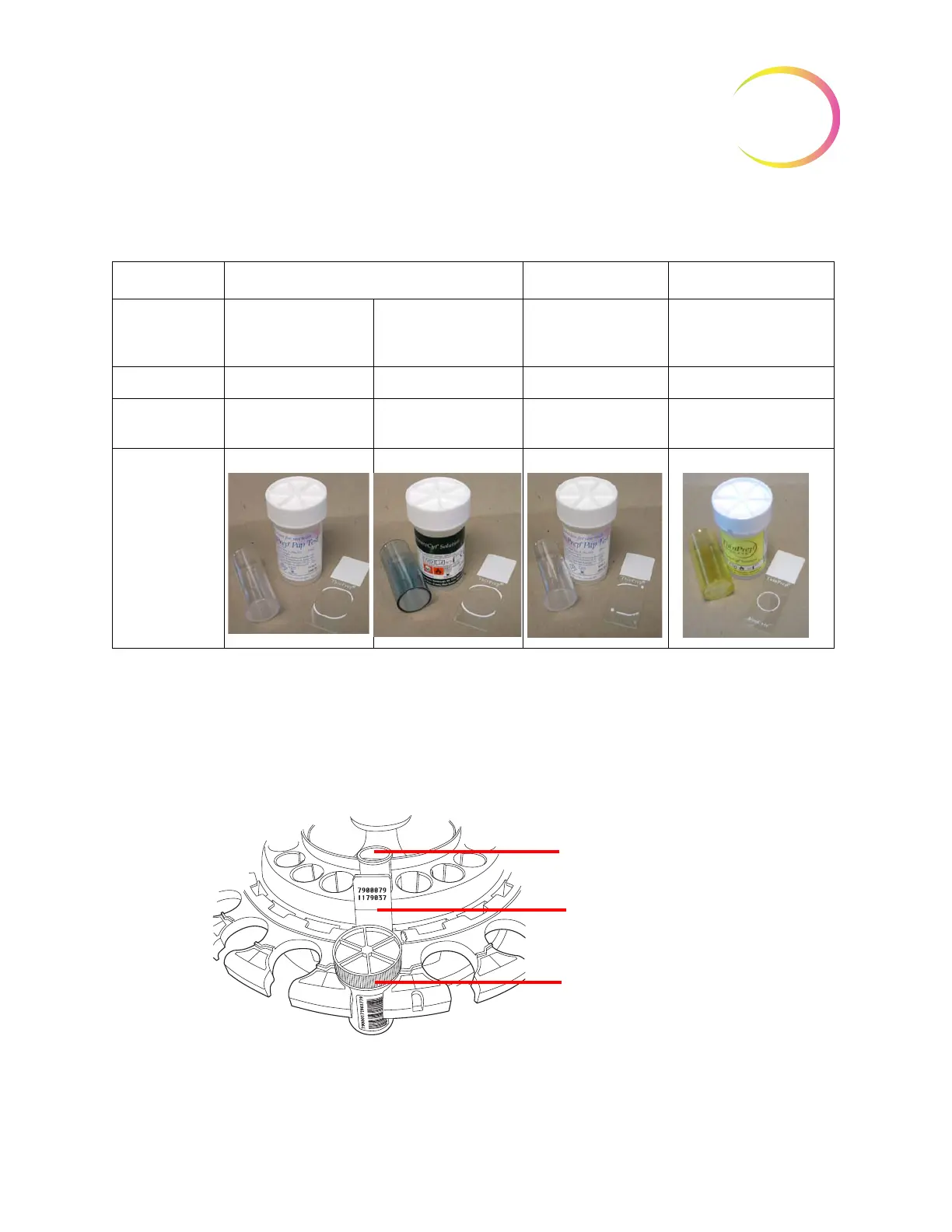
Table 7.4: Sample/Filter/Slide Configurations
Load the labeled vials into the carousel. Load the corresponding slide into the slot behind the vial.
Load the slide so that the front side (cell spot side) faces outward.
Only handle slides by the edges -
never touch the surface within the cell spot area.
Load the filter into the position behind the vial and slide. Load the filter by grasping the sides of the
cylinder. Place it into the position with the membrane end down and the open end up.
Never touch
the filter membrane or the inside of the cylinder.
Figure 7-24 Load Carousel with Vials, Slides and Filters
ThinPrep ThinPrep + Imaging UroCyte
PreservCyt sam-
ple
Gynecologic Non-gynecologic Gynecologic Urine for use with Vysis
UroVysion molecular test-
ing
Filter Clear Blue Clear Yellow
Slide Cell spot arc Cell spot arc
or arc-less
Cell spot arc with fidu-
cial marks
Cell spot circle
Load filter into slot, open end
up
Load labeled slide into slot
with label facing outward
Load labeled vial into posi-
tion
SMALL BATCH MODE



 To Next Page