OPERATING INSTRUCTIONS
7.24
ThinPrep™ 5000 Processor with AutoLoader Operator’s Manual
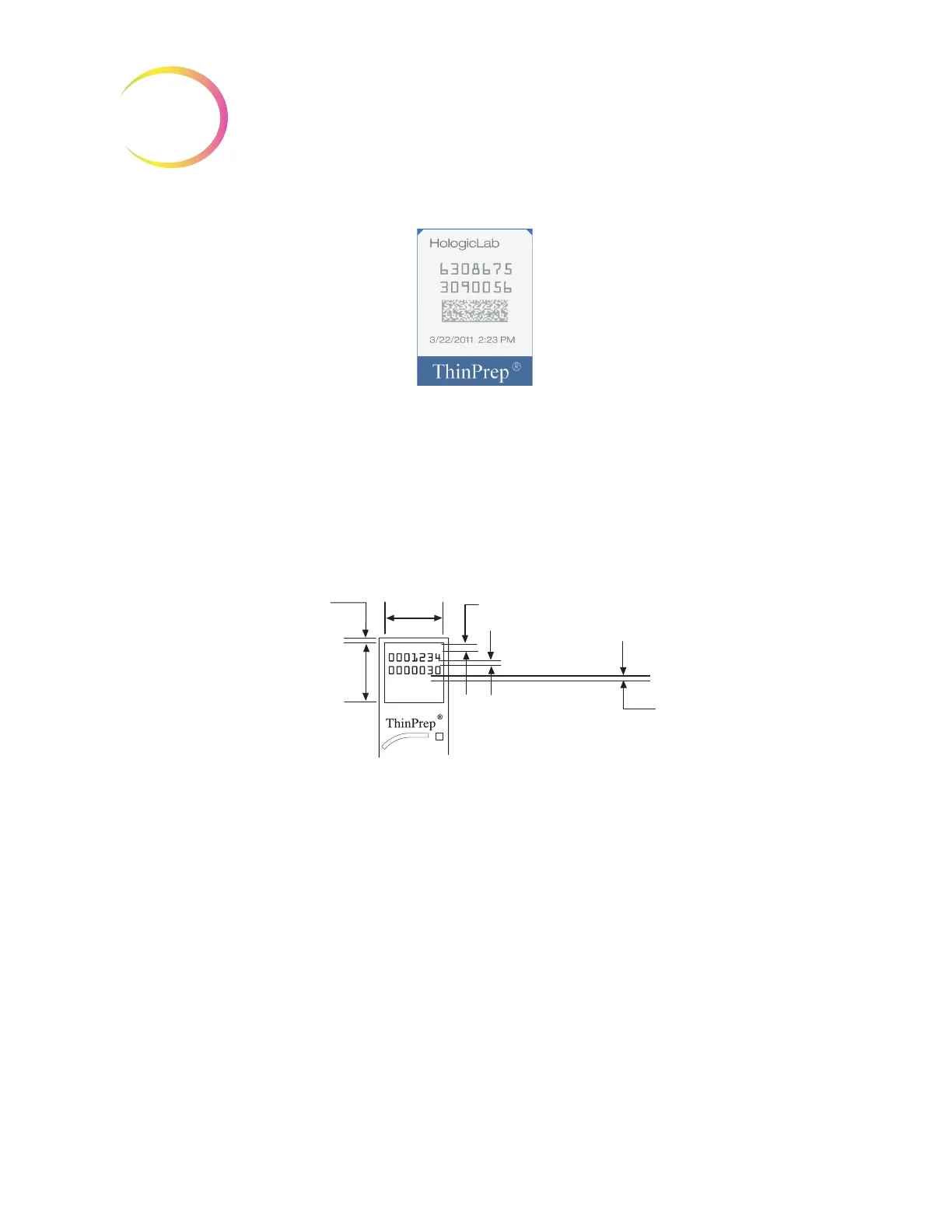
Figure 7-22 Example of a Laser Printed OCR Label on a ThinPrep Slide
Required Slide Label Format for Use with the ThinPrep
™
Imaging System
For ThinPrep Pap test slides that will subsequently be imaged by the ThinPrep Imaging System
Imaging System, slide labels must be in an OCR, 14 character, 7 digits over 7 digits format, with the
last 3 digits being a CRC number. The font must be 12 point OCR-A. Numbers only, no alpha
characters.
Figure 7-23 Slide OCR Label Formats
Slide labels that are applied to the microscope slide must be compatible with staining and
coverslipping processes and be xylene resistant. When adhering the labels, be sure to apply them
smoothly to the frosted area of the slide, with no overhang or air bubbles. Labels should be
centered side to side. The OCR or barcode IDs must be in an area that the scanner is able to read,
as seen in Figure 7-23.
Load Vials, Filters and Slides into the Carousel
CAUTION:
For best slide preparation results, use the correct slide and vial type for the sample
type that is processed.
Load the correct filter type and slide type for each vial. (Refer to Table 7.4.) The batch can hold up to
twenty samples. If the batch is not fully loaded, the samples do not have to be contiguous within the
carousel.
0.063 in min.
1.6 mm min.
(quiet zone)
.063–.073 in
1.60–1.85 mm
0.22–0.32 in
5.59–8.13 mm
0.94 in
23.87 mm
0.03 in max.
0.76 mm max.
0.94 in
23.87 mm
SMALL BATCH MODE



 To Next Page