ThinPrep™ 5000 Processor with AutoLoader Operator’s Manual
8.15
MAINTENANCE
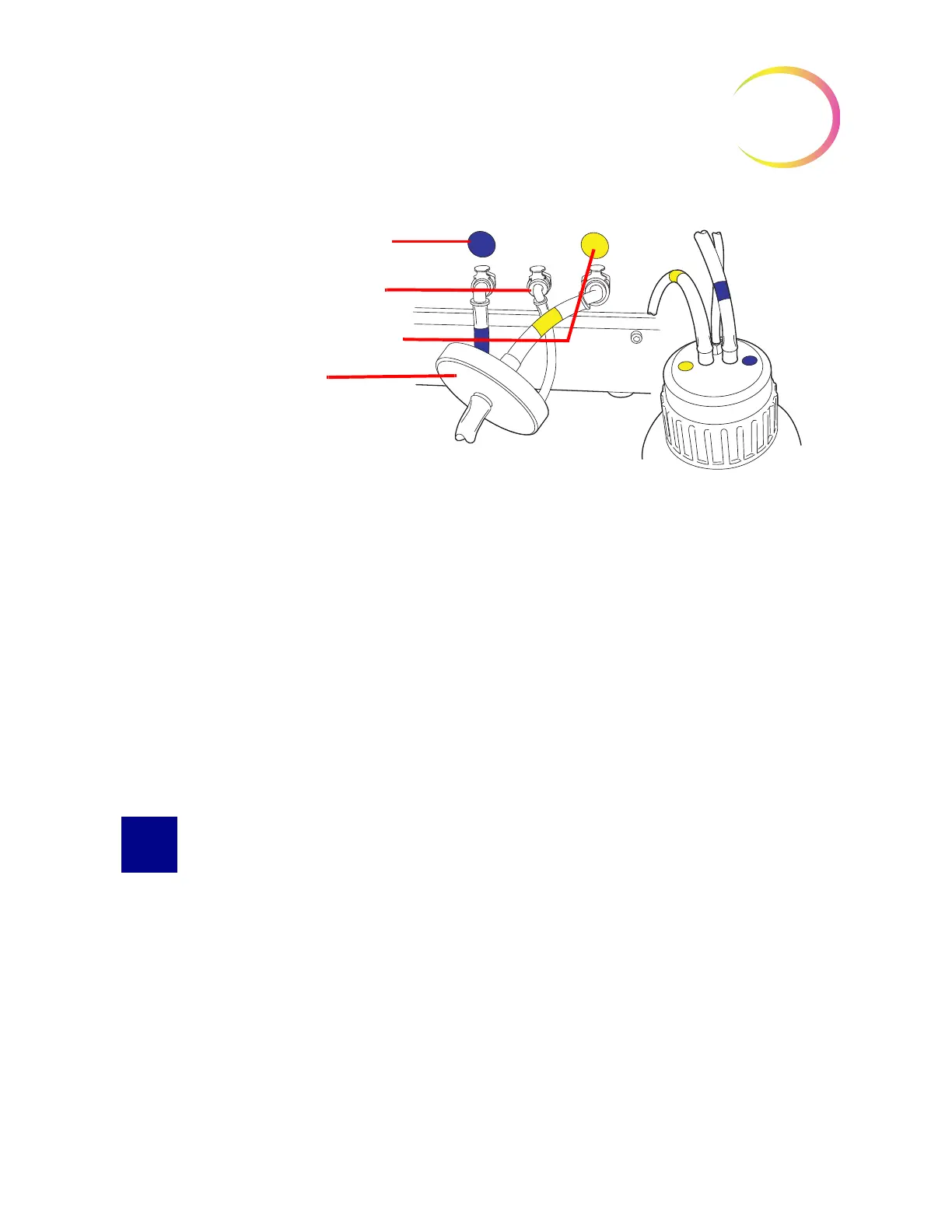
Figure 8-16 Waste Bottle Tubing Connections
4. Connect the color-coded waste tubing connectors to the corresponding connectors located in
the rear of the instrument. When the proper connection has been established, the buttons on
the connectors pop up/outward with a click sound. The L-shaped connector should be
pointed downward.
• Yellow = vacuum
• Blue = waste
• No color = pressure sensor
CAUTION:
Do not mismatch tubing connections. This may result in damage to your processor.
CLEAN THE TOUCH SCREEN
As needed, clean the user interface touch screen with a lightly dampened lint-free cloth. From the
Admin Options screen, press the
Clean Screen
button, Figure 8-17.
Blue - waste tubing
No color - sensor
tubing
Yellow - vacuum tubing
Waste filter



 To Next Page