ThinPrep™ 5000 Processor with AutoLoader Operator’s Manual
8.19
MAINTENANCE
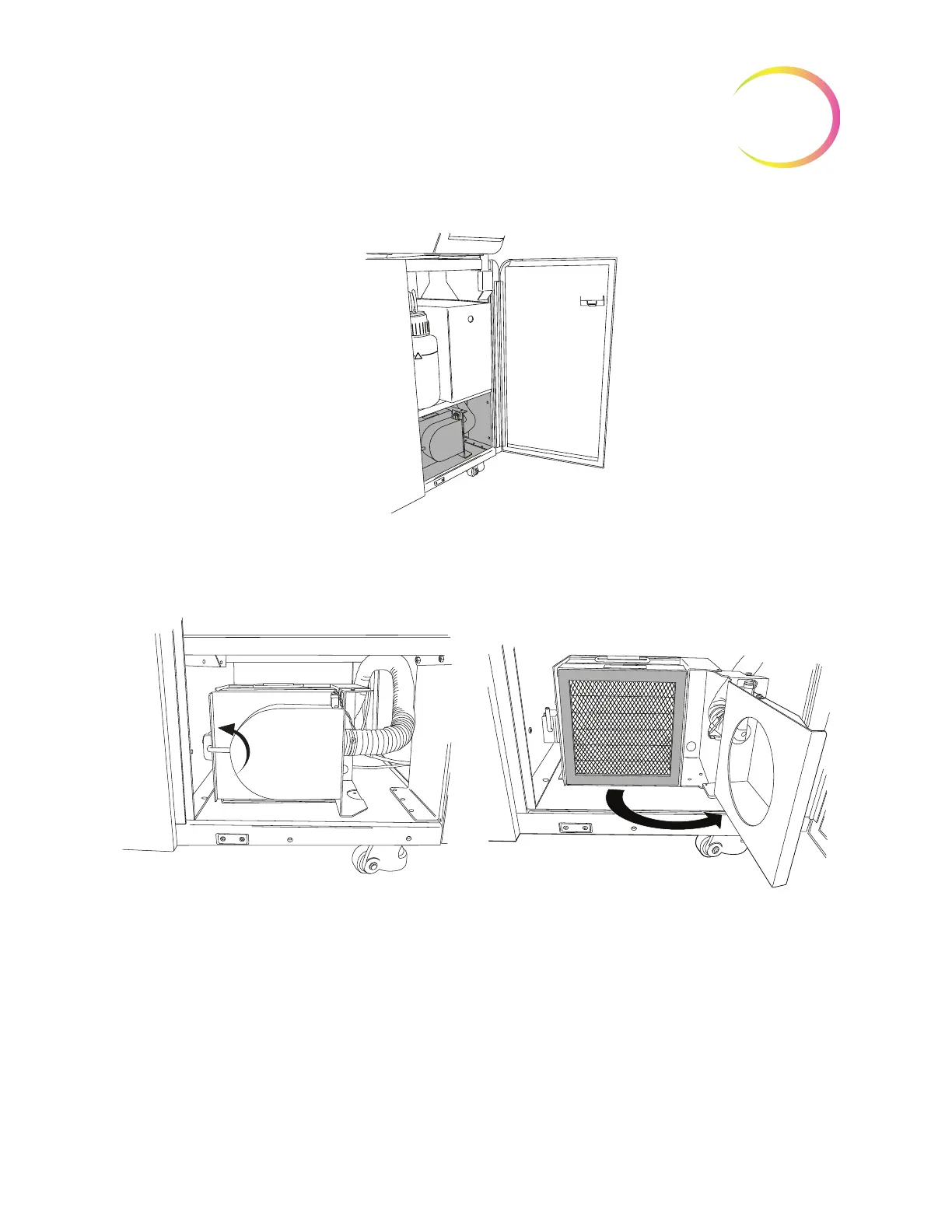
Figure 8-20 Location of Fume Extractor
Open the fume extractor door by rotating the retaining latch on the left side of the door. Swing the
door open.
Figure 8-21 Open the Fume Extractor Door
Remove the two filters. Note that they are labeled HEPA and Carbon and they indicate the direction
of air flow. (See Figure 8-22.) Remove each filter. The carbon filter may be disposed of in your
laboratory refuse. Dispose of the HEPA filter according to your state guidelines.
The fume extractor is located
at the bottom of the waste
cabinet of the AutoLoader.
Rotate the retaining latch upward in order
to open the door.



 To Next Page