MAINTENANCE
8.20
ThinPrep™ 5000 Processor with AutoLoader Operator’s Manual
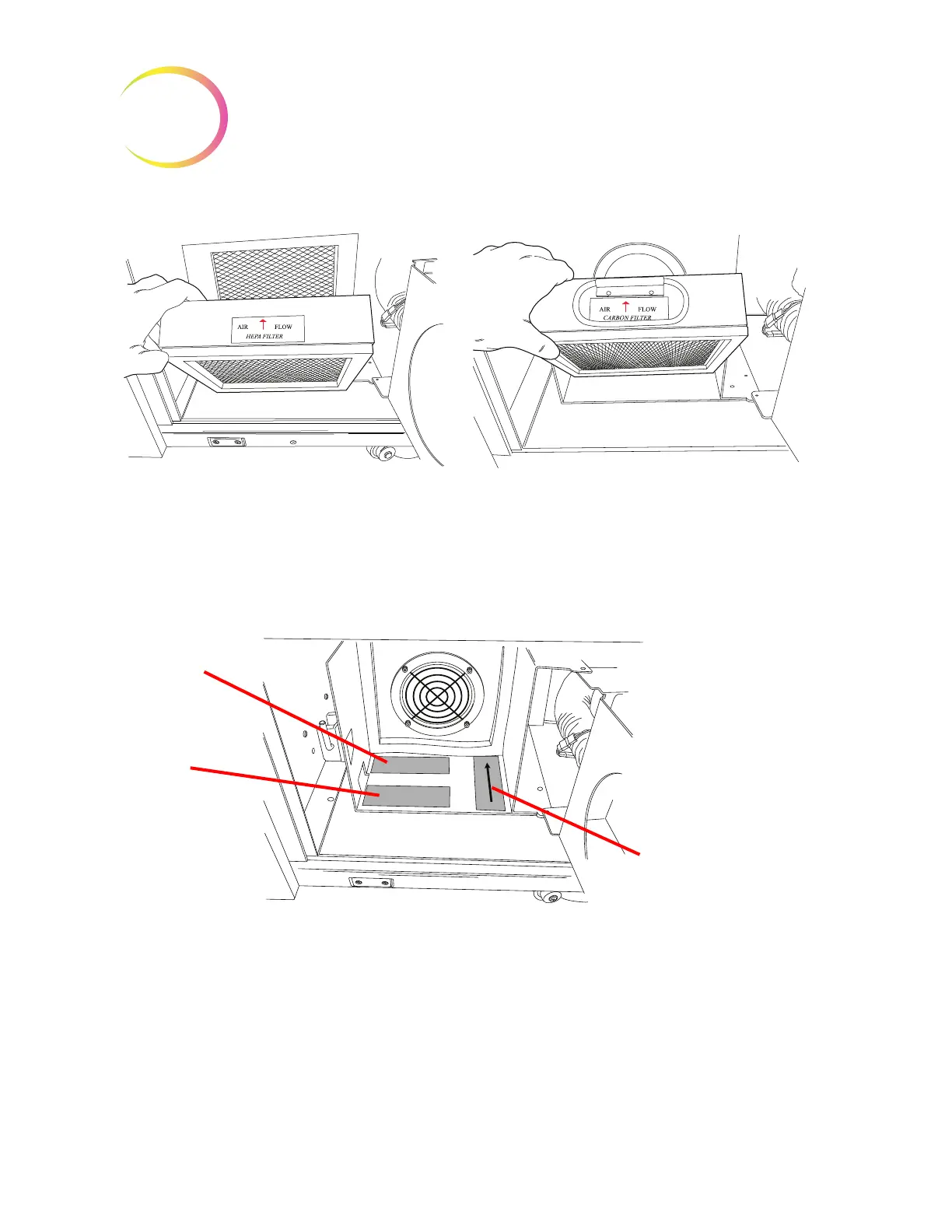
Figure 8-22 Remove the HEPA and Carbon Filters
The floor of the filter cabin is labeled to show the order of the new filter replacement and to indicate
the direction of air flow. When replacing the filters, be sure to match the arrows that indicate
direction of air flow.
Figure 8-23 Fume Extractor Filter Labels
Replace the filters. Close the door to the cabin and return the retaining latch to the closed position.
From the message screen on the user interface, press the
Continue
button to conduct an air flow test.
This determines that the filter is positioned correctly and is not clogged by measuring that an
adequate volume of air is moving across the filter. This test takes a few seconds.
Carbon filter
1
HEPA filter
2
Direction of flow



 To Next Page