ThinPrep™ 5000 Processor with AutoLoader Operator’s Manual
8.23
MAINTENANCE
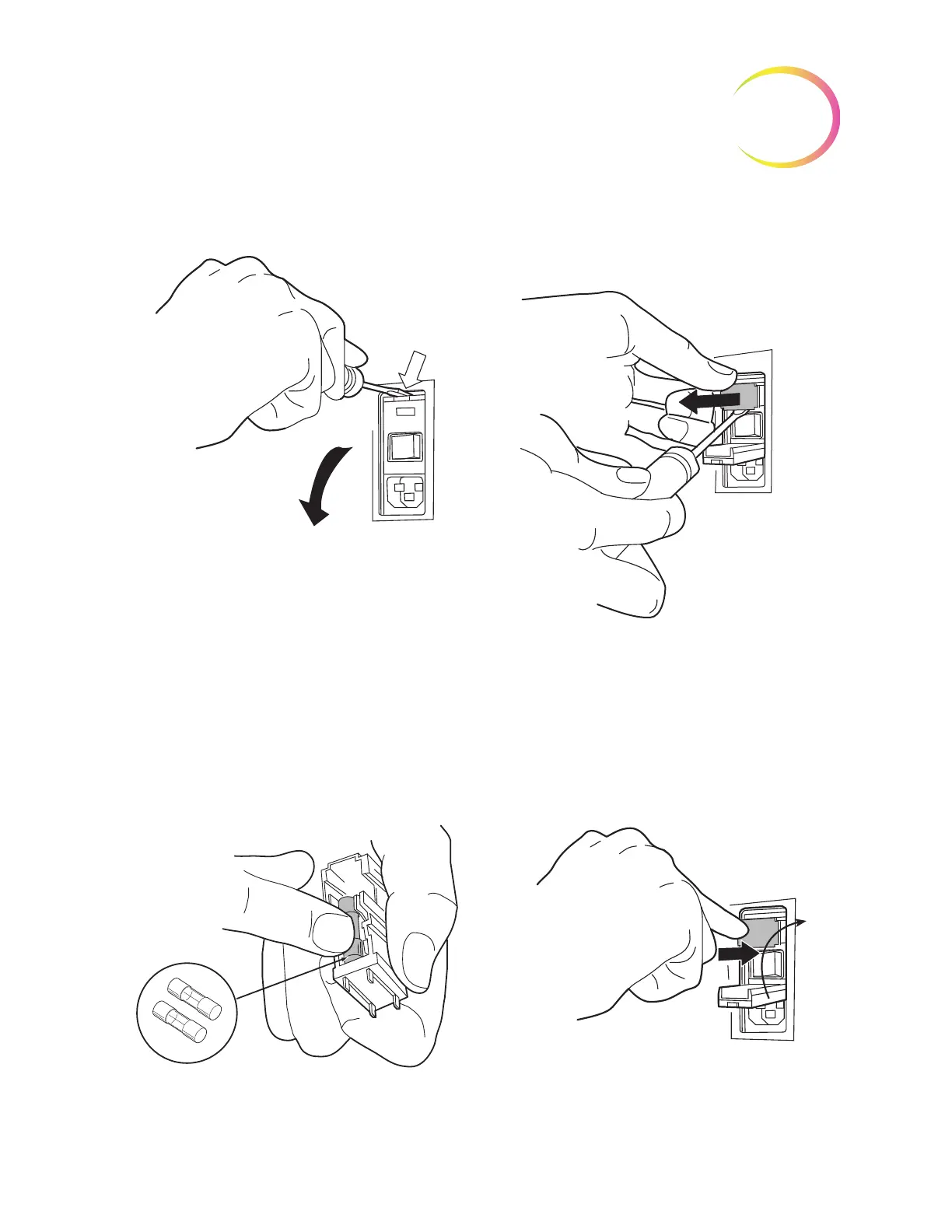
Figure 8-26 Remove the fuse holder
3. Using a small, flat-head screwdriver, pry the cover near the power cord receptacle open. Pry
out the fuse holder.
4. Pull the two fuses out of the receptacles on the holder. They may be discarded as regular
waste.
5. Insert two new 6.3A/250V 5x20 mm fuses (P/N 50077-021).
Note:
Hold the fuse by the metal ends.
Figure 8-27 Insert new fuses and replace fuse holder



 To Next Page