ThinPrep™ 5000 Processor with AutoLoader Operator’s Manual
9.19
TROUBLESHOOTING
• Attempt to recap the vial and attempt to deposit a slide in a fixative bath
• Move mechanisms out of the way, release the input carousel lock, unlock the doors and
return to an idle state.
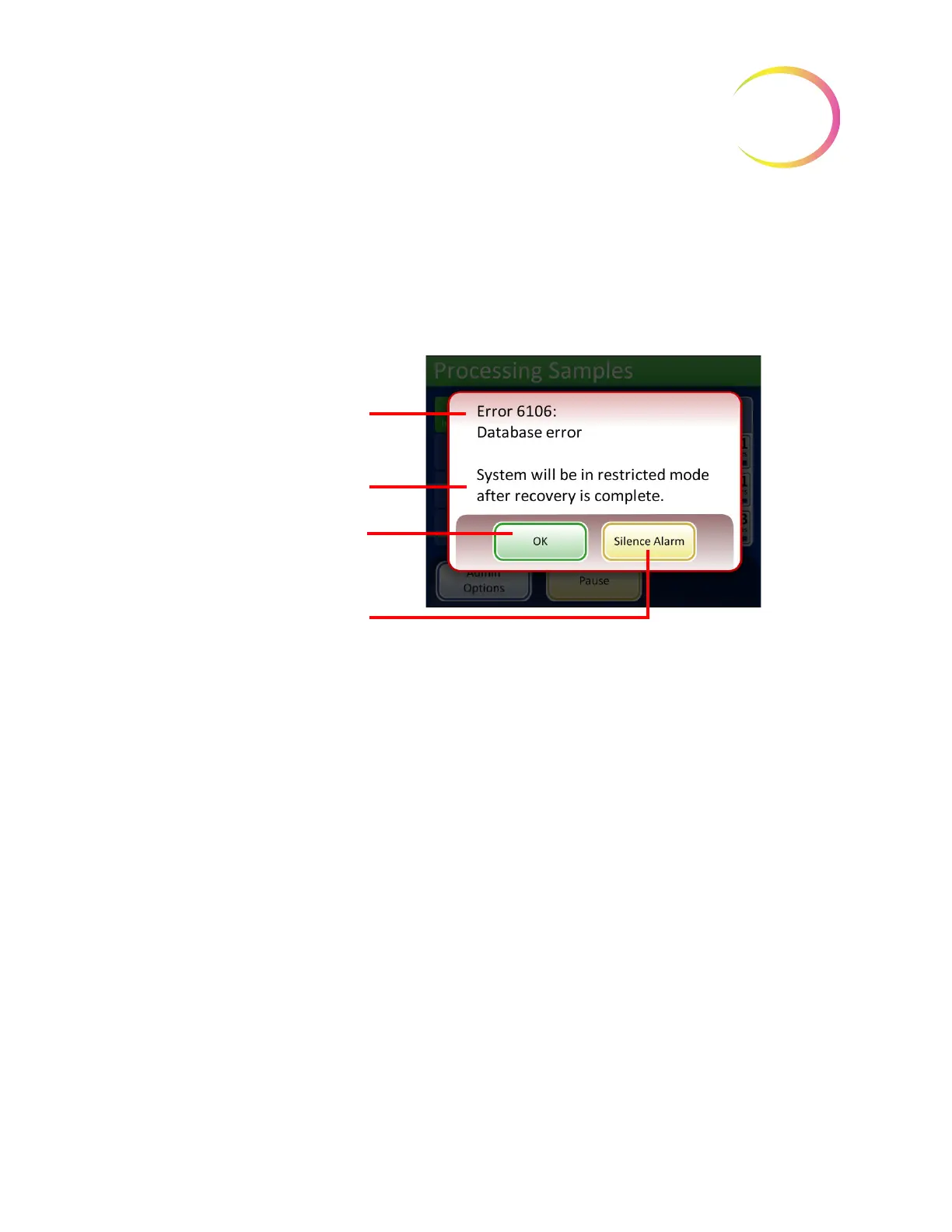
• Display the error message and sound the audible alarm, if enabled (see Figure 9-1.) The
system attempts to recover (a minute or less).
Figure 9-1 System Detected an Error
If the system cannot recover, it attempts to move the mechanisms out of the way, turns off the
transport arm motors so the operator can easily move the slide and filter transport arms and releases
the input carousel so that it can spin freely. The doors unlock for user access.
Restricted Mode
If the instrument cannot fully recover from an error condition, the application will transition to
restricted mode. This allows the operator to access some functions, but the system cannot process
samples until the error is resolved. After acknowledging the error message, the user interface
displays the
Admin Options
screen. The
Reports
button is available, where you can review or
download the System Events report (which will have captured the error code). The
Service
access
button is available if the system cannot recover and requires a service visit. The
Shutdown
button is
available, in order to restart the instrument, which usually clears a system error.
CAUTION
: Do not restart the instrument with a USB key in any of the ports.
Error code number and descriptive
name
Error condition status message
OK
button to dismiss error screen
and transition to restricted mode
screen
Silence Alarm
button to halt alarm
sound but leave error message on
the screen.



 To Next Page