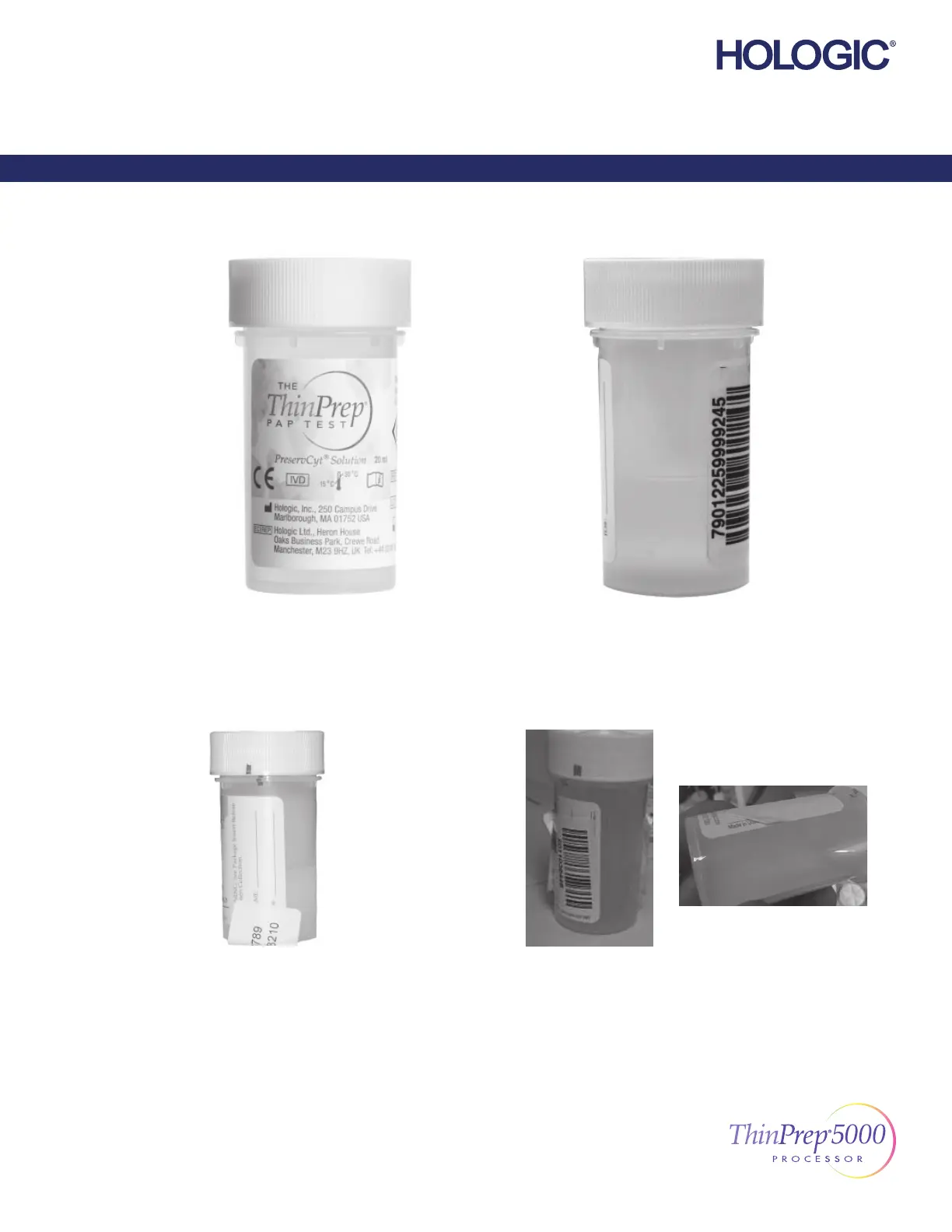
Incorrect label placement
can cause a failure to read the barcode or a vial handling error.
Do not...
– place labels on the bottom of the vial
– place labels on the vial cap
Avoid...
– placing multiple labels on top of each other
– placing the barcode label over patient information
– wrinkles and peeling
– placing labels on the torque features of the vial
Plastic over wrap is completely removed.
Proper Labeling
Barcode label: vertical, smooth, aligned with
PreservCyt® Solution label
©2020 Hologic, Inc. All rights reserved. This guide is designed to be used in conjunction with, but not to
replace, the ThinPrep® 5000 Processor Operator’s Manual. As with all laboratory procedures, universal
precautions should be followed. Prior to using the ThinPrep® 5000 Processor, the operator must be
trained by Hologic personnel and be familiar with the full operating instructions, including any warnings,
contraindications and safety information. Contact your local Hologic representative or, in Canada, call
Technical Support at 1-800-442-9892.
1/1
ThinPrep 5000 Processor Labeling the Sample Vial
English MAN-03928-001 Rev. 003
Labeling the Sample Vial
ThinPrep® 5000 Processor



 To Next Page