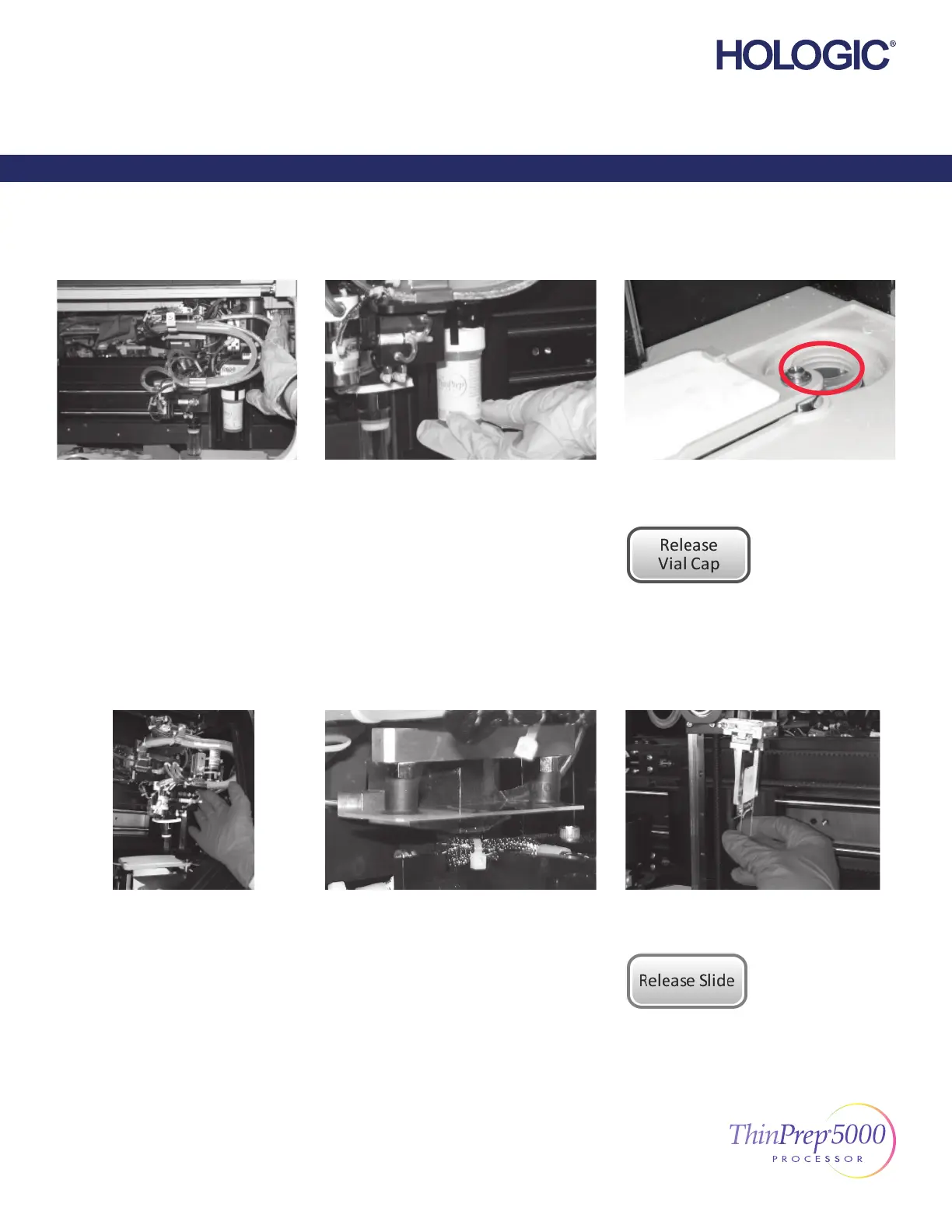
Clear Media—Vials
Move...
the vial transport arm, gently, to the
middle of the processing area for
easier access.
Hold...
cap and/or vial in the fi ngers of the vial
gripper.
Remove...
any vial from the dispersion well.
Press the button...
on the touch screen and the cap will drop.
Recap...
the vial manually.
Clear Media—Slides
Move...
the slide handling arm, gently, toward
the middle of the processing area for
easier access.
Check two locations for a slide:
1. Slide holder cups
2. Slide gripper fi ngers
Hold...
the slide so it does not fall.
Press the button...
on the touch screen and the slide
will drop.
Each button on the Clear Media screen must be
pressed before the message box will close.
2/2
ThinPrep 5000 Processor Error Recovery Guide
English MAN-04004-001 Rev. 003
Error Recovery Guide
ThinPrep® 5000 Processor



 To Next Page