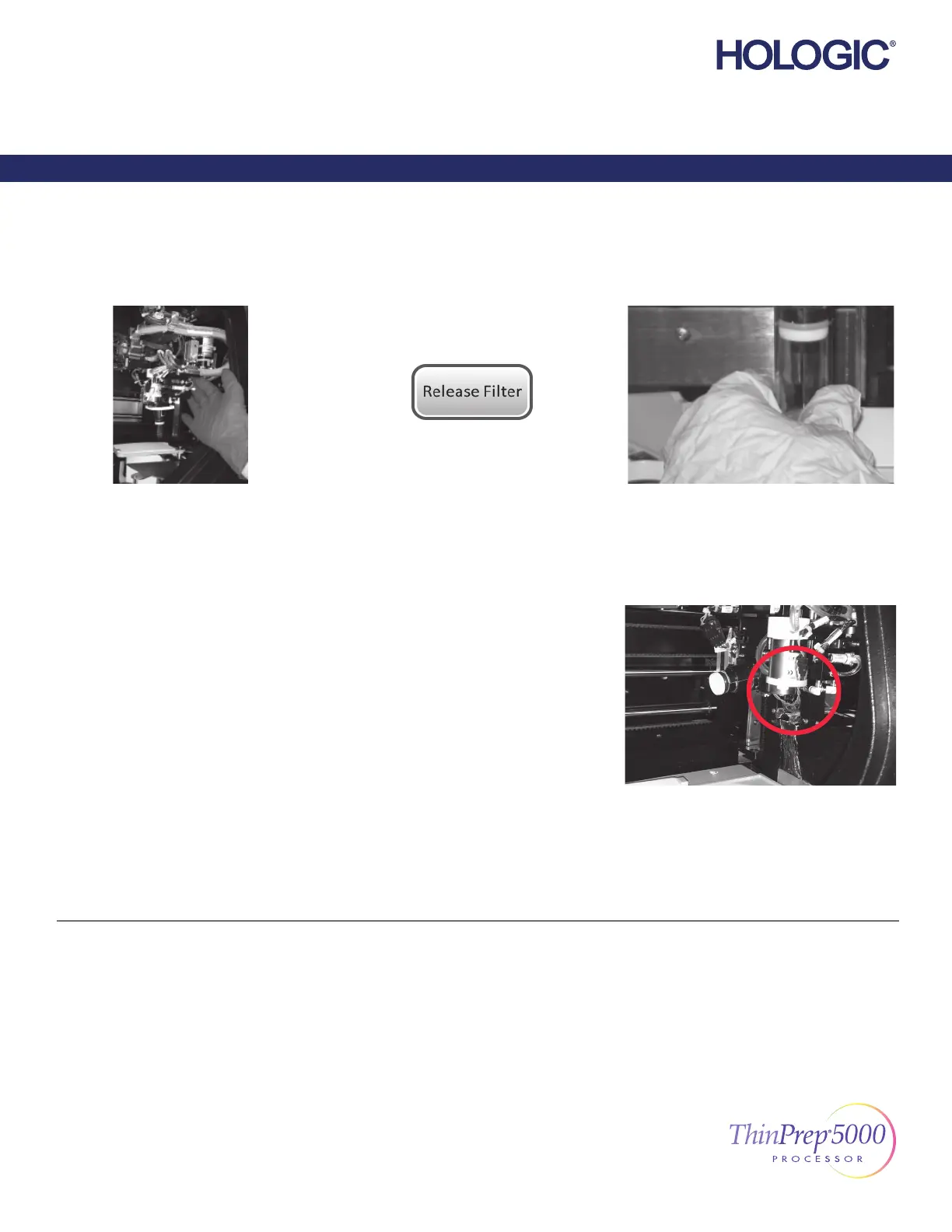
Move...
the fi lter transport arm, gently, toward the
middle of the processing area for easier
access.
Press the button...
on the touch screen.
Gently remove...
the fi lter off the fi lter plug.
Do not use force.
or
Check...
the fi lter stripper bracket, and remove the
fi lter, if present, from the fi lter stripper.
Clear Media—Filters
In most cases, following the “Clear Media” steps will resolve the error. If an error is persistent, contact your local Hologic
representative with the complete error code. Report the complete error code because, for some errors, the fi rst four digits
represent the error category, and the remaining characters represent additional information about the mechanisms involved and
their actions at the time of the error.
©2020 Hologic, Inc. All rights reserved. This guide is designed to be used in conjunction with, but
not to replace, the ThinPrep® 5000 Processor Operator’s Manual. As with all laboratory proce-
dures, universal precautions should be followed. Prior to using the ThinPrep® 5000 Processor,
the operator must be trained by Hologic personnel and be familiar with the full operating instruc-
tions, including any warnings, contraindications and safety information. Contact your local Hologic
representative or, in Canada, call Technical Support at 1-800-442-9892.
1/2
ThinPrep 5000 Processor Error Recovery Guide
English MAN-04004-001 Rev. 003
Error Recovery Guide
ThinPrep® 5000 Processor



 To Next Page