Basic Call Features
103
NOTE:
To transfer calls across SIP domains, SIP service providers must support transfer
across SIP domains. Blind transfer will usually use the primary account SIP profile.
Semi-Attended Transfer
1. Press or Transfer soft key during the conversation, the call is on hold now.
2. Enter the number transfer to, and then press or , then you can hear the
ring tone.
3. Press or the Transfer soft key, and now the Semi-attended transfer completed.
BLF Transfer
1. Set a Programmable Key or line key is set as BLF. For how to set BLF, please refer to
BLF
2. Press or Transfer soft key during the conversation, the call is on hold now.
3. Press BLF key then realize blind, attended and Semi-Attended Transfer.
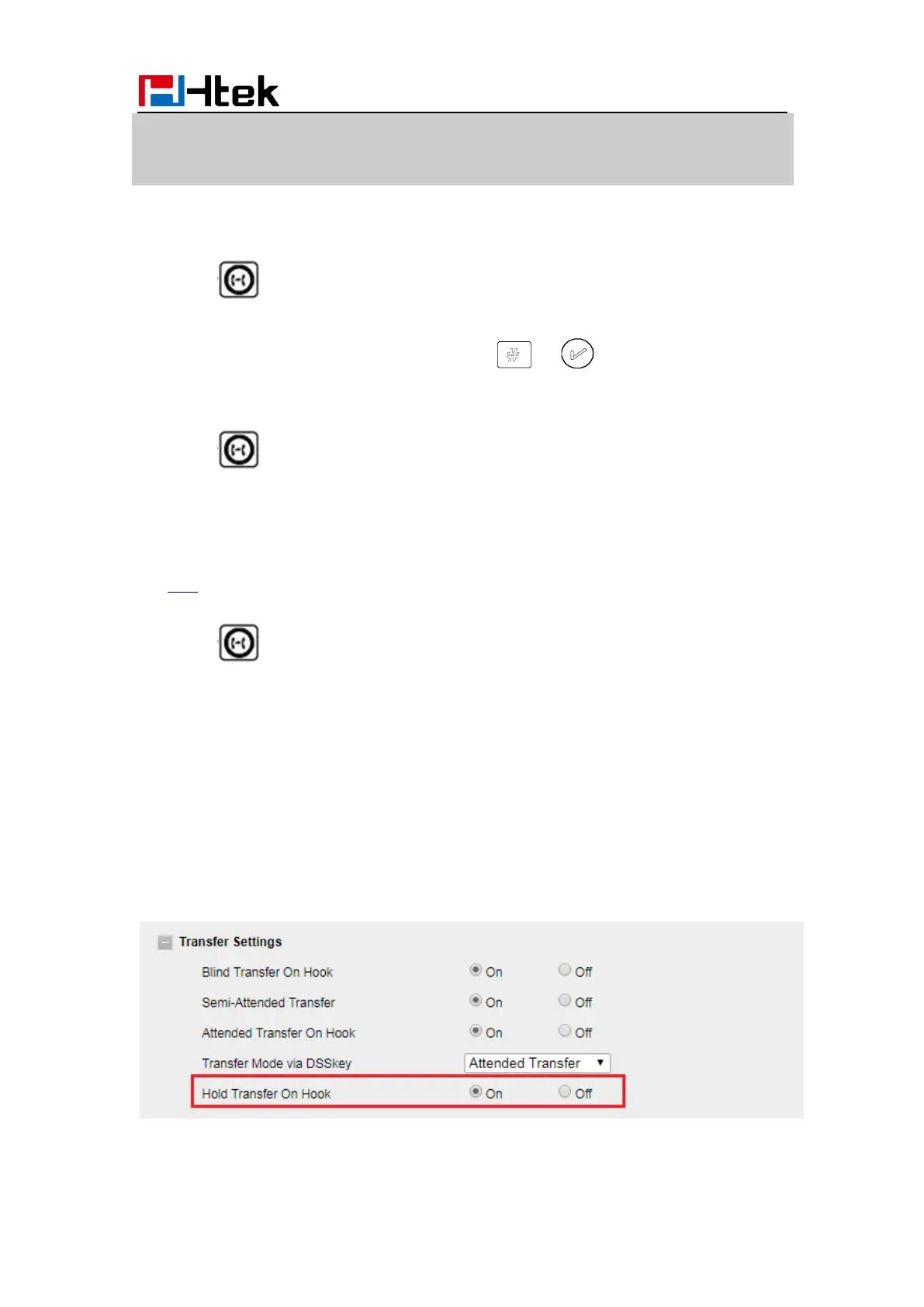
Hold transfer on hook:
1. Setting → Features → Transfer Setting: Hold Transfer On Hook: ON.
2. A place a call to B, B answer, A press the hold soft key and place a call to C, A cancel
the call when C is ringing or answering, then C and B in the same call and the transfer is
successful.
Hold transfer on Three Way conference:



 To Next Page