Basic Setting Configuration
51
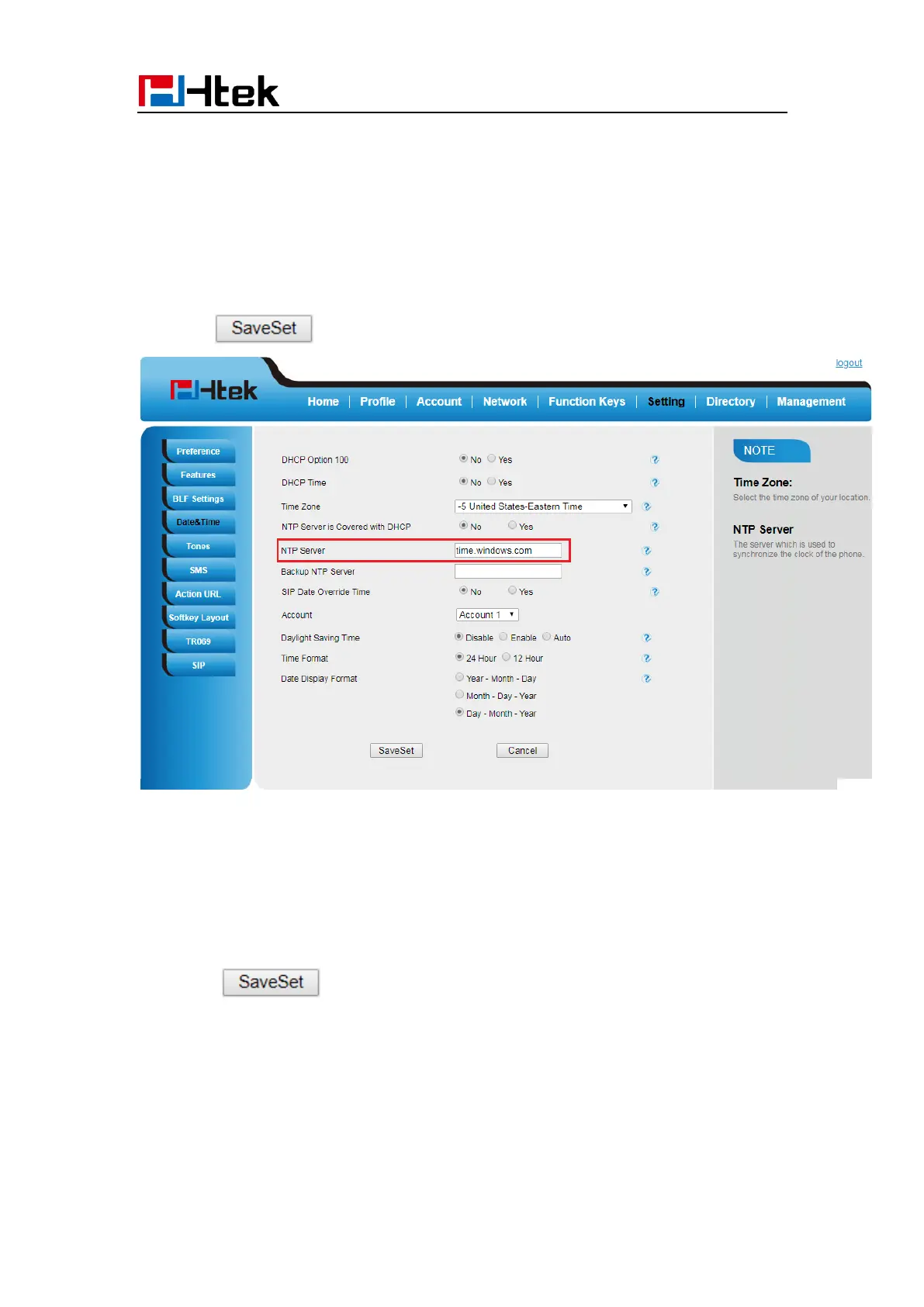
To configure the NTP Server via Web interface
1. Login
Login name: admin, password: admin(default)
2. Setting → Date &Time →NTP Server
3. Fill the value in the blank.
4. Click to save the configuration.
To change the Time Zone and Date Display Format via Web interface
1. Setting → Date &Time
2. Select the necessary one.
3. Press to save the configuration.



 To Next Page