Basic Setting Configuration
50
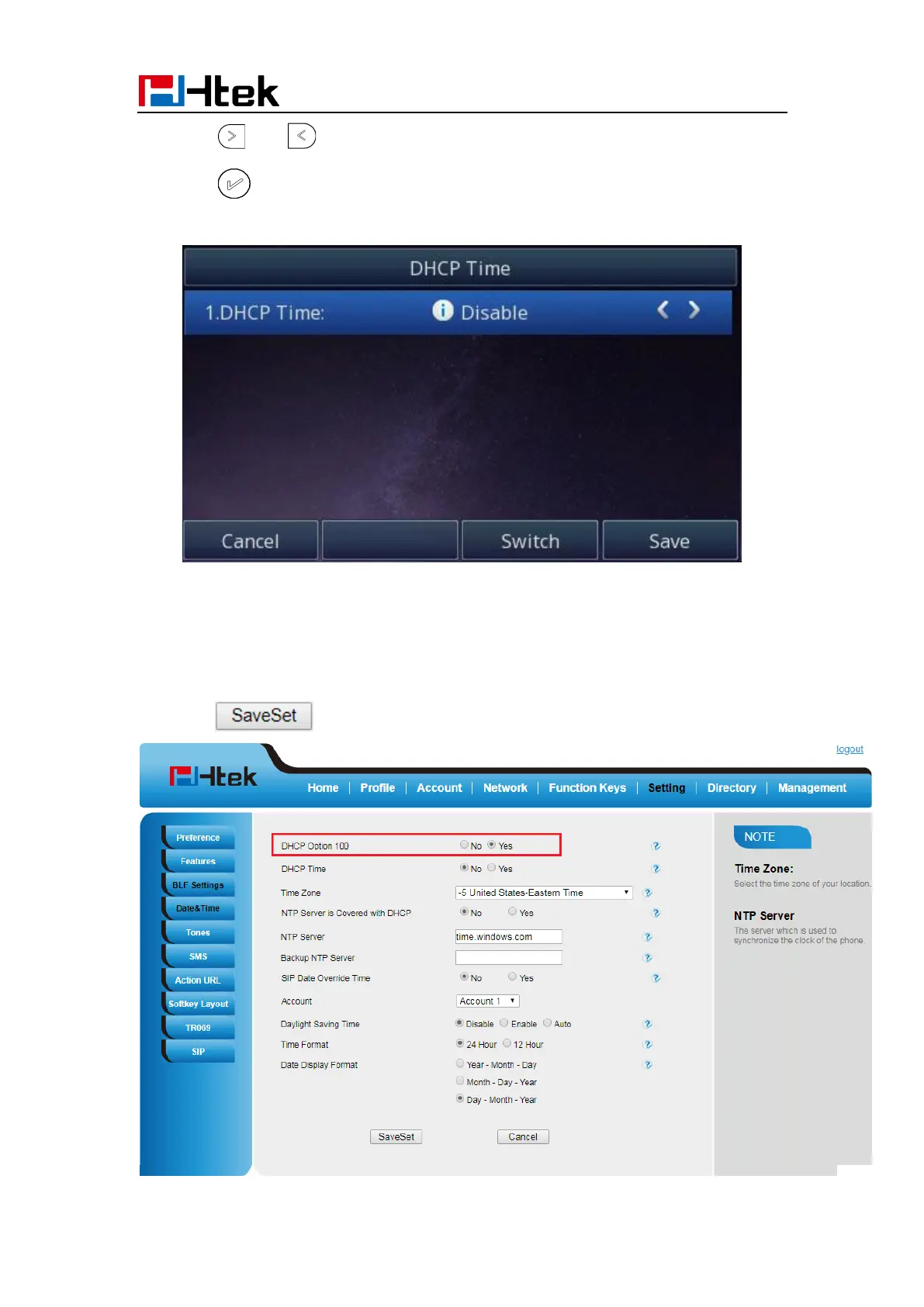
2. Press and to change between Disable and Enable.
3. Press or Save soft key to save the configuration.
To configure the DHCP Option 100
1. To press Menu → Settings → Date & Time → DHCP Option 100
2. Select Yes for the DHCP SIP Server
3. Click to save the configuration



 To Next Page