Basic Setting Configuration
58
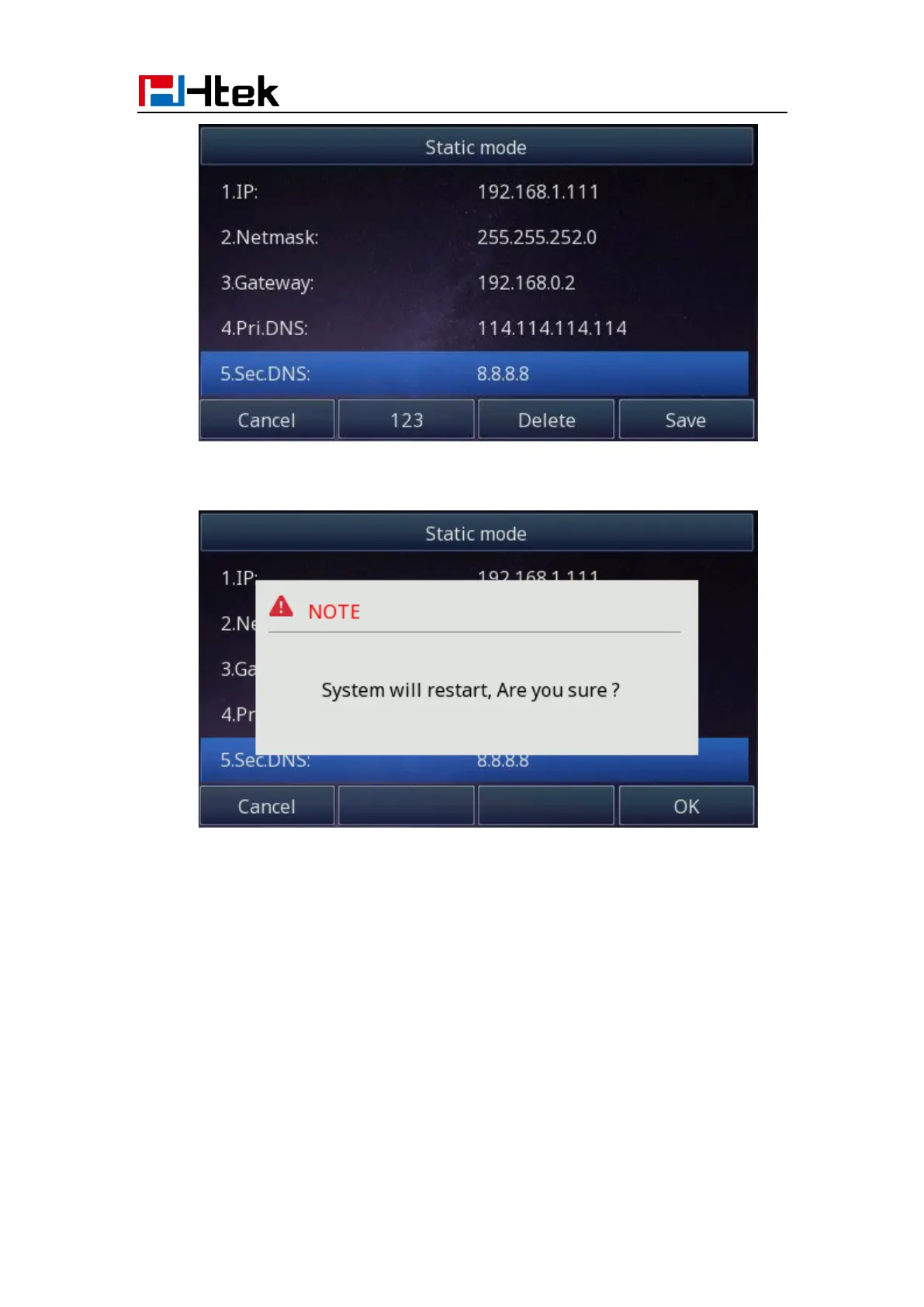
3. Click Save and restart the phone.
4. Press the OK soft key to accept the change or the Cancel soft key to cancel. If you
are using an xDSL modem, you can connect your phone to the Internet via PPPoE
mode. You can set a WAN port to be a PPPoE port. The PPPoE port will perform a
PPP negotiation to obtain the IP address. Contact your system administrator for the
PPPoE user name and password.
To configure PPPoE via Phone interface:
1. Press Menu→ Settings→ Advanced Setting (password: admin) → Network→ WAN
Port → PPPoE mode.
2. Enter the User ID and password



 To Next Page