Basic Setting Configuration
59
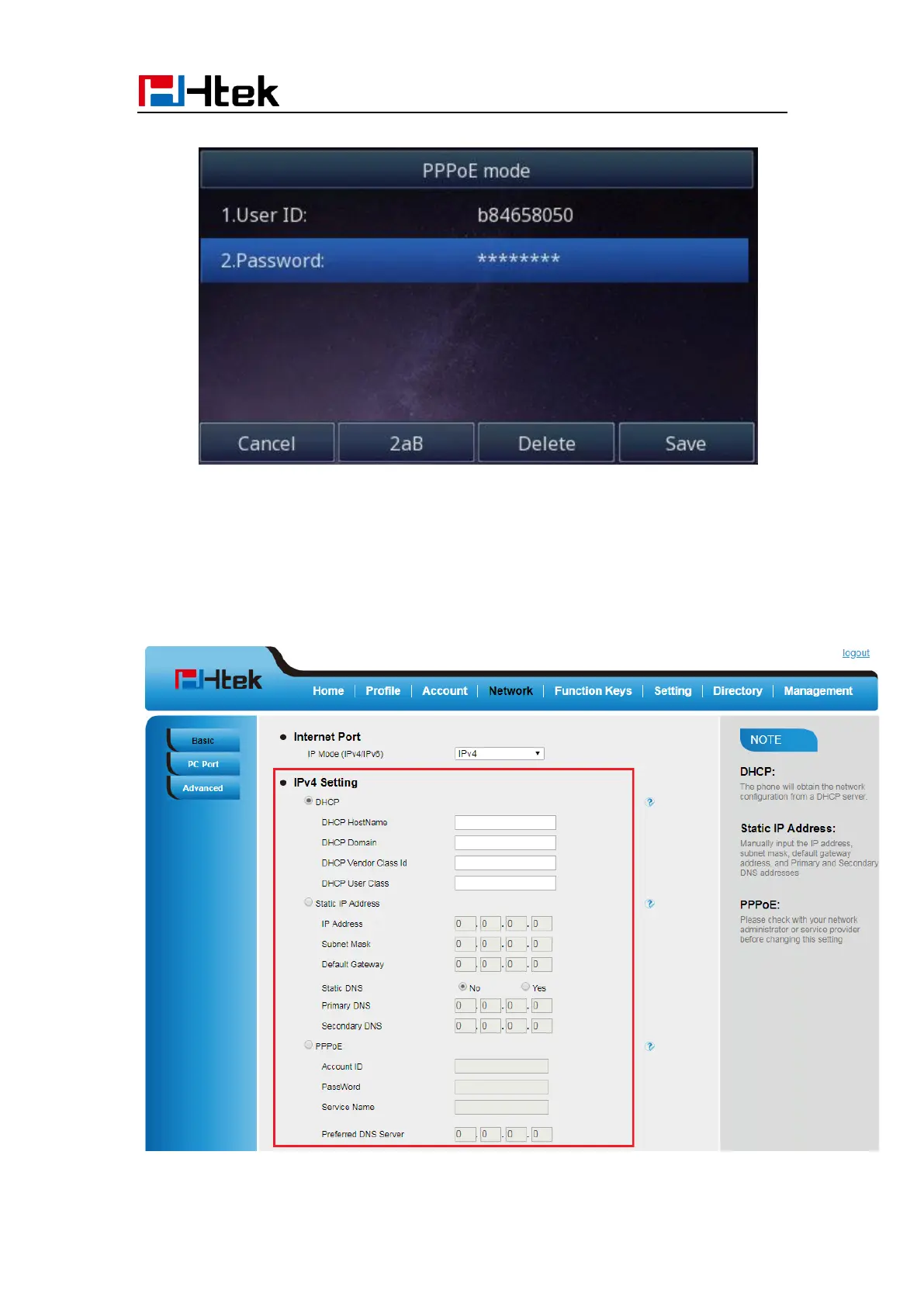
3. Click Save and restart the phone.
To configure Network via Web interface:
1. Click Network→ Basic→ IPv4 setting
2. Select the desired Type: DHCP, Static or PPPoE
3. Filled the necessary information.
4. Click the SaveSet and restart the phone.



 To Next Page