Basic Setting Configuration
67
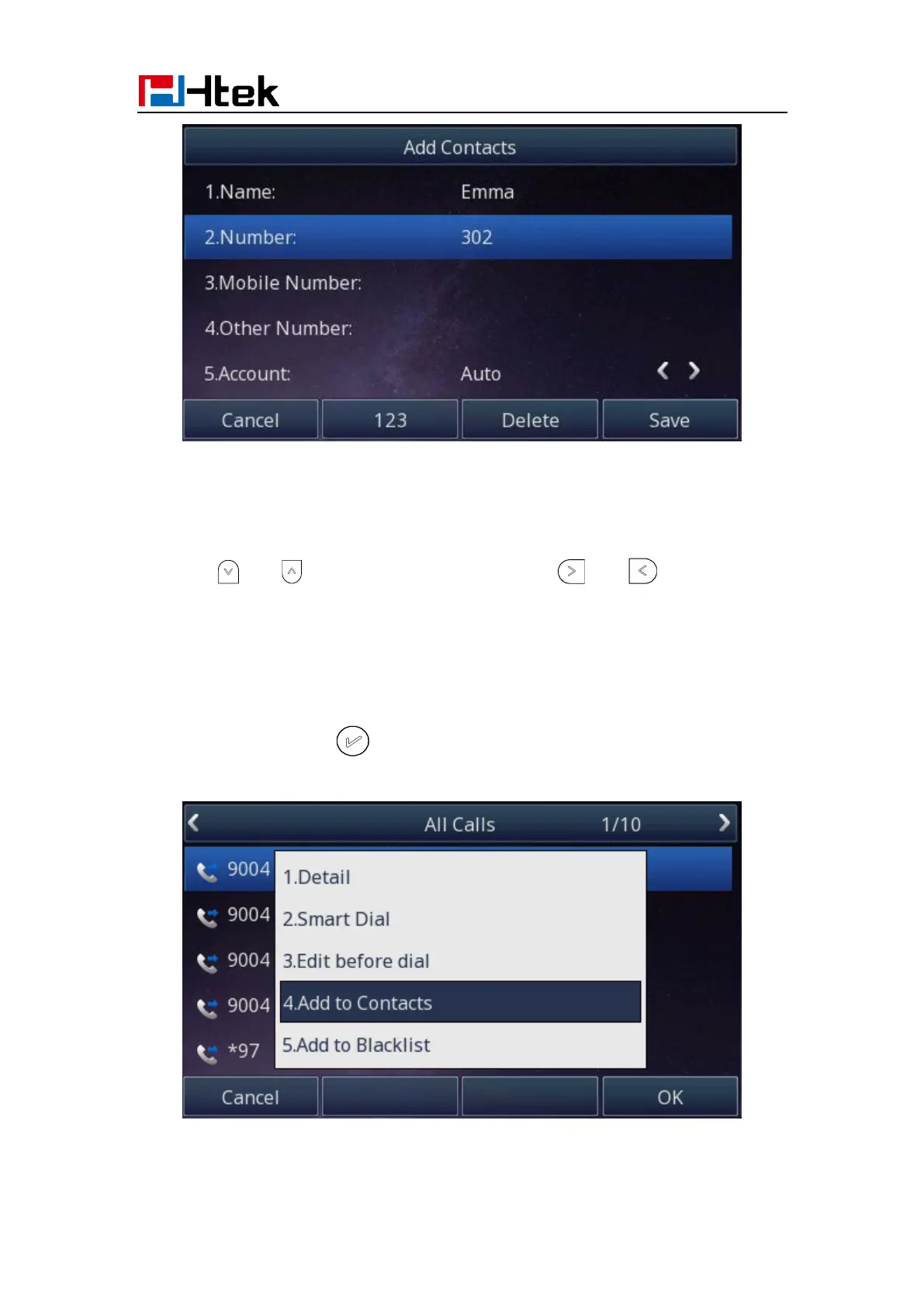
To add contacts from history via Phone interface:
1. Press History soft key or press Menu → History → Local History
2. Press and to select the targeted one. (Press and switched among
the All calls, Dialed calls, Received calls, Missed Calls and Forward Calls).
3. Press Option soft key → Add to Contacts
4. Edit the necessary information as Name, Phone number…
5. Press save soft key or to add the contacts successfully.
To add contacts via Web interface:



 To Next Page