Basic Setting Configuration
74
To Configure LDAP Key
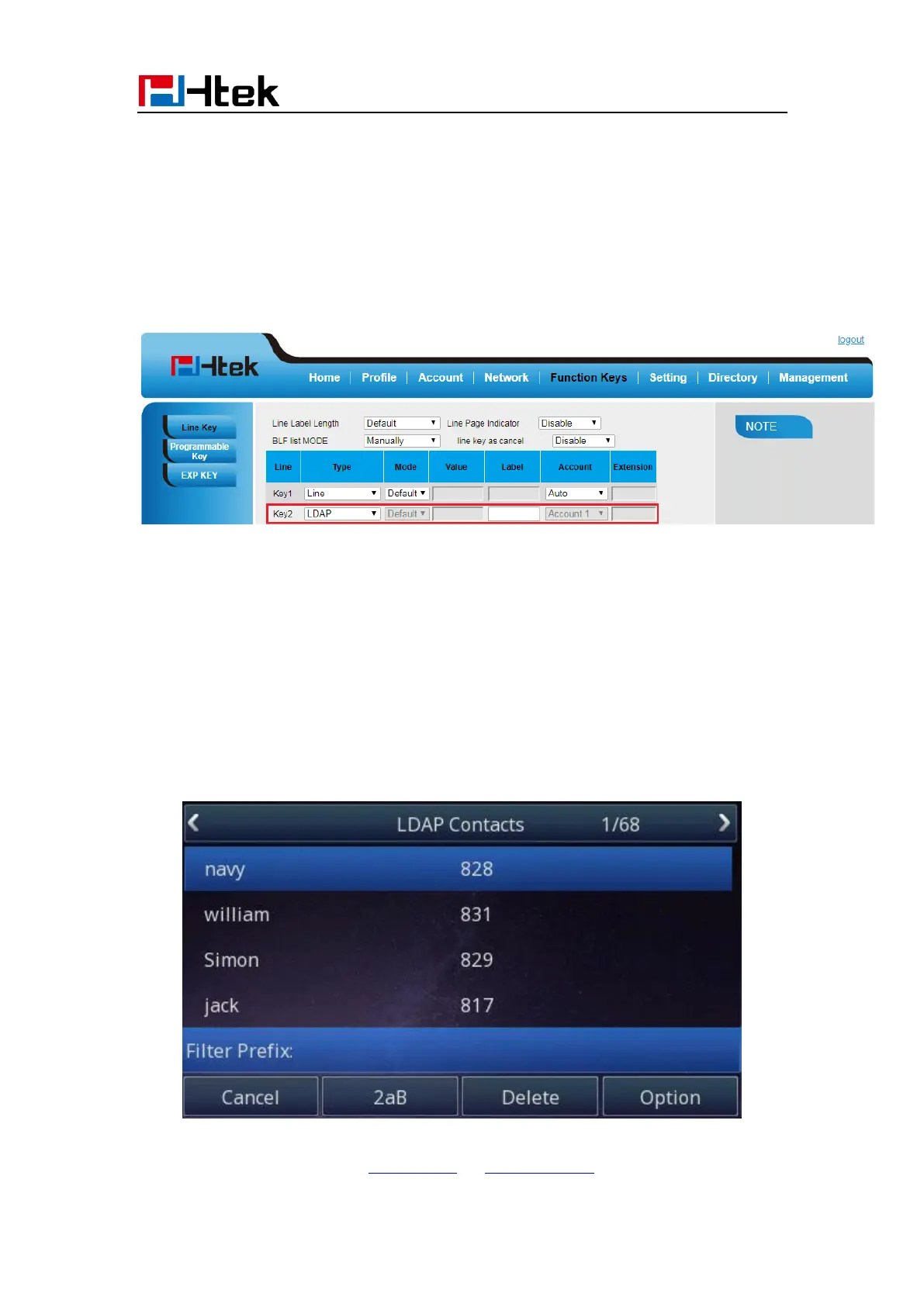
To configure LDAP Key via Web interface:
1. Click Function Key→ Line Key→ choose Line Key 2(for example)
2. Select LDAP in the Type field.
3. Click SaveSet to save the configuration.
To Configure LDAP Key via Phone interface:
1. Press Menu→ Features→ Function Keys→ Line Keys as Function Keys→ Line Key 2
2. Select LDAP in the Type field
3. Press Save or OK key to save the configuration.
When press the LDAP Key the LCD will display as following:
For More detail, please refer to LDAP Notes on www.h-tek.com



 To Next Page