Copyright © Huawei Technologies Co., Ltd.
Procedure
Step 1 Log in to the ECC500 WebUI.
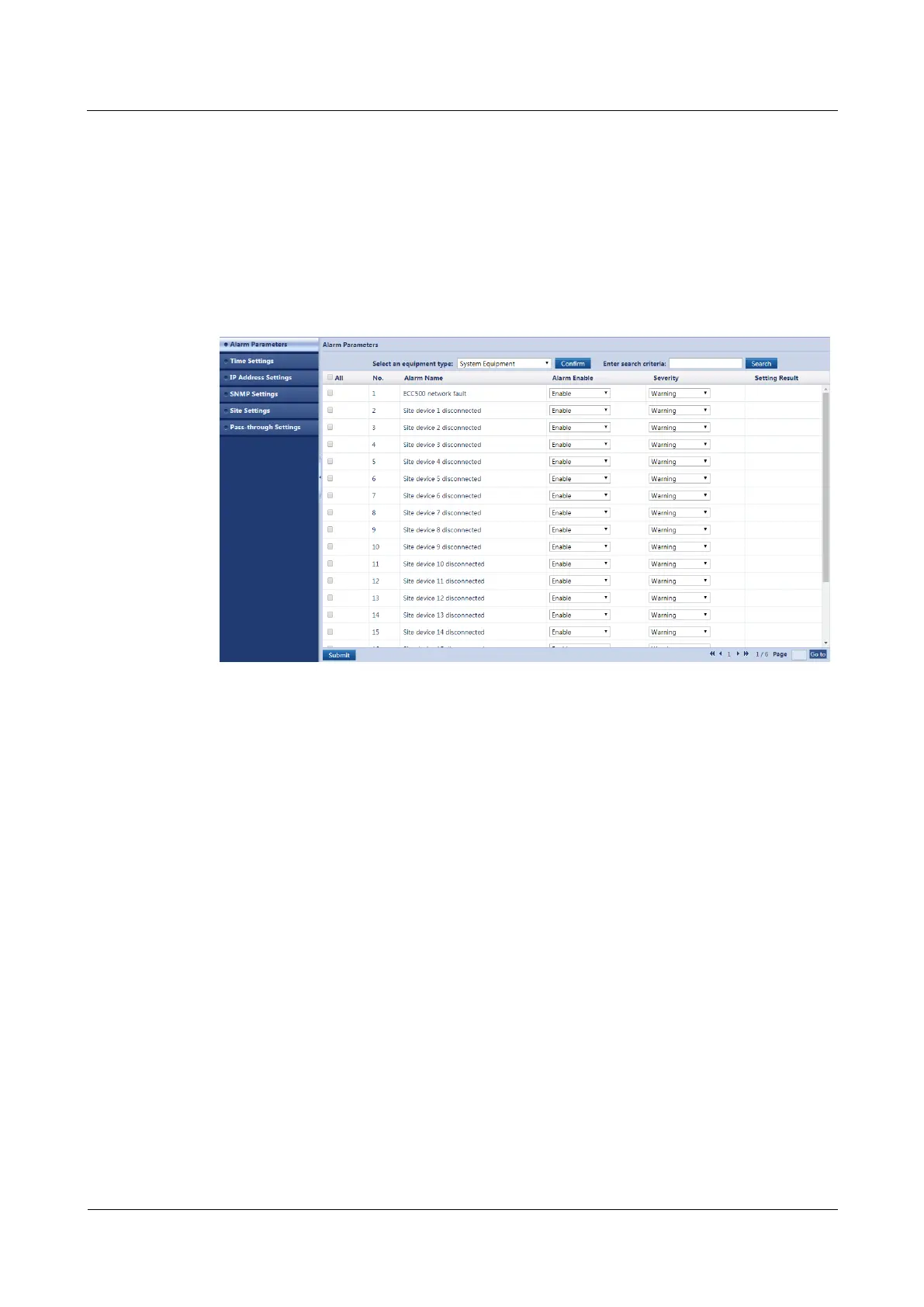
Step 2 Choose System Settings > Alarm Parameters.
Step 3 Select System Equipment from the drop-down list box and click Confirm.
Step 4 Set ECC500 network fault to Enable or Disable and set Severity, as shown in Figure 7-10.
Figure 7-10 Enabling or disabling an alarm and setting the alarm severity
Step 5 Click Submit.
----End
7.11 How Can I Handle Alarms?
Prerequisites
You have obtained the ECC500 IP address as well as the user name and password for
WebUI login.
You have prepared a PC which is in the same IP address segment as the ECC500 and
connected the PC to the ECC500 over a switch.
Procedure
Step 1 Log in to the ECC500 WebUI.
Step 2 Choose Home > Active Alarms and view active alarms.
Step 3 Select an alarm to be acknowledged and click Confirm, as shown in Figure 7-11.



 To Next Page