4 Installation and Commissioning
Copyright © Huawei Technologies Co., Ltd.
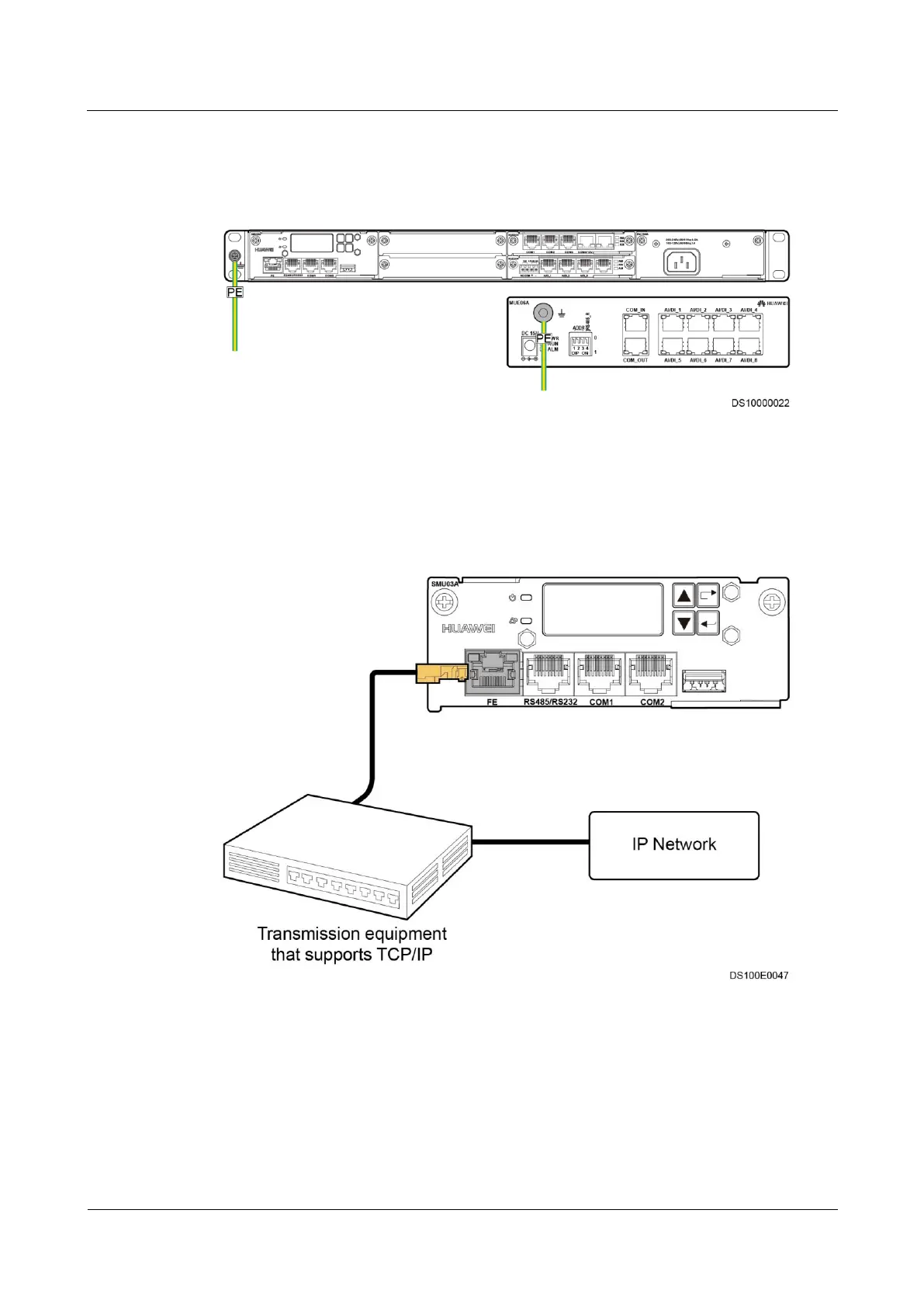
Figure 4-8 shows the ground cable connections for the ECC500 and Independent Deployment
AI/DI Unit.
Figure 4-8 Connecting ground cables
4.3.2 Connecting to an IP Network
Figure 4-9 shows the cable connection between the ECC500 and an IP network.
Figure 4-9 Connecting to an IP network
4.3.3 Connecting Monitoring Cables
All AI/DI and RS485 ports on expansion cards of the ECC500 are connected to monitoring
components using standard Ethernet cables with RJ45 connectors, as shown in Figure 4-10.



 To Next Page