4 Installation and Commissioning
Copyright © Huawei Technologies Co., Ltd.
Procedure
Step 1 Prepare an RJ45 connector on one end of a network cable, as shown in Figure 4-13.
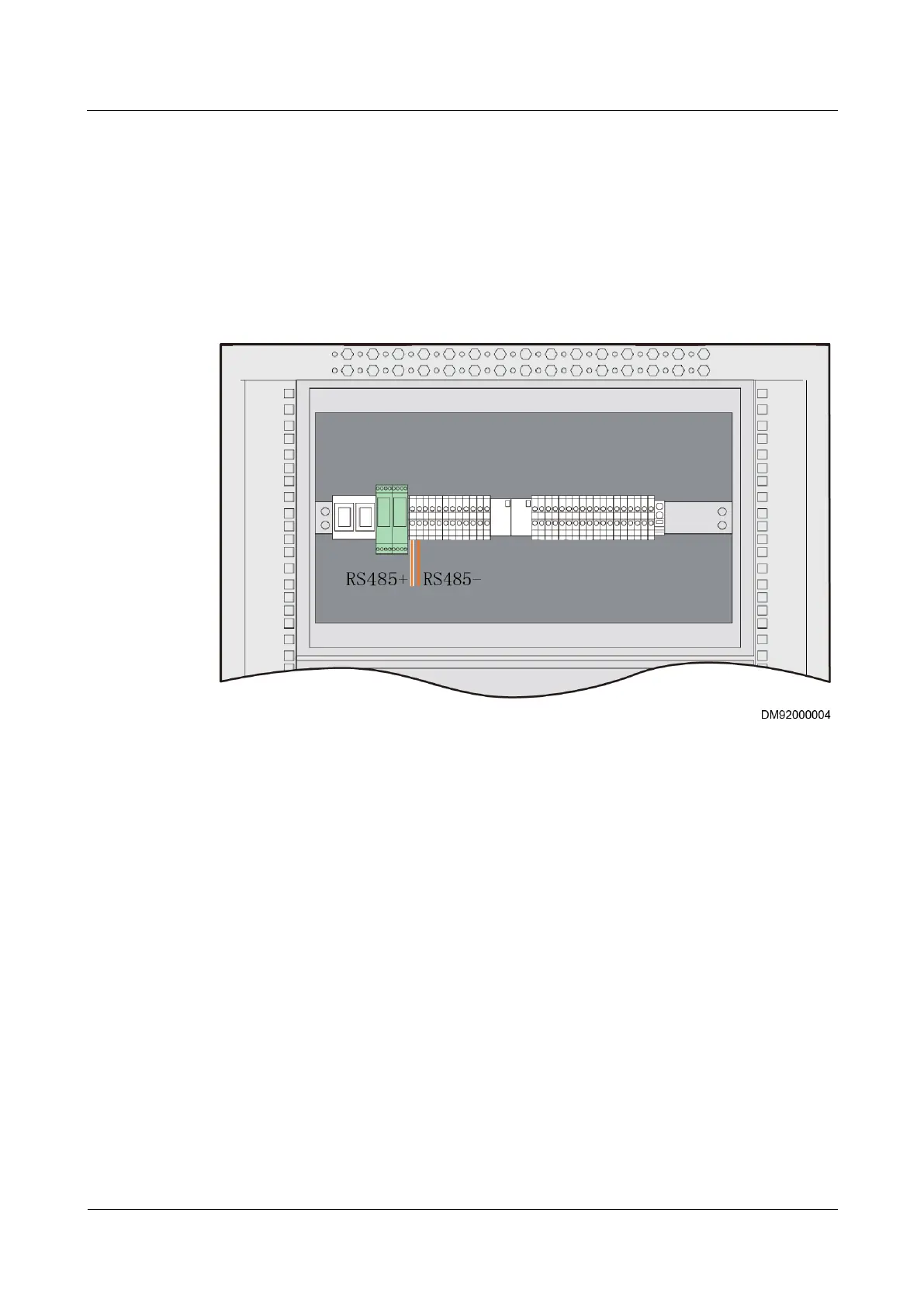
Step 2 Connect the orange-white wires on the other end of the cable to the RS485+ wiring terminal
in the PDU8000. Connect the orange wires to the RS485- wiring terminal in the PDU8000.
In the example shown in Figure 4-19, PDU8000 wiring terminal 1 is RS485+ and wiring
terminal 2 is RS485-.
Figure 4-19 PDU8000 wiring terminal
Step 3 Plug the RJ45 connector to an RS485 port in the ECC500.
----End
4.3.5.13 Connecting the Fan Monitoring Cable
Context
The fan can be connected only to the COM1 port of the main control module in the ECC500.
Procedure
Step 1 Prepare RJ45 connectors on both ends of a network cable, as shown in Figure 4-13.
Step 2 Plug one RJ45 connector to the COM1 port on the main control module of the ECC500 and
the other one to the COM_OUT port on the fan.
----End



 To Next Page