Copyright © Huawei Technologies Co., Ltd.
7.14 How Can I Change the Device Name?
Prerequisites
The T/H sensor, UPS2000-G, UPS5000-E, NetCol5000-A, NetCol8000-A, PDU8000,
and ATS have been added to the ECC500.
You have obtained the ECC500 IP address as well as the user name and password for
WebUI login.
You have prepared a PC which is in the same IP address segment as the ECC500 and
connected the PC to the ECC500 over a switch.
Context
After the name of the device is changed, an alarm reported by the device will contain the
new device name. Using the device name, maintenance engineers can easily locate the
fault.
The names of the following devices can be changed: T/H sensor, UPS2000-G,
UPS5000-E, NetCol5000-A, NetCol8000-A, PDU8000, and ATS.
The device names can be changed in the same way. The following describes how to
change the names of the UPS2000-G and T/H sensor.
Procedure
Step 1 Log in to the ECC500 WebUI.
Step 2 Change the UPS2000-G name.
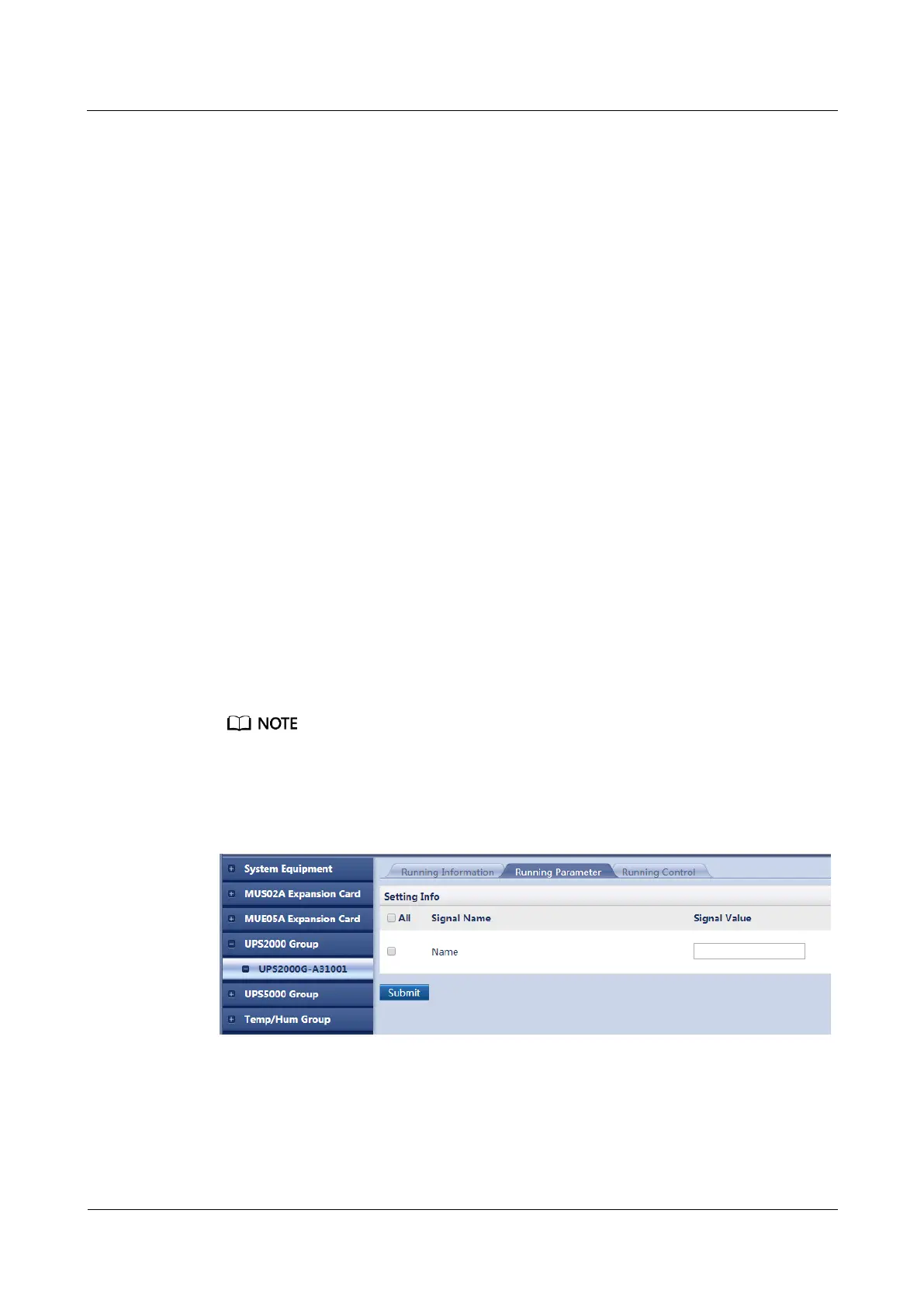
1. Choose Monitoring > UPS2000 Group > UPS2000G-A31001 > Running
Parameter.
A31001 in UPS2000G-A31001 is variable and subject to change with the model, connected collector
port, and device address of the UPS2000-G. The displayed value prevails.
2. Set Name and click Submit, as shown in Figure 7-15.
Figure 7-15 Changing the UPS2000-G name
Step 3 Change the T/H sensor name.
1. Choose Monitoring > Temp/Hum Group > Temp/Hum34001 > Running Parameter.



 To Next Page