Copyright © Huawei Technologies Co., Ltd.
5.2.4 Adding UPSs
5.2.4.1 Adding a UPS2000-G
Prerequisites
A UPS2000-G is connected to the ECC500. The UPS2000-G and ECC500 have been
powered on.
You have obtained the ECC500 IP address as well as the user name and password for
WebUI login.
You have prepared a PC which is in the same IP address segment as the ECC500 and
connected the PC to the ECC500 over a switch.
Context
After a UPS2000-G is connected to the ECC500, add the UPS2000-G on the ECC500 WebUI.
Procedure
Step 1 Log in to the ECC500 WebUI.
Step 2 Choose Home > Equipment Manage.
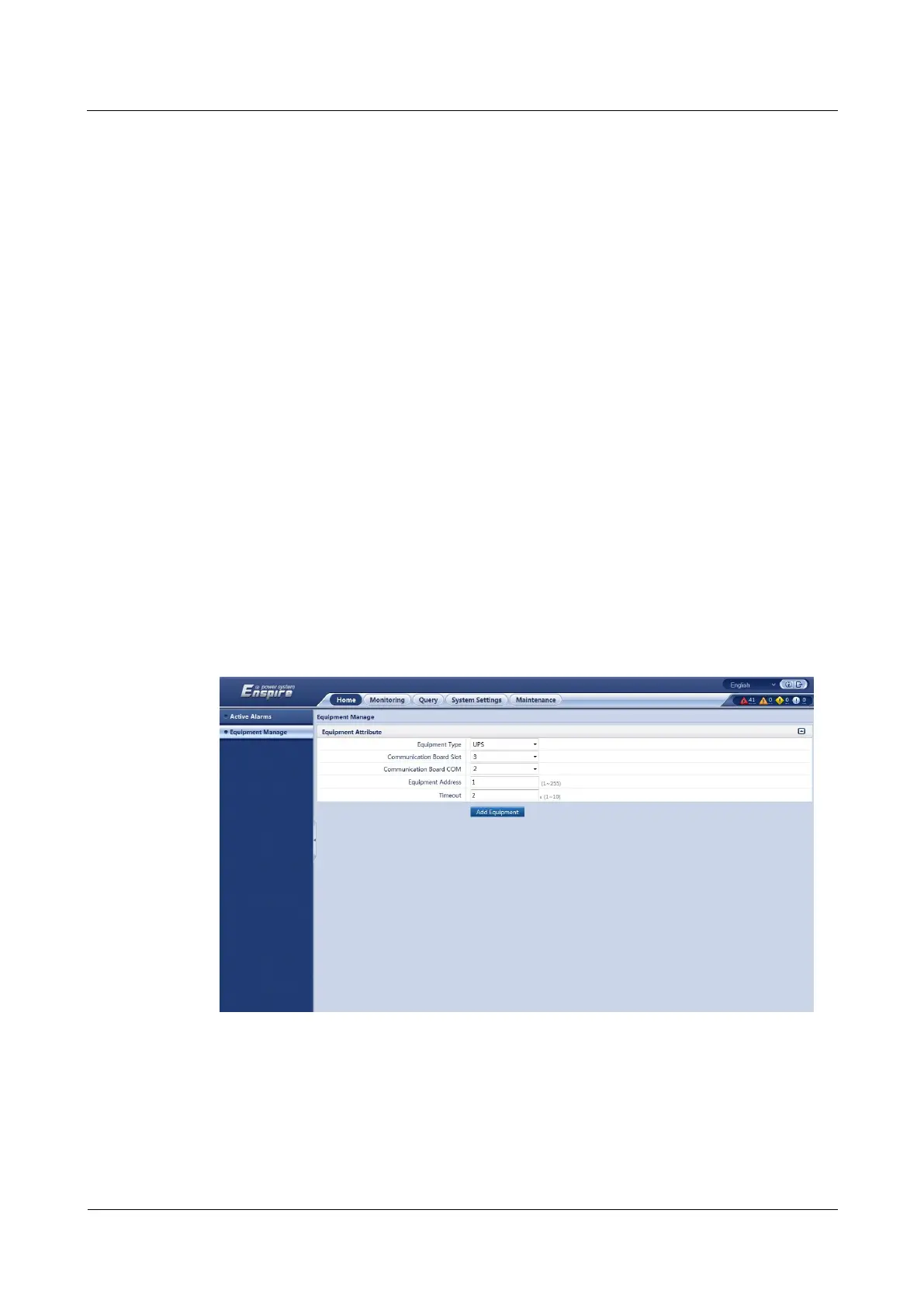
Step 3 Select UPS from the Equipment Type drop-down list box and set device parameters, as
shown in Figure 5-16. Table 5-3 describes the setting methods.
Figure 5-16 Adding a UPS2000-G
The setting example indicates that the UPS2000-G is connected to the COM2 port of the
RS485 card in slot 3 of the ECC500. If the UPS2000-G is connected to another port, set the
slot number for the connected port.



 To Next Page