3 Configurations and Port
Copyright © Huawei Technologies Co., Ltd.
compatible with 4 mA to 20
mA current signals, signals
from current-based smoke
sensors and water sensors,
dry contact signals, and NTC
signals.
Configured with a 4-bit DIP
switch.
Converts the AC input of
100 V to 240 V into two DC
outputs of 53.5 V and 15 V.
Provides the overcurrent,
output overvoltage, and
overheat protection.
Supports natural cooling of
rectifiers.
3.2 Port
3.2.1 Main Control Module
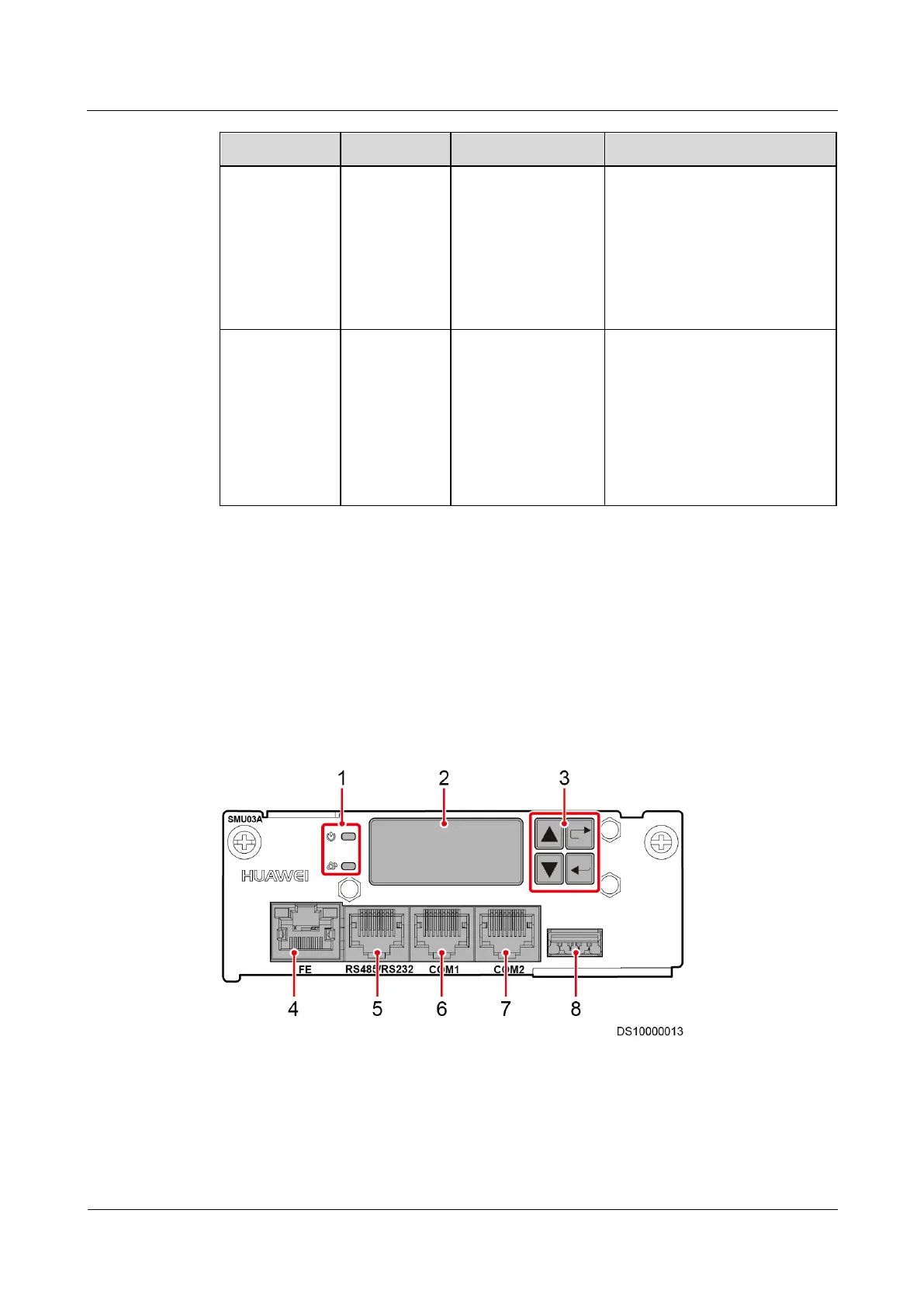
The main control module provides the LCD for querying, setting, and controlling local
parameters. Figure 3-2 shows ports on the front panel of the main control board.
Figure 3-2 Front panel of the main control module



 To Next Page