Copyright © Huawei Technologies Co., Ltd.
5.2.7 Adding a PDU8000
Prerequisites
A PDU8000 is connected to the ECC500. The PDU8000 and ECC500 have been
powered on.
You have obtained the ECC500 IP address as well as the user name and password for
WebUI login.
You have prepared a PC which is in the same IP address segment as the ECC500 and
connected the PC to the ECC500 over a switch.
Context
After a PDU8000 is connected to the ECC500, add the PDU8000 on the ECC500 WebUI.
Procedure
Step 1 Log in to the ECC500 WebUI.
Step 2 Choose Home > Equipment Manage.
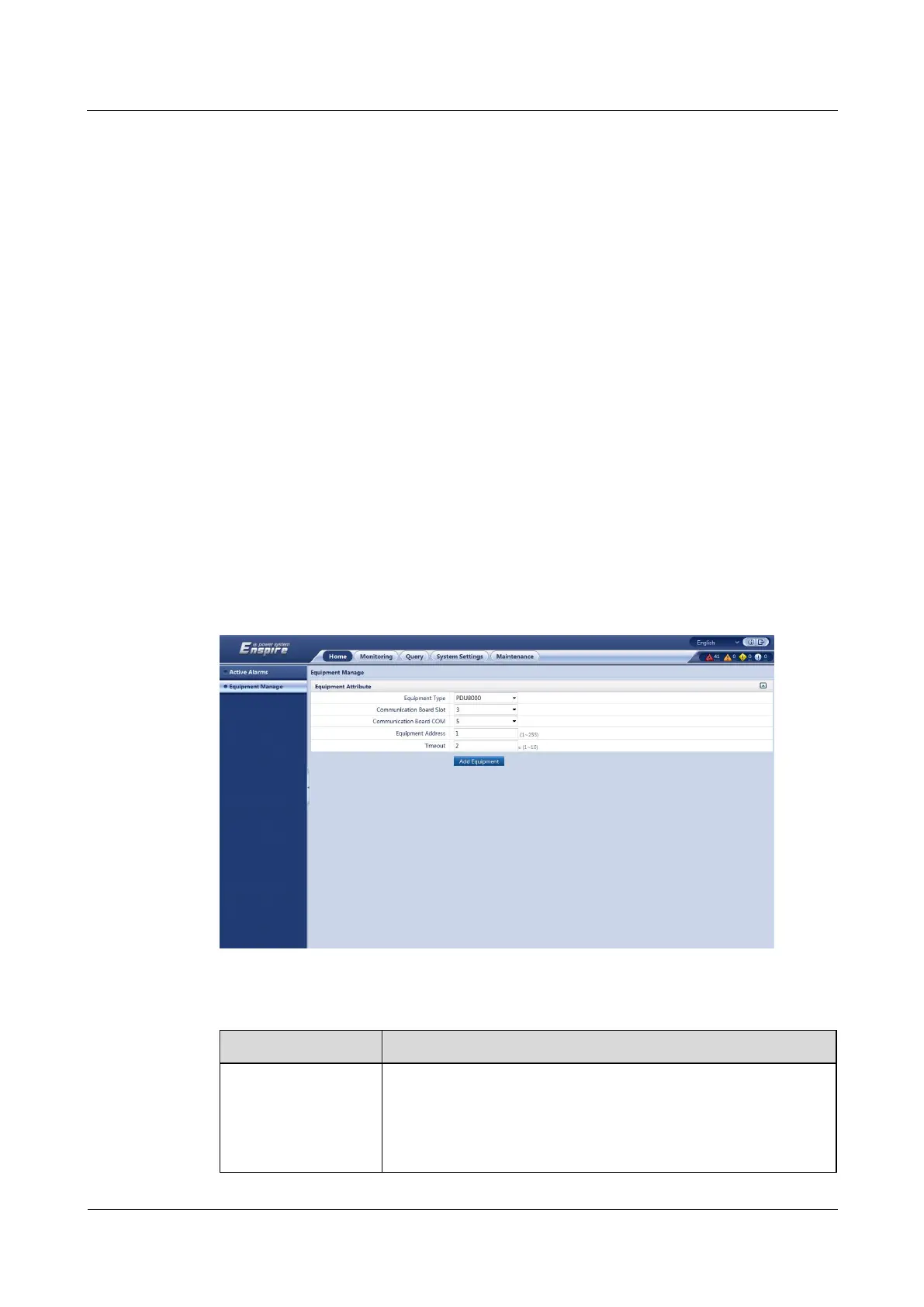
Step 3 Select PDU8000 from the Equipment Type drop-down list box and set device parameters, as
shown in Figure 5-22. Table 5-9 describes the setting methods.
Figure 5-22 Adding a PDU8000
Table 5-9 PDU8000 parameters
Select 3 from the drop-down list box.
NOTE
The setting example indicates that the PDU8000 is connected to the COM5
port of the RS485 card in slot 3 of the ECC500. If the PDU8000 is
connected to another port, set the slot number for the connected port.



 To Next Page