Copyright © Huawei Technologies Co., Ltd.
5.1.2 LCD Operations
This section takes the setting of the language and parameters as an example to show how
to operate the LCD. For details about buttons on the front panel of the main control
module, see LCD/Buttons.
The figure is for reference only.
Selecting a Language
After powering on the ECC500, select English by pressing or , as shown in Figure 5-2,
and then press to enter the standby screen.
Figure 5-2 Screen for selecting a display language
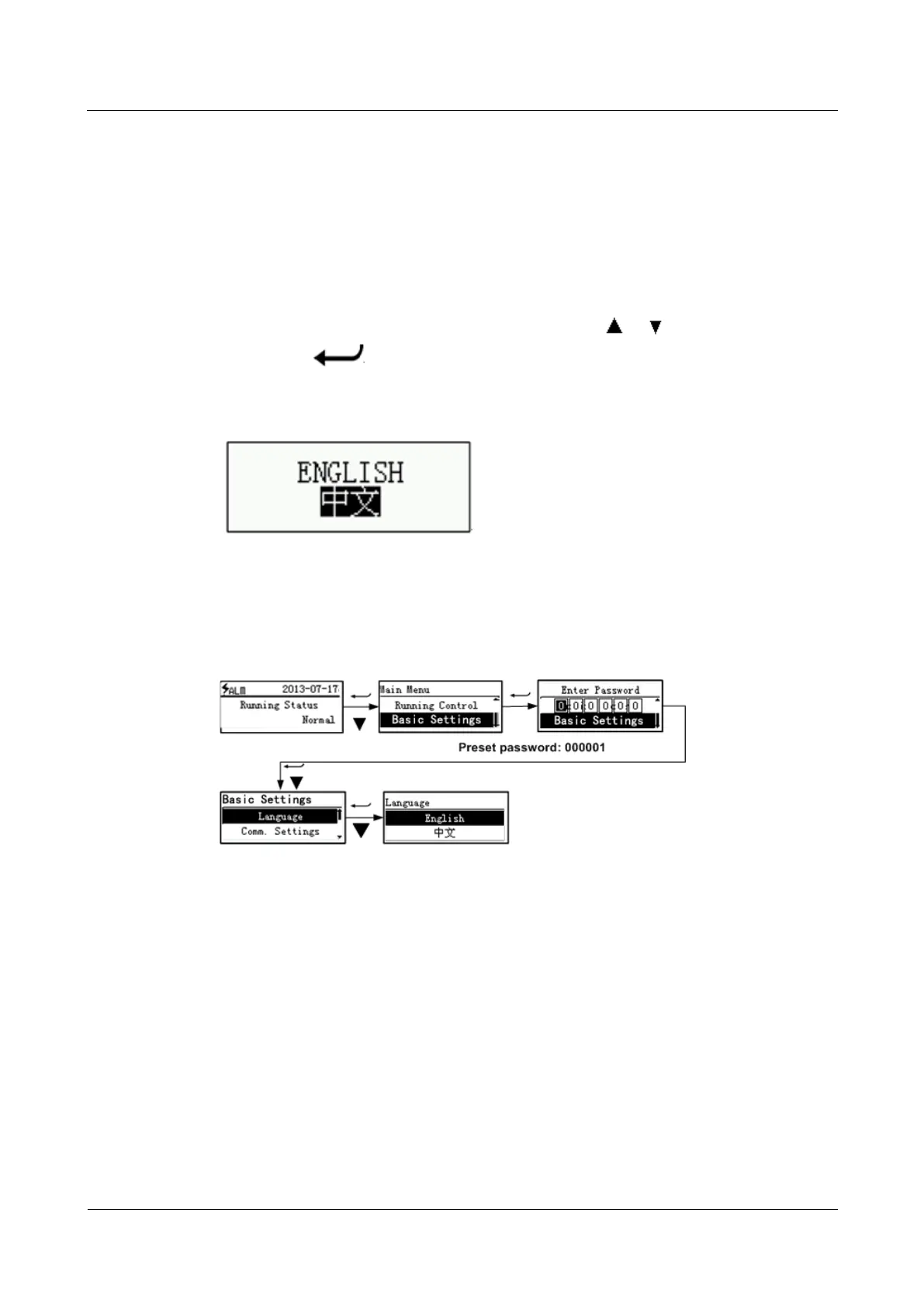
After accessing the operating system, you can change the display language by performing the
steps shown in Figure 5-3.
Figure 5-3 Setting the language
Setting the Date and Time
Figure 5-4 takes the setting of the date and time to show how to set parameters quickly over
the LCD.



 To Next Page