Copyright © Huawei Technologies Co., Ltd.
5 UI Description
5.1 LCD
The LCD of the ECC500 is located on the front panel of the main control module. It allows
you to:
View active alarms.
View the running status of the system.
Set system parameters, select a language, and set communications parameters.
Set basic parameters, such as the date, time, and LCD contrast.
Change the password.
Restore factory settings.
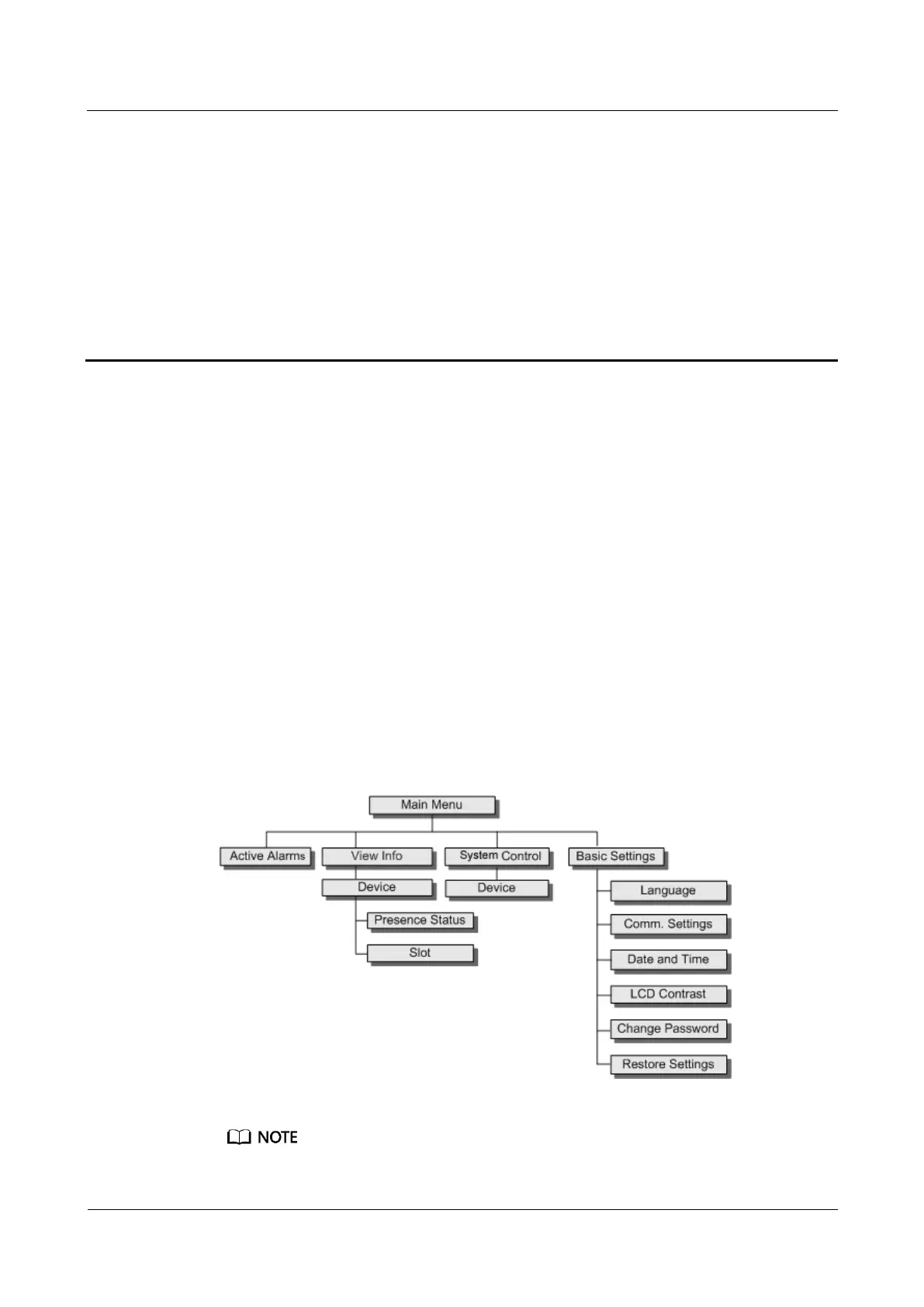
5.1.1 LCD Menu Hierarchy
Figure 5-1 shows the LCD main menu hierarchy.
Figure 5-1 LCD menu hierarchy
A password is required for access to System Control and Basic Settings.



 To Next Page