4 Installation and Commissioning
Copyright © Huawei Technologies Co., Ltd.
4.3.5 Connecting Cables
4.3.5.1 Connecting Cables to Intelligent Equipment and Sensors
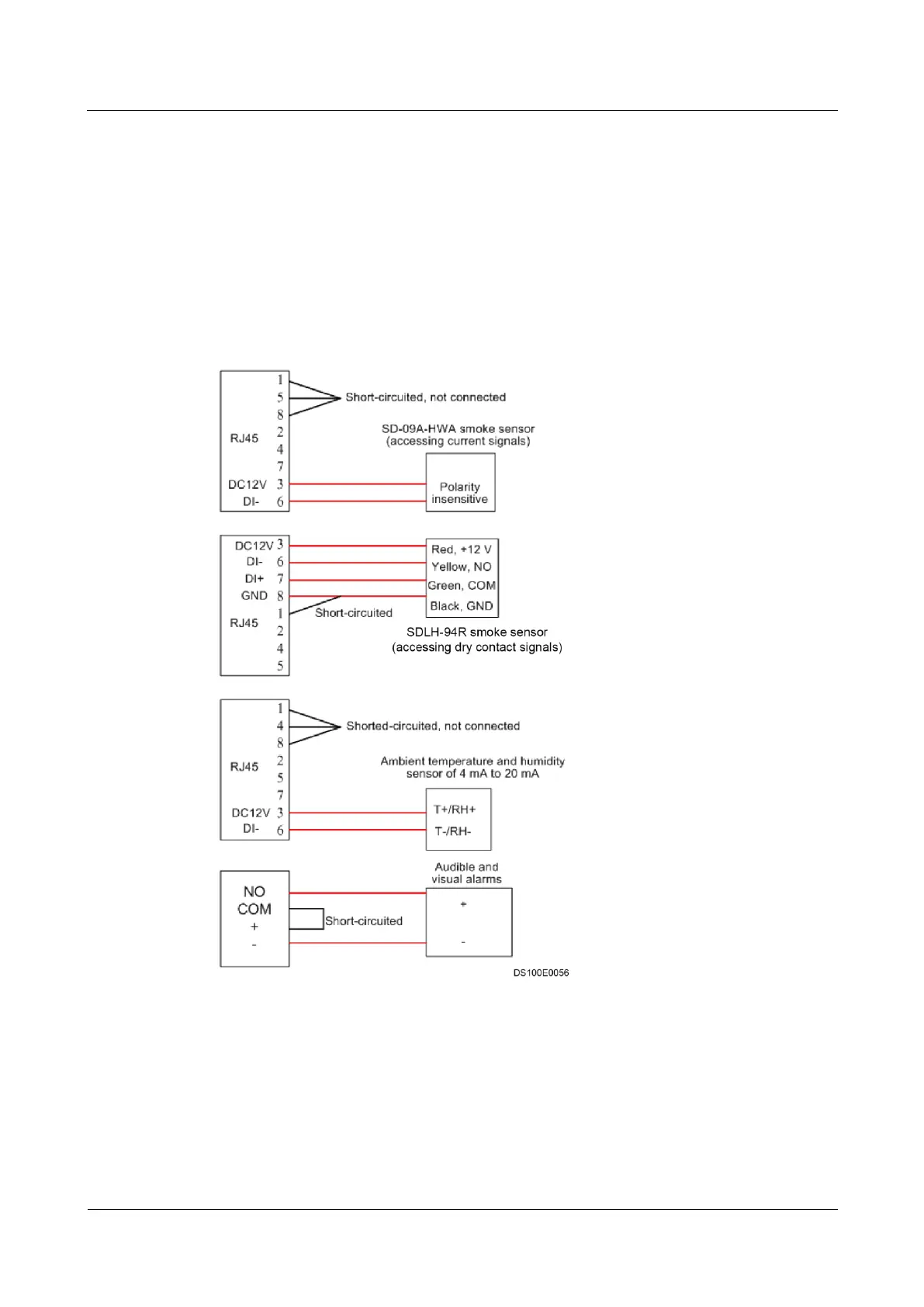
Figure 4-12 shows how to connect cables between the ECC500 and sensors.
Figure 4-12 Connecting cables to sensors
4.3.5.2 Connecting the ENR1DETA MODULE T/H Sensor Monitoring
Cable
Context
When connecting a T/H sensor to the ECC500, perform the following steps to prepare a
special monitoring cable.



 To Next Page