Copyright © Huawei Technologies Co., Ltd.
34001 in Temp/Hum34001 is variable and subject to change with the model, connected collector port,
and device address of the T/H sensor. The displayed value prevails.
2. Set Name and click Submit, as shown in Figure 7-16.
Figure 7-16 Changing the T/H sensor name
----End
7.15 How Can I Set Temperature and Humidity Alarm
Thresholds for a T/H Sensor?
Prerequisites
A T/H sensor has been added to the ECC500.
You have obtained the ECC500 IP address as well as the user name and password for
WebUI login.
You have prepared a PC which is in the same IP address segment as the ECC500 and
connected the PC to the ECC500 over a switch.
Procedure
Step 1 Log in to the ECC500 WebUI.
Step 2 Choose Monitoring > Temp/Hum Group > Temp/Hum34001 > Running Parameter.
34001 in Temp/Hum34001 is variable and subject to change with the model, connected collector port,
and device address of the T/H sensor. The displayed value prevails.
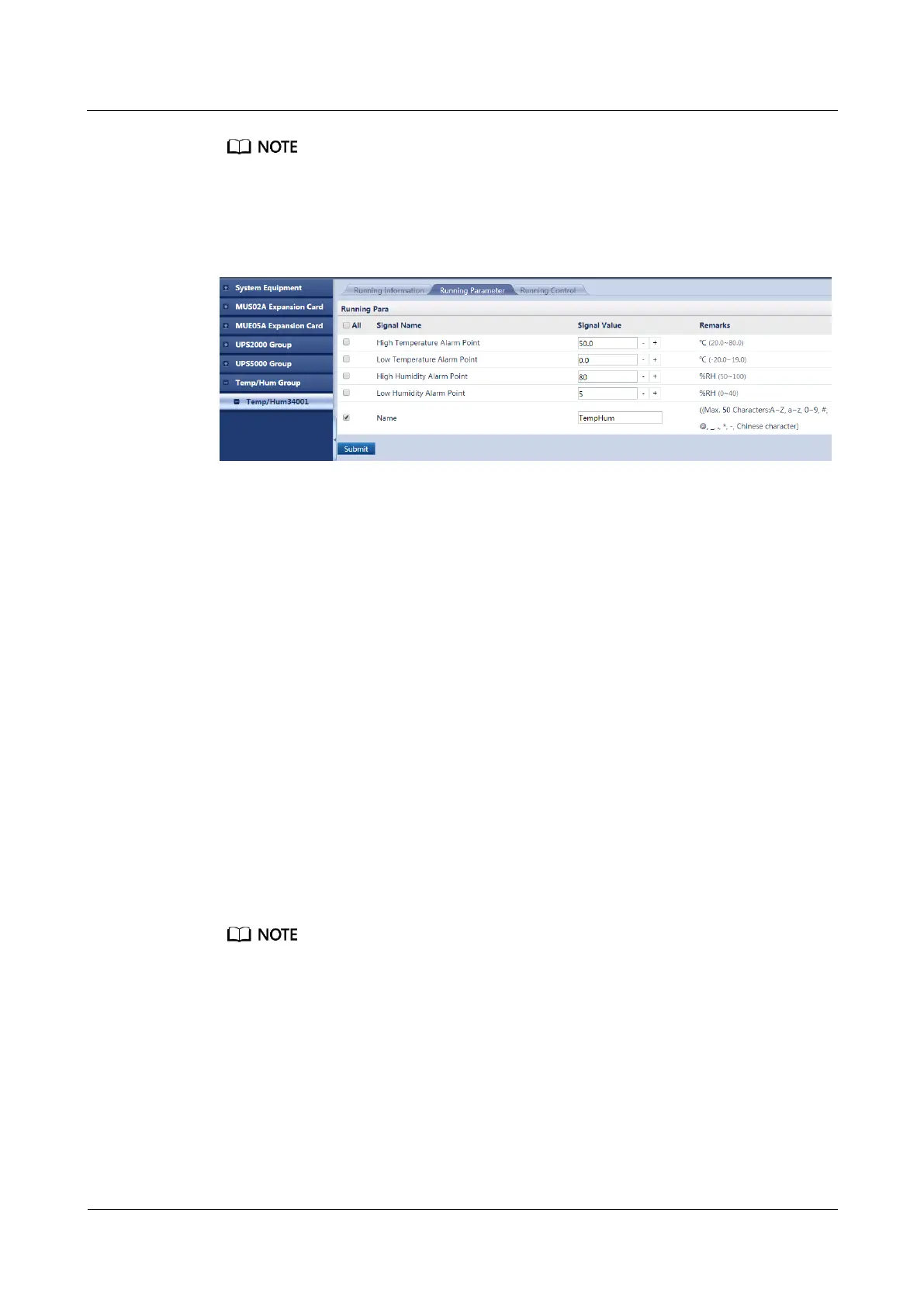
Step 3 Set High Temperature Alarm Point, Low Temperature Alarm Point, High Humidity
Alarm Point, or Low Humidity Alarm Point, and click Submit, as shown in Figure 7-17.



 To Next Page