Copyright © Huawei Technologies Co., Ltd.
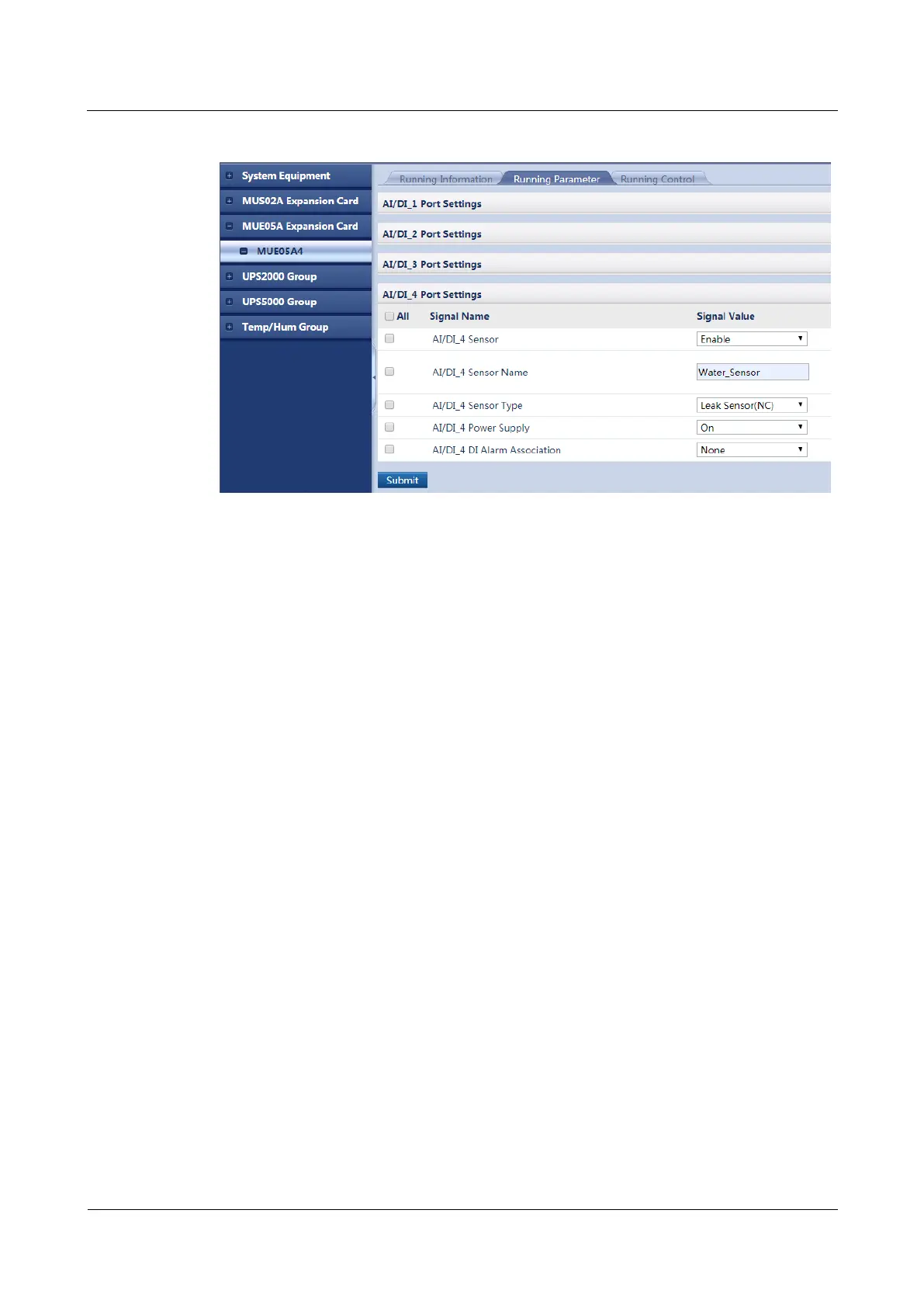
Figure 5-12 Adding a water sensor
----End
5.2.3.5 Adding a Device Connected to a DI Port on the GPRS Expansion
Card
Prerequisites
You have obtained the ECC500 IP address as well as the user name and password for
WebUI login.
You have prepared a PC which is in the same IP address segment as the ECC500 and
connected the PC to the ECC500 over a switch.
Context
The following example describes how to add a diesel generator (DG) or mains status
monitoring device connected to a DI port on the GPRS expansion card.
After a DG or mains status monitoring cable is connected to the ECC500, set port
parameters on the ECC500 WebUI. After the setting, you can check whether the DG or
mains power supply is active on the ECC500 WebUI.
The DG and mains status monitoring cables are respectively connected to the DI_1 and
DI_2 ports on the MUC01A1 card (GPRS expansion card) in the ECC500 by default. If
they are connected to other ports, set the port parameters using the following method.
Procedure
Step 1 Log in to the ECC500 WebUI.
Step 2 Choose Monitoring > MUC01A1 > Running Parameter > DI_1 Port Settings.
Step 3 Set DI_1 Sensor to Enable.
Step 4 Click Submit.



 To Next Page