Copyright © Huawei Technologies Co., Ltd.
5.2.3.2 Adding an SPD
Prerequisites
You have obtained the ECC500 IP address as well as the user name and password for
WebUI login.
You have prepared a PC which is in the same IP address segment as the ECC500 and
connected the PC to the ECC500 over a switch.
Context
A surge protective device (SPD) should be connected to the AI/DI_2 port on the
MUE05A4 of the ECC500 by default. To connect the SPD to another port, set the port
parameters using the following method.
An SPD is a normally closed (NC) dry contact device. The normal signal status is NC,
and the alarm signal status is normally open (NO).
Procedure
Step 1 Log in to the ECC500 WebUI.
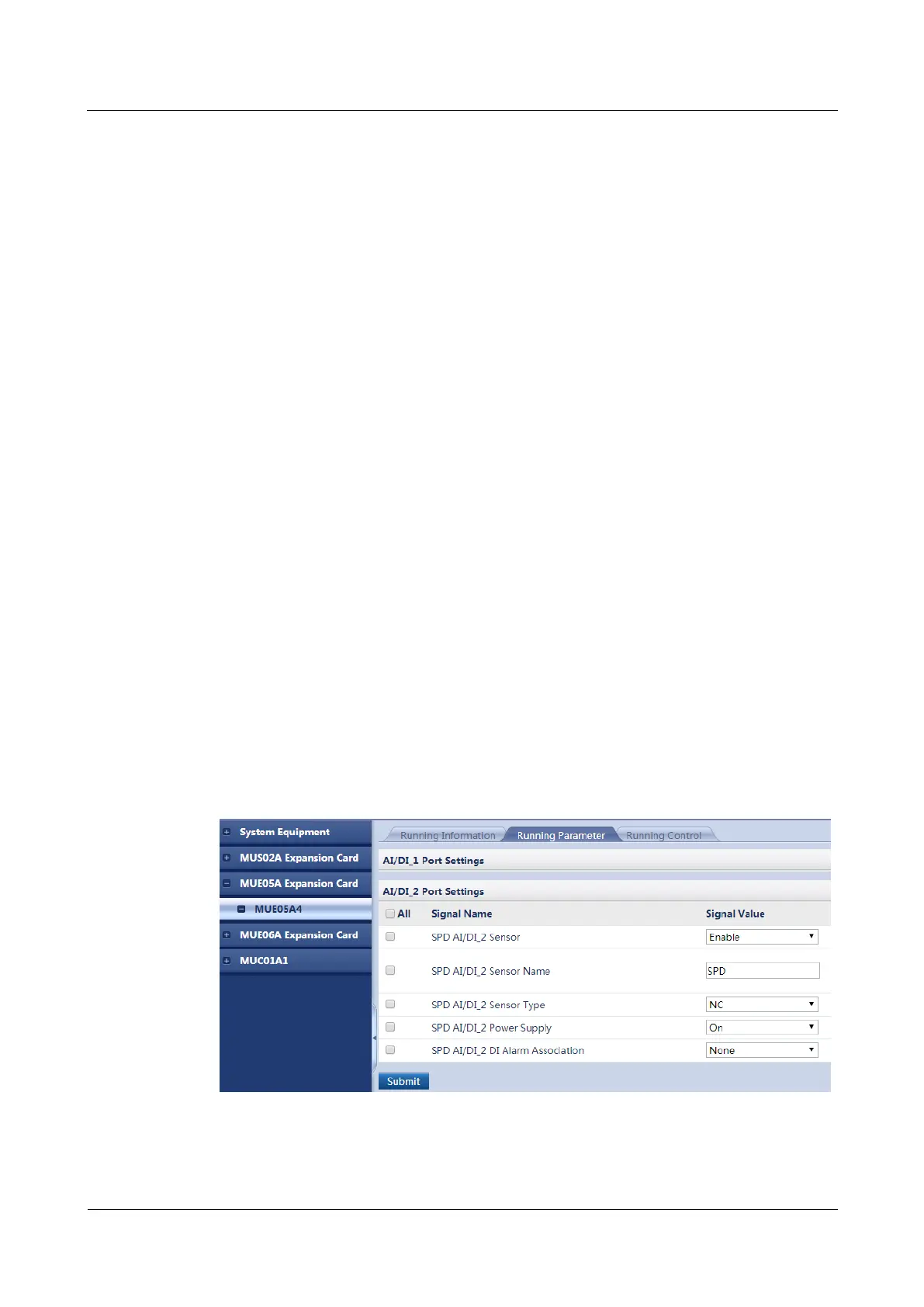
Step 2 Choose Monitoring > MUE05A Expansion Card > MUE05A4 > Running Parameter >
AI/DI_2 Port Settings.
Step 3 Set AI/DI_2 Sensor to Enable.
Step 4 Click Submit.
Step 5 Set AI/DI_2 Sensor Name, for example, to SPD.
Step 6 Set AI/DI_2 Sensor Type to NC.
Step 7 Set AI/DI_2 Power Supply to On.
Step 8 Click Submit. Figure 5-10 shows the configured page.
Figure 5-10 Adding an SPD
----End



 To Next Page