4 Installation and Commissioning
Copyright © Huawei Technologies Co., Ltd.
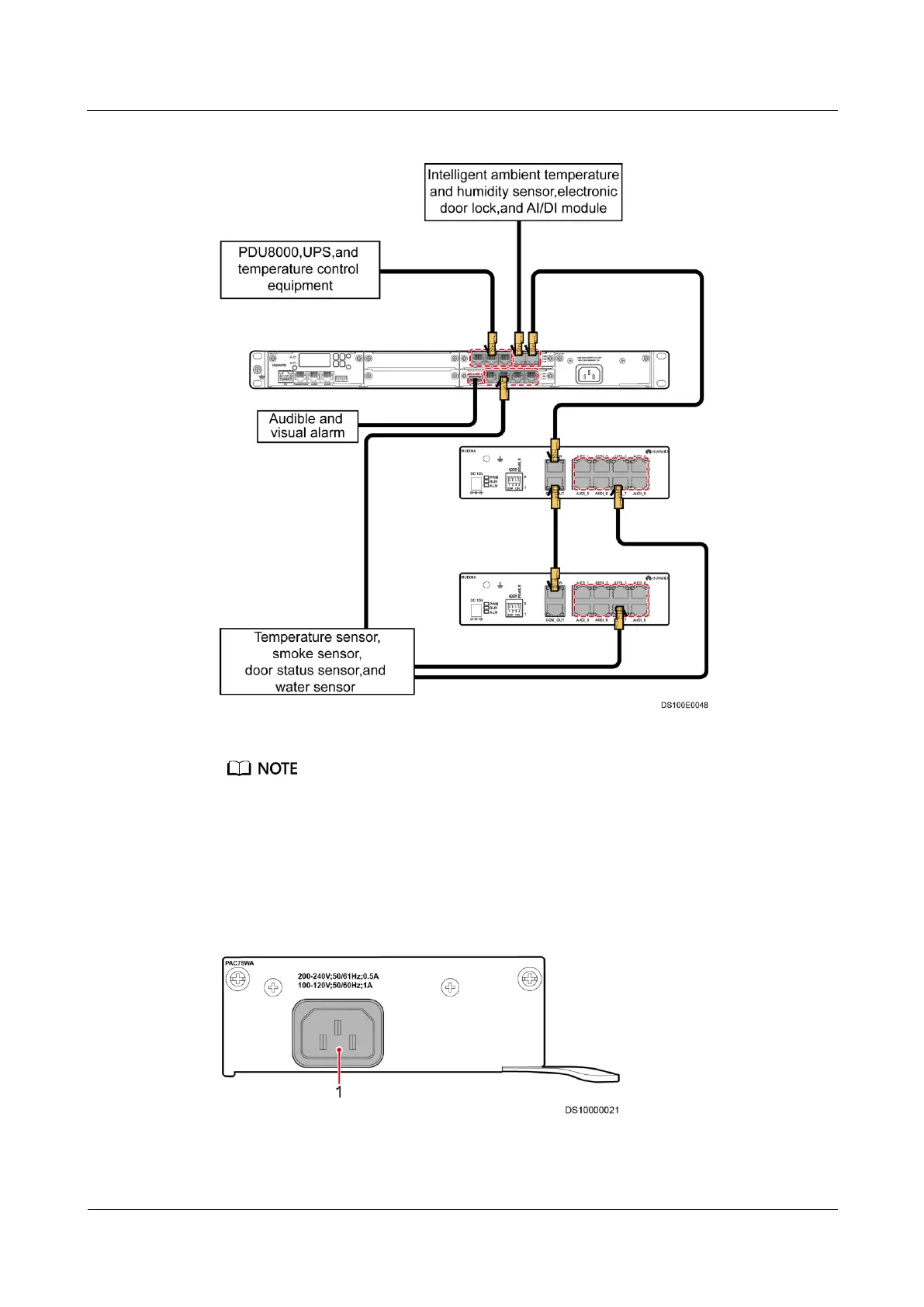
Figure 4-10 Connecting monitoring cables
Connect an audible and visual alarm to the ECC500 using the delivered adapter.
4.3.4 Connecting Power Cables
The power module of the ECC500 is connected to the external power supply using a power
cable. Figure 4-11 shows the cable connection.
Figure 4-11 Connecting a power cable



 To Next Page