Copyright © Huawei Technologies Co., Ltd.
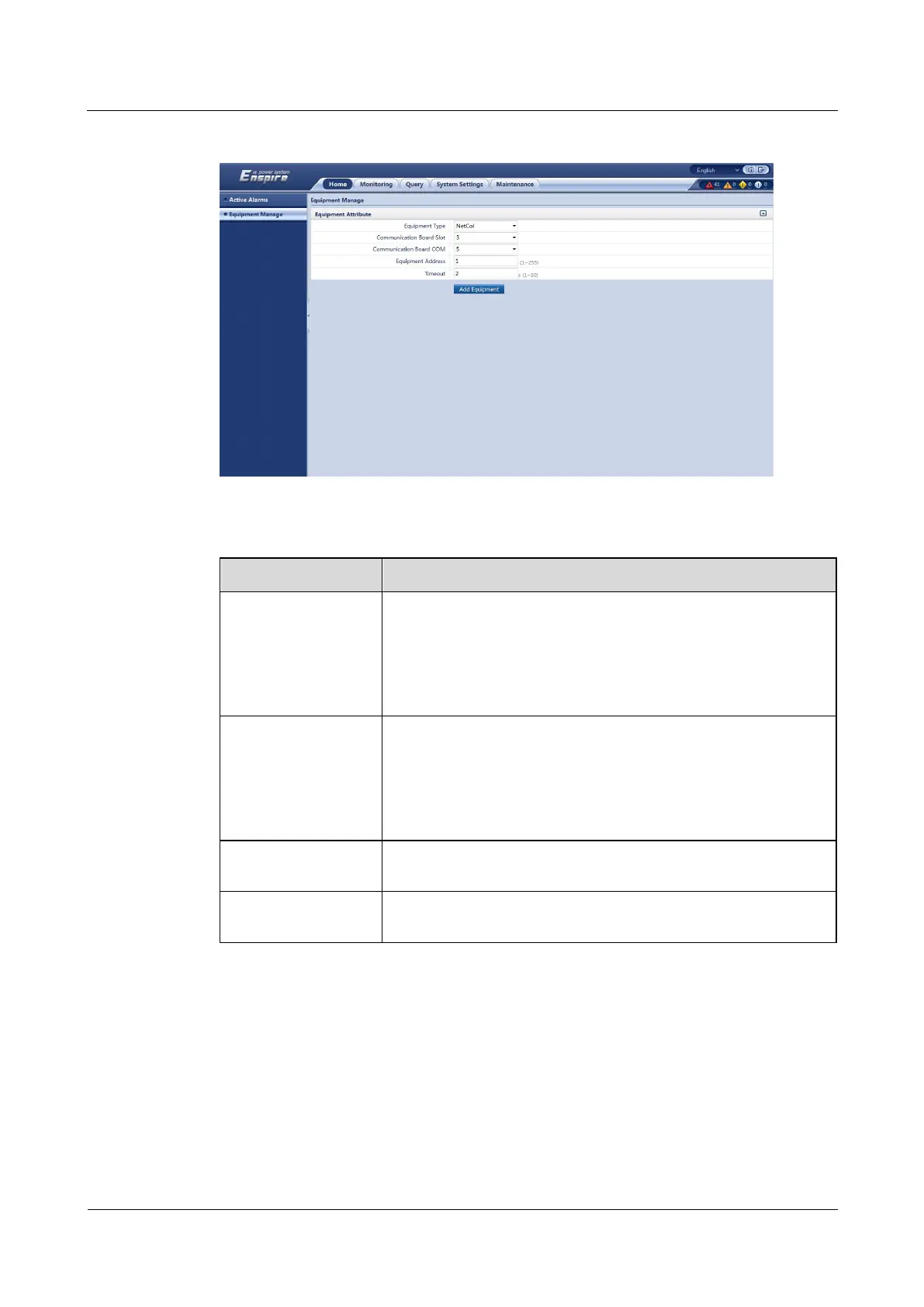
Figure 5-21 Adding a NetCol8000-A
Table 5-8 NetCol8000-A parameters
Select 3 from the drop-down list box.
NOTE
The setting example indicates that the NetCol8000-A is connected to the
COM5 port of the RS485 card in slot 3 of the ECC500. If the
NetCol8000-A is connected to another port, set the slot number for the
connected port.
Select 5 from the drop-down list box.
NOTE
The setting example indicates that the NetCol8000-A is connected to the
COM5 port of the RS485 card in slot 3 of the ECC500. If the
NetCol8000-A is connected to another port, set the number of the
connected port.
In this example, set Equipment Address to 1. Set the actual
device address of the NetCol8000-A during operations.
The default timeout interval is 2s. Set the parameter to the required
value.
Step 4 Click Add Equipment.
----End
Follow-up Procedure
If the device addition fails, check whether the settings are consistent with the device
parameters.



 To Next Page