Copyright © Huawei Technologies Co., Ltd.
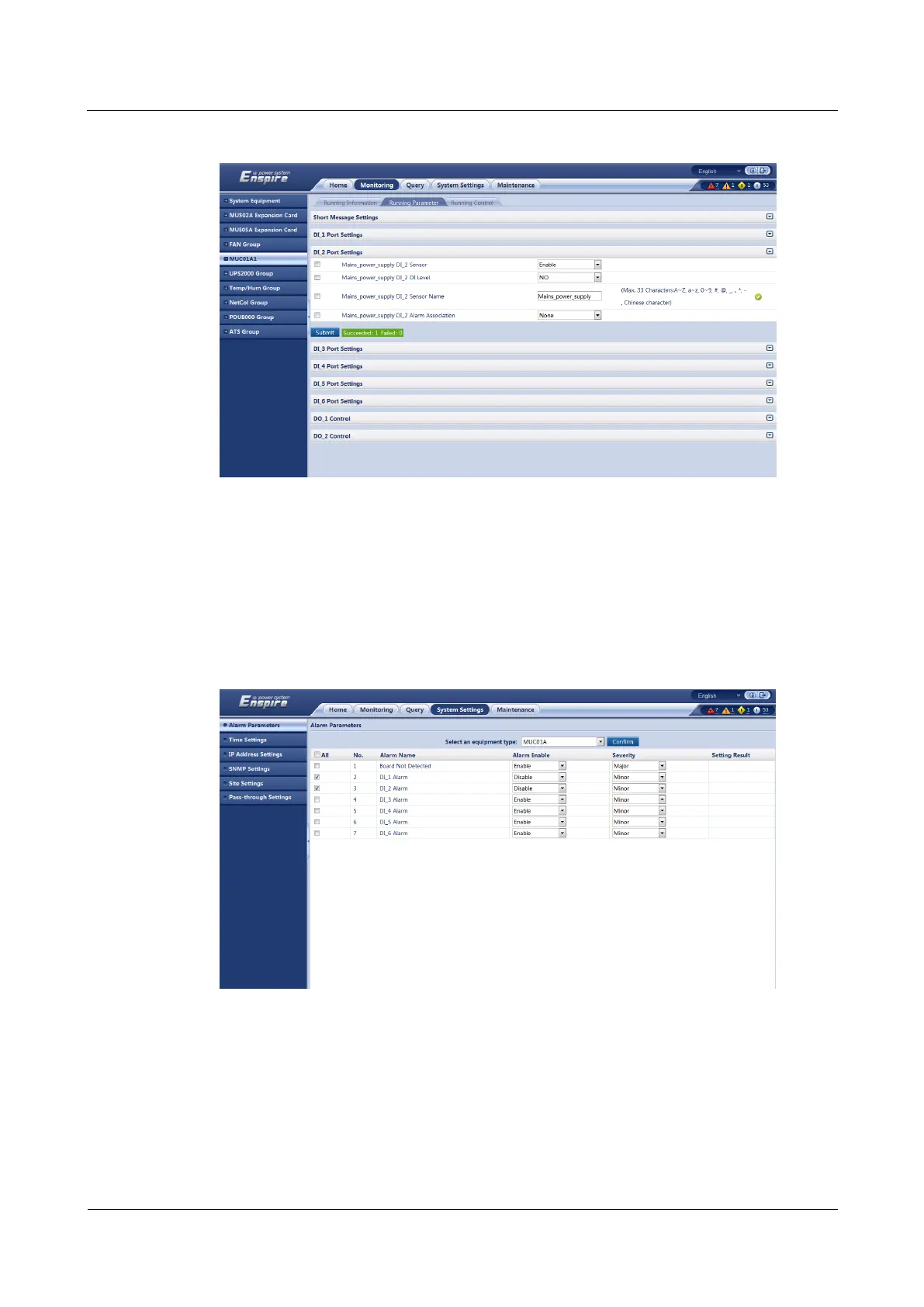
Figure 5-14 Adding a mains status monitoring device
Step 14 Choose System Settings > Alarm Parameters.
Step 15 Select MUC01A from the drop-down list box and click Confirm.
Step 16 Set DI_1 Alarm and DI_2 Alarm to Enable.
Step 17 Click Submit, as shown in Figure 5-15.
Figure 5-15 Masking DG or mains status alarms
----End
Follow-up Procedure
After setting the parameters, choose Monitoring > MUC01A1 > Running Parameter to
view the DG and mains status.



 To Next Page