Copyright © Huawei Technologies Co., Ltd.
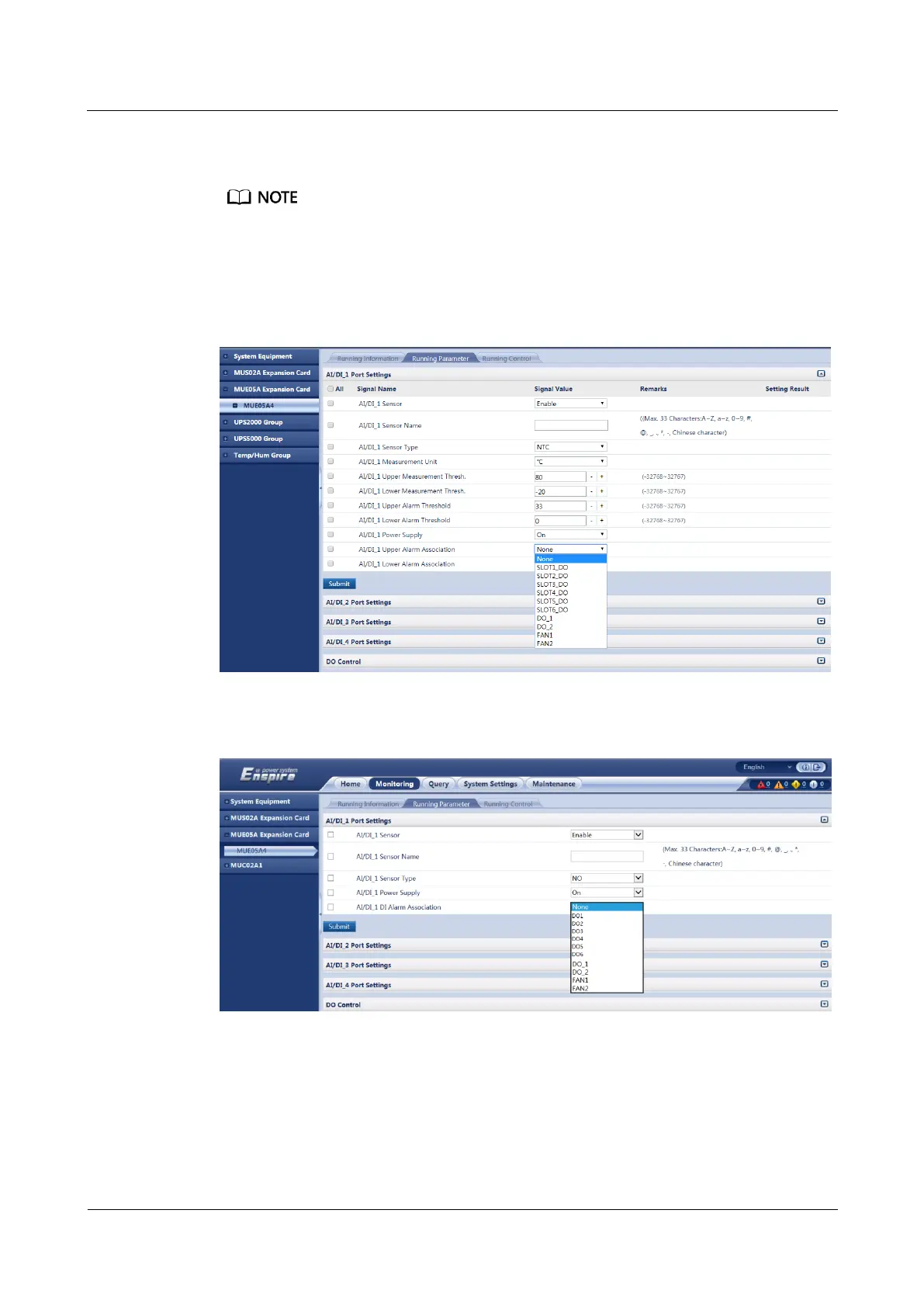
Step 3 Set AI/DI_1 Upper DI Alarm Association to the DO port to be associated, and then click
Submit.
SLOT1_DO (new page) or DO1 (old page) represents that the MUE05A expansion card where the
DO port is located is installed in slot 1 of the ECC500.
DO_1 represents the DO_1 port on the GPRS expansion card.
FAN1 represents fan 1 connecting to the ECC500.
Figure 7-12 Linking an AI/DI alarm to a DO port (new page)
Figure 7-13 Linking an AI/DI alarm to a DO port (old page)
Step 4 Choose Monitoring > MUE05A Expansion Card > MUE05A4 > Running Parameter >
DO Control.
Step 5 Click DO Settings, select Association, and click Submit.



 To Next Page