Copyright © Huawei Technologies Co., Ltd.
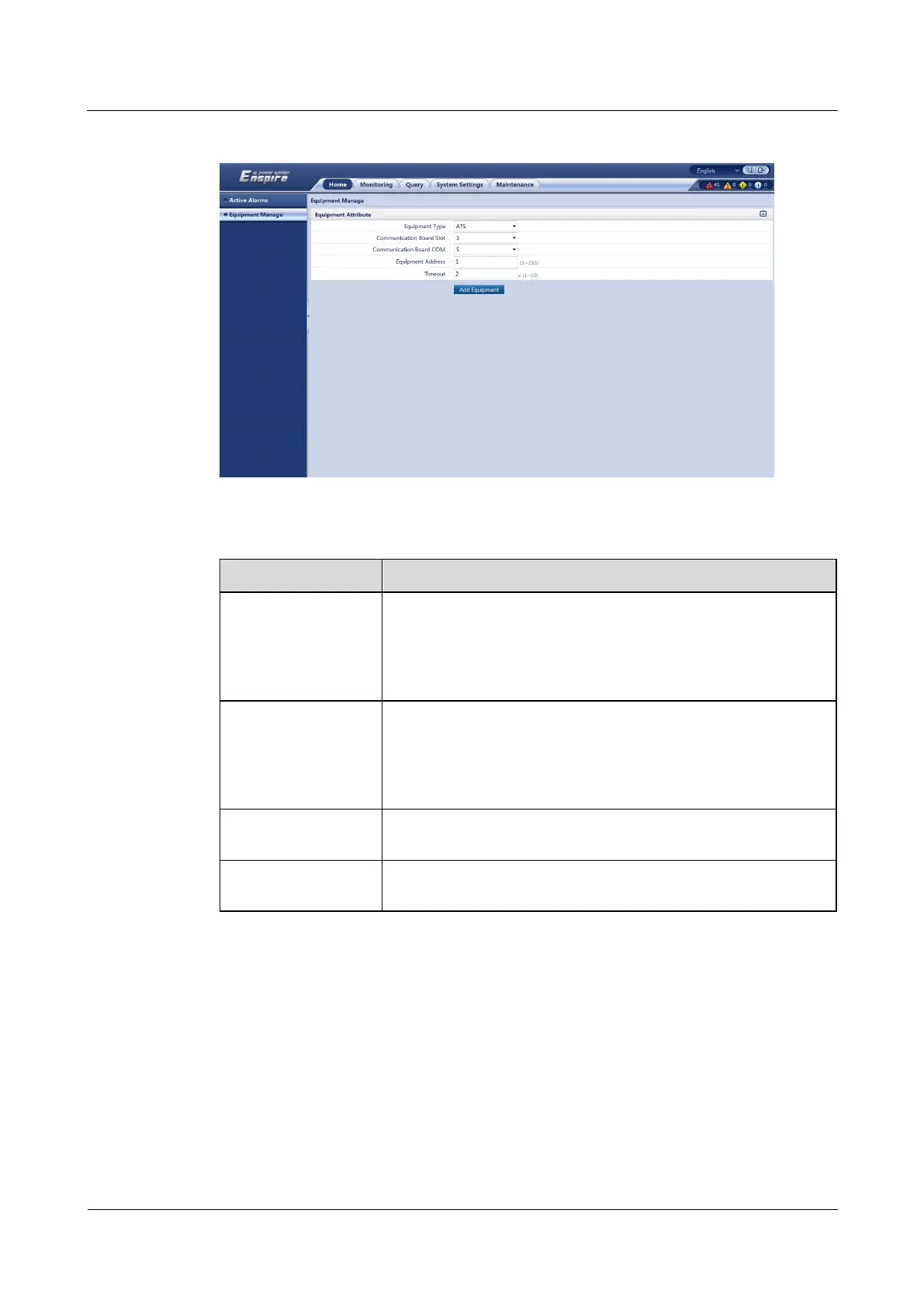
Figure 5-23 Adding an ATS
Table 5-10 ATS parameters
Select 3 from the drop-down list box.
NOTE
The setting example indicates that the ATS is connected to the COM5 port
of the RS485 card in slot 3 of the ECC500. If the ATS is connected to
another port, set the slot number for the connected port.
Select 5 from the drop-down list box.
NOTE
The setting example indicates that the ATS is connected to the COM5 port
of the RS485 card in slot 3 of the ECC500. If the ATS is connected to
another port, set the number of the connected port.
In this example, set Equipment Address to 1. Set the actual
device address of the ATS during operations.
The default timeout interval is 2s. Set the parameter to the required
value.
Step 4 Click Add Equipment.
----End
Follow-up Procedure
If the device addition fails, check whether the settings are consistent with the device
parameters.



 To Next Page