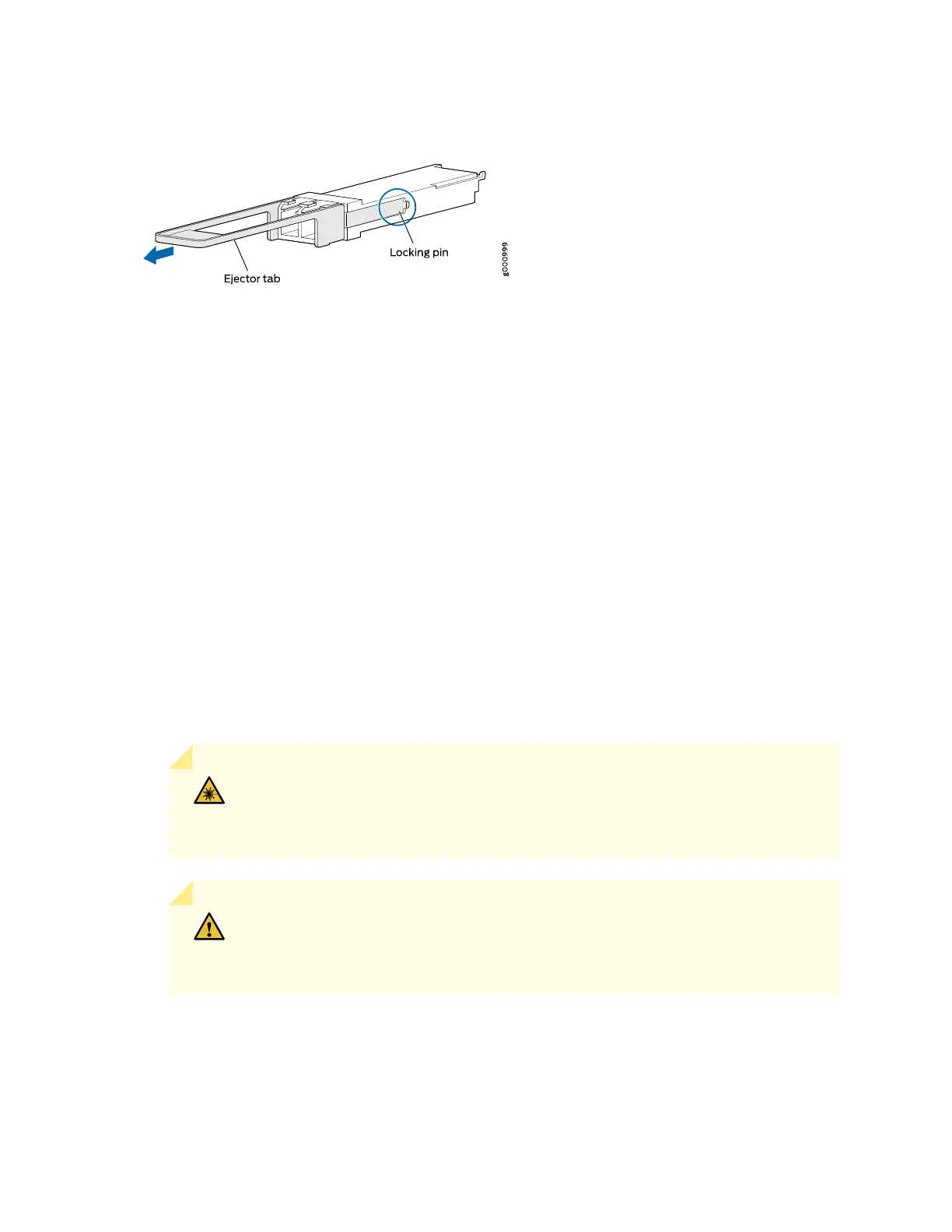
Figure 54: 28-Gbps Quad Small Form-Factor Pluggable (QSFP28) Transceiver
Install a QSFP28 Transceiver
To install a replacement QSFP28 transceiver:
1. Wrap and fasten one end of the ESD grounding strap around your bare wrist, and connect the other
end of the strap to the ESD point on the chassis.
2. Verify that a rubber safety cap covers the QSFP28 transceiver.
3. Orient the transceiver over the port in the router so that the QSFP28 connector faces the appropriate
direction.
4. Slide the transceiver into the slot until the locking pins lock in place. If there is resistance, remove the
transceiver and flip it so that the connector faces the other direction.
5. Remove the rubber safety cap from the transceiver and from the end of the cable, and insert the cable
into the transceiver.
WARNING: Do not look directly into a fiber-optic transceiver or into the ends of
fiber-optic cables. Fiber-optic transceivers and fiber-optic cable connected to a
transceiver emit laser light that can damage your eyes.
CAUTION: Do not leave a fiber-optic transceiver uncovered except when inserting
or removing a cable. The safety cap keeps the port clean and prevents accidental
exposure to laser light.
6. Arrange the cable in the cable management system to prevent the cable from dislodging or developing
stress points. Secure the cable so that it does not support its own weight as it hangs to the floor. Place
161



 To Next Page