Table 9: LEDs on the Network Ports
(Connued)
Callout 1 Callout 2 Descripon (for RJ-45
ports)
Descripon (for SFP, SFP
+, and SFP28 ports)
Link and Acvity LED
(Right LED)
Status LED (Le LED)
O 10 Mbps link is up and
there is trac on the
port.
1 Gbps link is up and
there is trac on the
port.
O O This indicates one of the
following events:
• The link is down or a
fault has occurred.
• The port has been
disabled by the
administrator.
This indicates one of the
following events:
• The link is down or a
fault has occurred.
• The port has been
disabled by the
administrator.
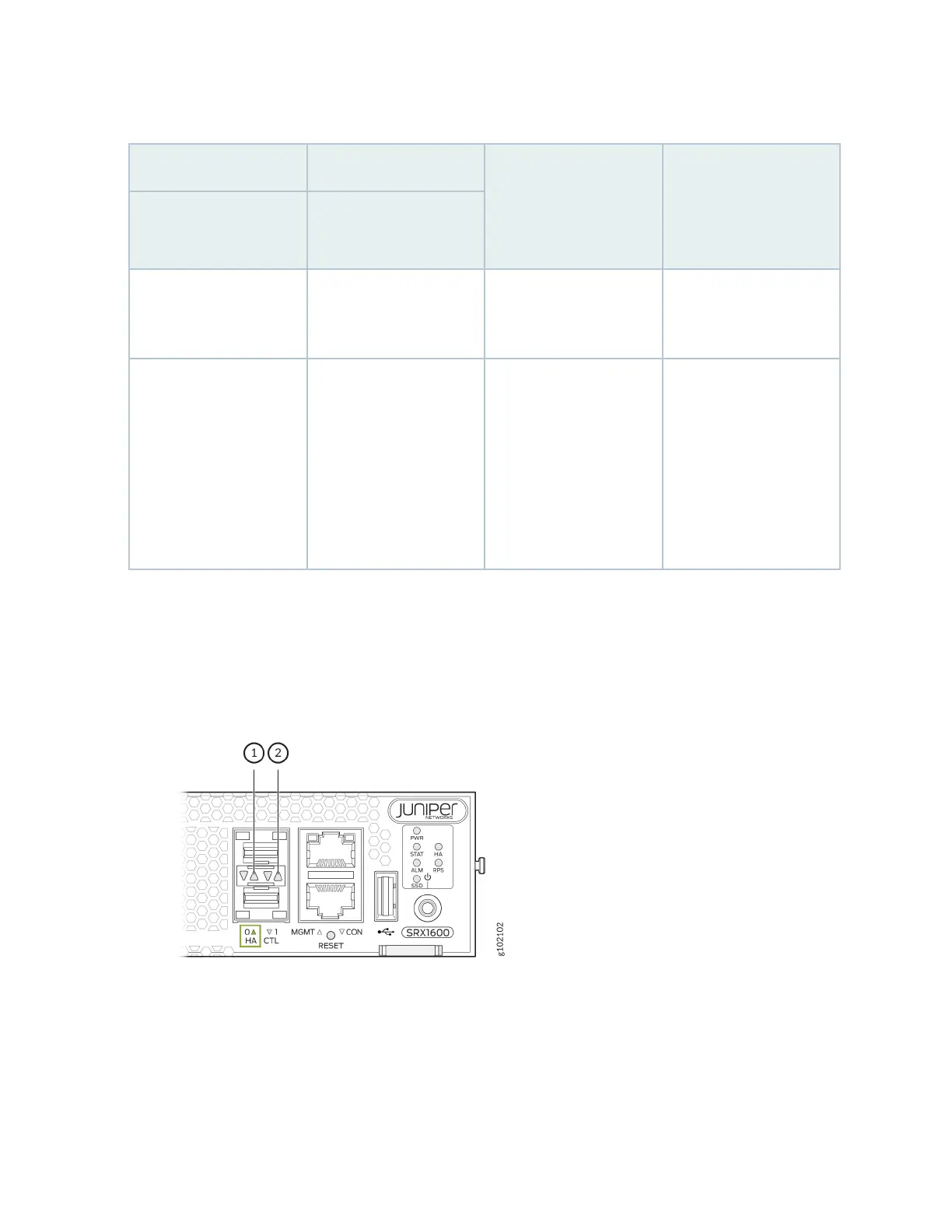
Figure 6 on page 19 shows the locaon of the LEDs on the HA ports and Table 10 on page 20
describes the LEDs.
Figure 6: LEDs on the HA Ports
19












 To Next Page