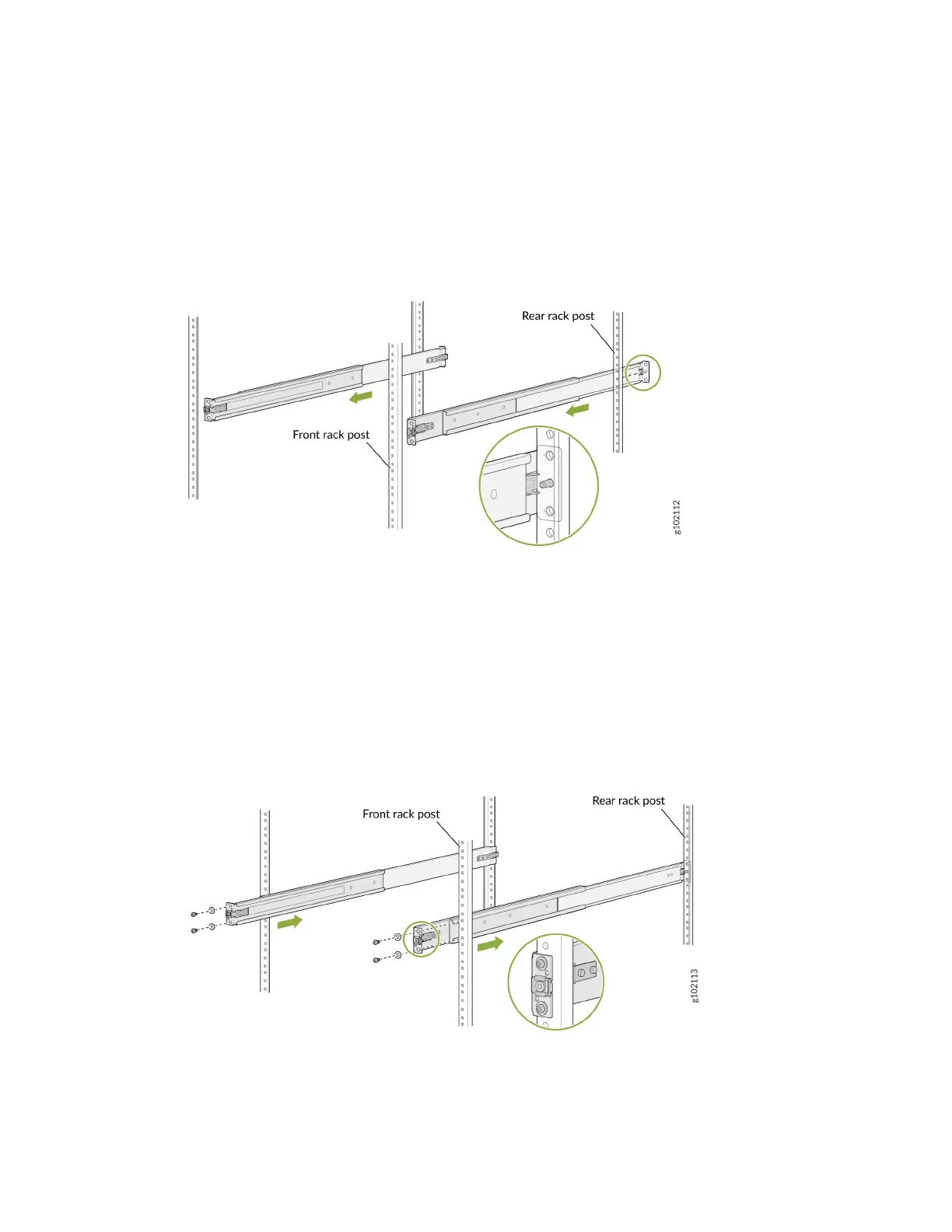
a. Insert the guide pin of the rear mounng rails into the rear-post holes. Pull the rear mounng rails
toward the front of the rack to lock the rails in place. You will hear a disnct click sound when the
latch locks into place.
Figure 26: Install the Rear Mounng Rails
b. Insert the guide pin of the front mounng rails into the front-post holes. Push the front mounng
rails toward the rear of the rack to lock the rails in place. You will hear a disnct click sound when
the latch locks into place. Using the screws and washers removed earlier from the front mounng
rails, secure the front mounng rails to the front rack post.
Figure 27: Install and Secure the Front Mounng Rails
c. Secure the rear mounng rails to the rear rack post by using the screws and washers removed
earlier from the rear mounng rails.
52












 To Next Page