22 TOS5300
Using the Protection Cover
When the product is shipped from the factory, a protection cover is attached to the front panel. This
cover prevents unintentional changes to the test conditions. Remove this cover when you want to
set the test conditions.
Even when the cover is attached, you can still recall settings from memory, start and stop tests,
perform remote operations, and control the TOS5300 Series through its USB port. If the tester will
be used to repeatedly perform tests with fixed conditions, such as when being used as part of a
manufacturing line, attach the protection cover to ensure safe operation of the tester. This is useful
in preventing incorrect operation of the tester.
If the cover is damaged or lost, contact your Kikusui agent or distributor.
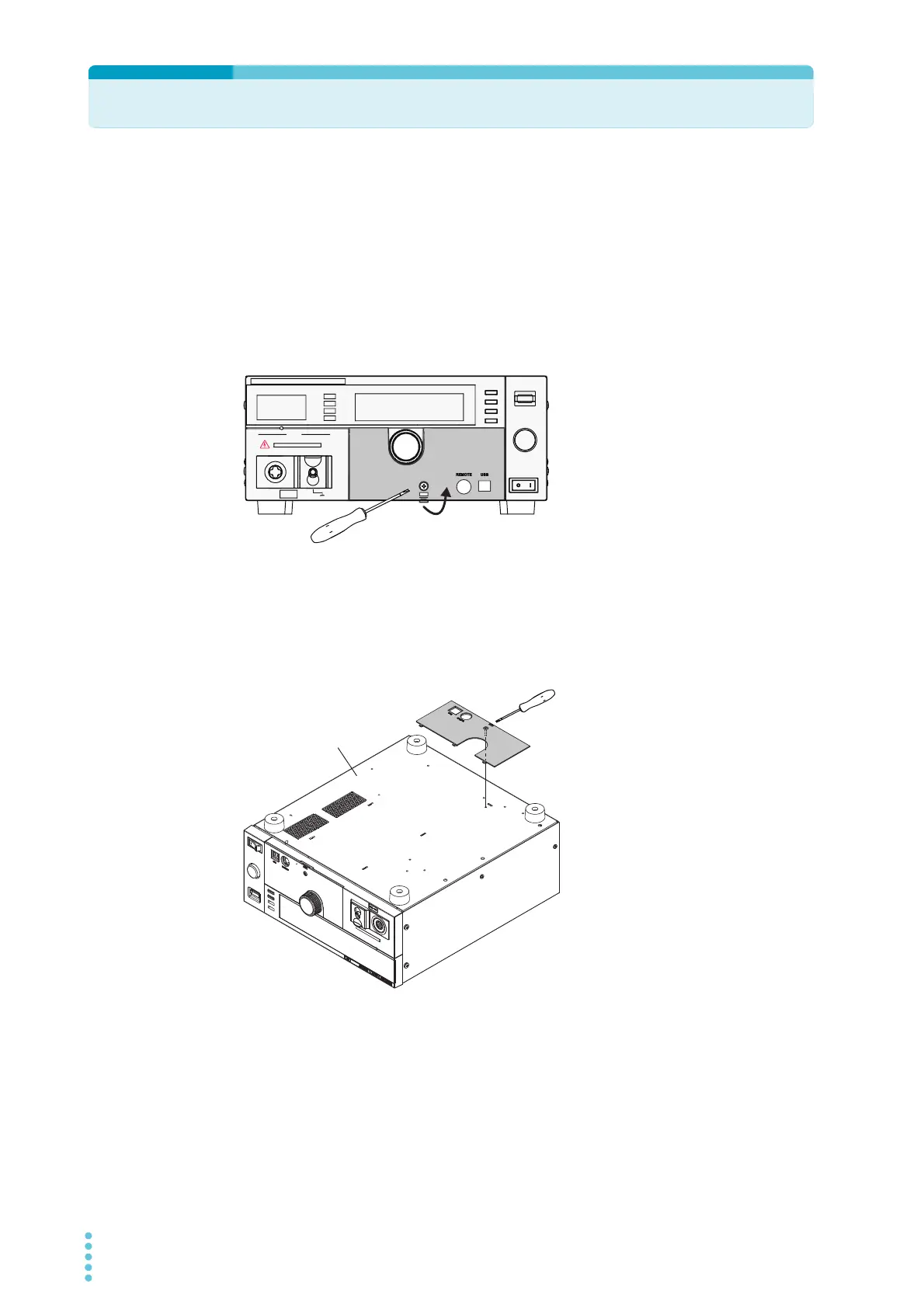
■ Removing the protection cover
Loosen the screw, and then pull the
hook centered at the bottom of the
cover towards you to remove the
protection cover from the panel.
■ Attaching the protection cover
Insert the tabs at the top of the cover into the slots in the panel, push the bottom part of the cover
until it is attached to the panel, and then use the screw to fix the cover in place.
■ Storing the protection cover
When you want to use the
TOS5300 Series without the
protection cover attached,
such as when you will
repeatedly perform tests
with frequently changed
test conditions, you can
store the protection cover
on the product’s bottom
panel. This is useful in
preventing the cover from
being lost.
Use the screw to fix the
cover to the product’s
bottom panel.
OUTPUT
CONFIG LIMIT ON/OFF ON/OFF KEY LOCK
SET
VOLTAGE
UPR/ LWR
CURRENT
R/T/F
TIMER
LOCAL
SSHIFT
Loosen the screw.
Pull the cover toward you.
TOS5300 Series
bottom panel
Use the screw to fasten
the cover in place.



 To Next Page