TOS5300 73
7
Maintenance
Time Settings and Calibration Management
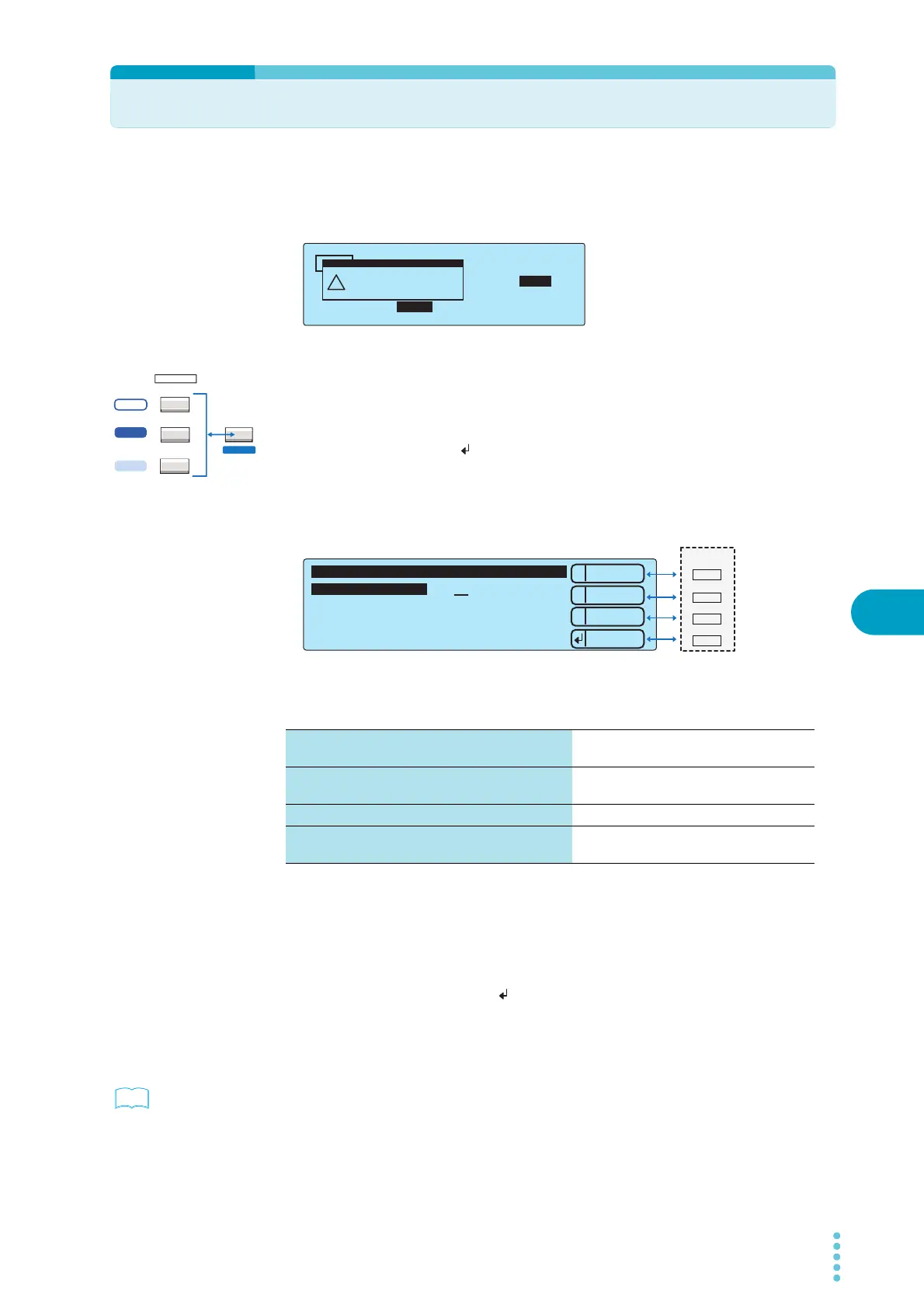
The TOS5300 Series keeps track of the scheduled calibration date by using the internal system
clock. When the tester is turned on after the previously set calibration period has elapsed, the
message, “Calibration Protection” is displayed.
If the system clock is incorrect, set it to match the current date and time.
1
Press CONFIG (SHIFT+FUNCTION) to display the configuration setup screen
(Configuration Menu).
2
Press 2: Up (MEMORY 2) or 3: Down (MEMORY 3) to highlight 3.Date and Time,
and then press Select ( : RECALL) to select this setting.
The 3.Date and Time screen of the Configuration Menu is displayed.
3
Press 2: Up (MEMORY 2) or 3: Down (MEMORY 3) to select the setting that you
want to change, and then use the rotary knob to set the value.
The factory default settings are shown below.
Set Date and Time (the system clock)
Set the present date in the following format: year/month/day hour:minutes:seconds. The displayed
date and time is the same as what is shown on the configuration setup screen’s 3.Date and Time
screen.
After you enter the date and time, press
:Apply (RECALL) to set it.
Calibration Date (the calibration date)
Displays the year/month/day of calibration.
p.55
Whenever you calibrate the TOS5300, save the calibration date.
TIMER UPPER
LOWER
10.0
mA
0.01
mA
1.50
kV
60
.
0
s
ACW
UPPER
Calibration Protection
(Code:0x0002)
!
PROTECTION
ACW
FUNCTION
ACW / DCW
ACW / IR / AUTO
LOCAL
SSHIFT
5300
5301
5302
Set Date and Time (the system clock) Japan standard time at the time when the
product left the factory
Calibration Date (the calibration date) The date when the product was calibrated
before it left the factory
Calibration Due Control (the calibration period) After 12 months
Calibration Protection (notification of when the
calibration period elapses)
OFF
1
2
3
Down
Up
Menu
Set Date and Time 2010 /10/1 2:33:48
Time ZoneTime Zone
--------
Calibration Date 2010/10/1
Calibration Due Control 3 months
Calibration Protection OFF
3.Date and Time
Apply
1
MEMORY
2
3
RECALL
Example: Selecting the value of Set Date and Time on the 3.Date and Time screen of the Configuration Menu



 To Next Page