TOS5300 25
Turning the Power On
2
Installation and Preparation
Turning the POWER switch off
Press the ( ) side of the POWER switch to turn the TOS5300 Series off.
The panel settings that were in use immediately before the POWER switch was turned off are saved.
If the POWER switch is turned off immediately after the settings have been changed, the last
settings may not be stored.
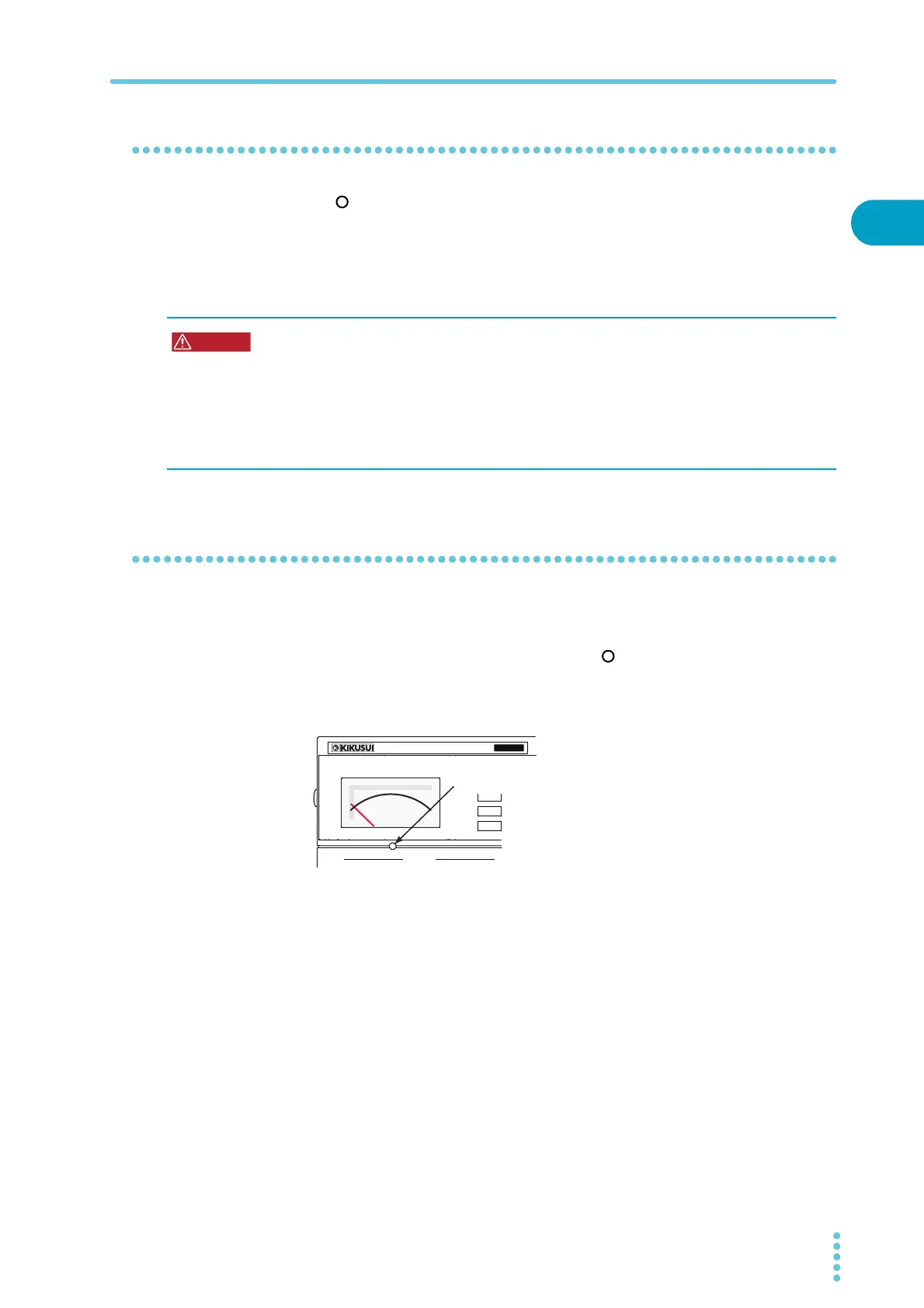
Performing the zero adjustment before testing
If the analog voltmeter does not indicate “0,” perform this adjustment.
1
Check that the POWER switch is turned off ( ).
2
Use the analog voltmeter’s zero adjuster to set the needle to the correct
position.
Possible electric shock.
• After you turn the POWER switch off, wait at least 10 seconds before you turn the POWER
switch back on. It is dangerous to do otherwise, because the protective features of the
product may not work effectively.
This may cause the product to malfunction, and it may reduce the life of the POWER switch
and internal parts such as the fuses.
• Except in an emergency, do not turn the POWER switch off while output is being generated.
OUTPUT
T
OS5
300
ACW
AC WITHSTANDING
VOLTAGE TESTER
0
Analog voltmeter’s zero adjuster
Use a flat-blade screwdriver or other
fine-tipped tool to turn the adjuster.



 To Next Page