TOS5300 93
App
C
Protective Features
If one or more of the causes of the following problems occur, the protective circuits will activate,
and you will no longer be able to use the TOS5300 Series. This is referred to as PROTECTION mode.
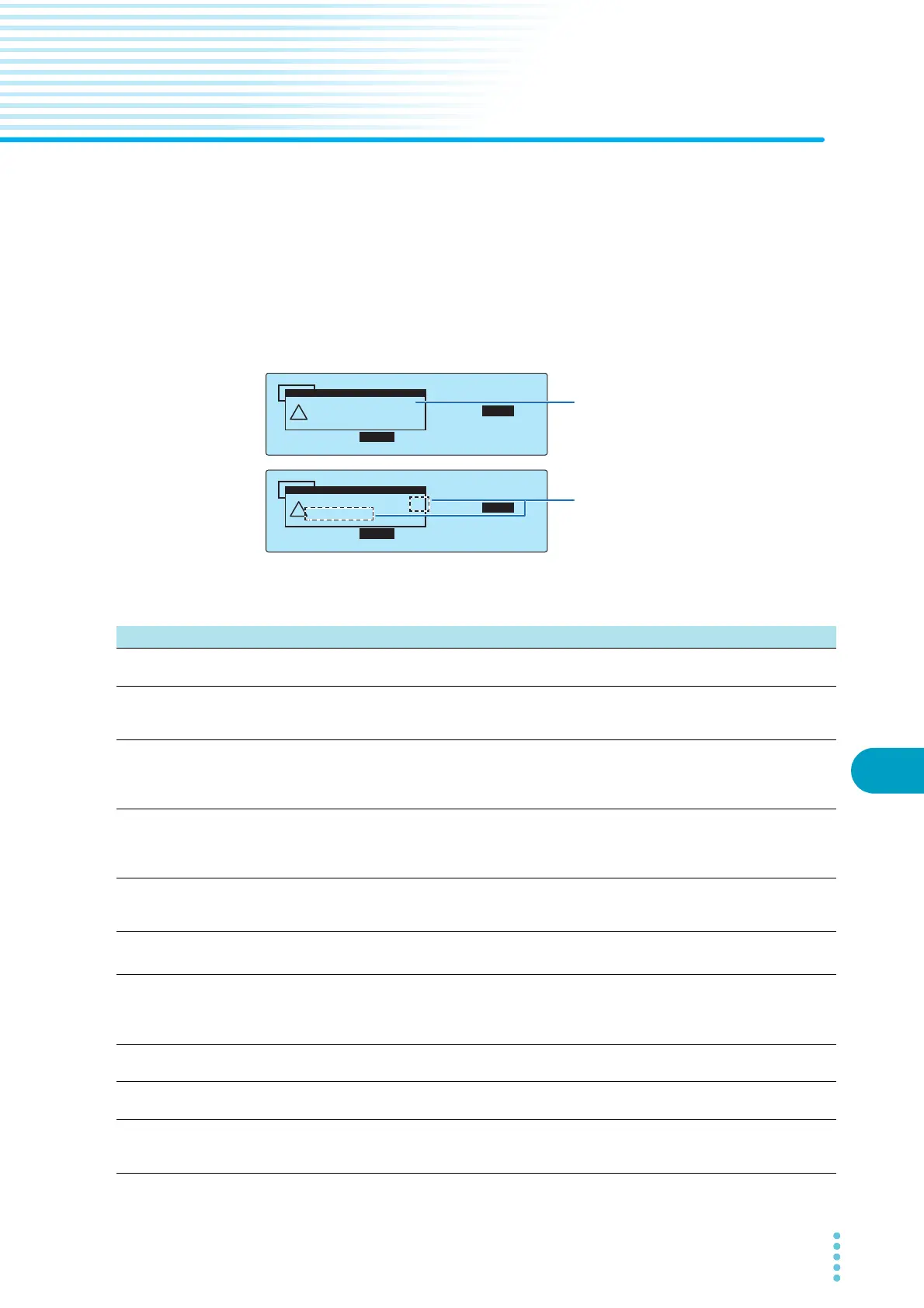
When the TOS5300 Series switches to PROTECTION mode, a “PROTECTION” message is displayed
on the screen. Follow the instructions below to remove the cause of the problem and clear the
PROTECTION mode.
If the TOS5300 Series has switched to PROTECTION mode because of multiple causes, the
PROTECTION message that has highest priority is displayed with “...” to indicate that there are
multiple causes. The code number indicates the sum of all the causes’ code numbers.
TIMER UPPER
LOWER
10.0
mA
0.01
mA
1.50
kV
60
.
0
s
ACW
Power Supply Protection
(Code:0x0010)
!
PROTECTION
TIMER UPPER
LOWER
10.0
mA
0.01
mA
1.50
kV
60
.
0
s
ACW
Power Supply Protection...
(Code:0x0030)
!
PROTECTION
The cause that activated the protection
feature and the code number are displayed.
Example: Detection of an input voltage problem
“...” is displayed after the PROTECTION message.
The code number indicates the sum of all the
causes’ code numbers.
Example: Detection of multiple causes that made
protection activate
(An error was detected in the power
supply and an output voltage outside
of the rated limits was detected.)
Priority Displayed message Code no. Description Corrective action
1Interlock
Protection
0x0001 An interlock signal was detected. Remove the interlock signal input, and then
press STOP.
2 Power Supply
Protection
0x0010 An error was detected in the power supply. You can clear the PROTECTION mode by
pressing STOP, but if this message appears
frequently, repairs are necessary.
3Volt Error
Protection
0x0020 An output voltage outside of the rated limits was
detected.
AC or DC withstanding voltage tests: ±350 V
Insulation resistance test: ±(10 % of setting 10 V)
Press STOP.
4Over Load
Protection
1
0x0100 The output power exceeded the output limit
power.
AC withstanding voltage tests: 550 VA
DC withstanding voltage tests: 55 VA
Press STOP.
5Over Heat
Protection
0x0200 The internal temperature of the TOS5300 Series
became too high.
Confirm that the internal temperature of the
TOS5300 Series has decreased, and then
press STOP.
6
Over Rating
Protection
1
0x0400 The output current was generated for a length of
time that exceeds the regulated time.
Press STOP.
7Calibration
Protection
0x0002 The calibration period specified by Calibration
Due Control on the Configuration Menu’s 3.Date
and Time screen has expired.
If this setting is set to ON, press STOP, and
then set Calibration Protection to OFF on the
Configuration Menu’s 3.Date and Time
screen. If this setting is set to OFF, press STOP.
8 Remote Protection 0x1000 A connection to or disconnection from the
REMOTE connector was detected.
Check the REMOTE connector, and then press
STOP.
9SIGNAL I/O
Protection
0x2000 The SIGNAL I/O connector’s ENABLE signal has
changed.
Press STOP.
10 USB Protection 0x4000 The USB connector has been disconnected, or a
defect was detected while the TOS5300 Series
was being controlled through the USB interface.
Check the USB connector, and then press
STOP.
1 Only during withstanding voltage tests



 To Next Page