58 TOS5300
Starting Testing
To start testing
1
Check that the TOS5300 Series is correctly connected to the DUT.
2
When the READY LED lights in light blue, press START.
p.60
If the test does not start, see ”If you cannot start testing.”
p.78
If you want to start another test after testing finishes, set a wait time between tests as necessary.
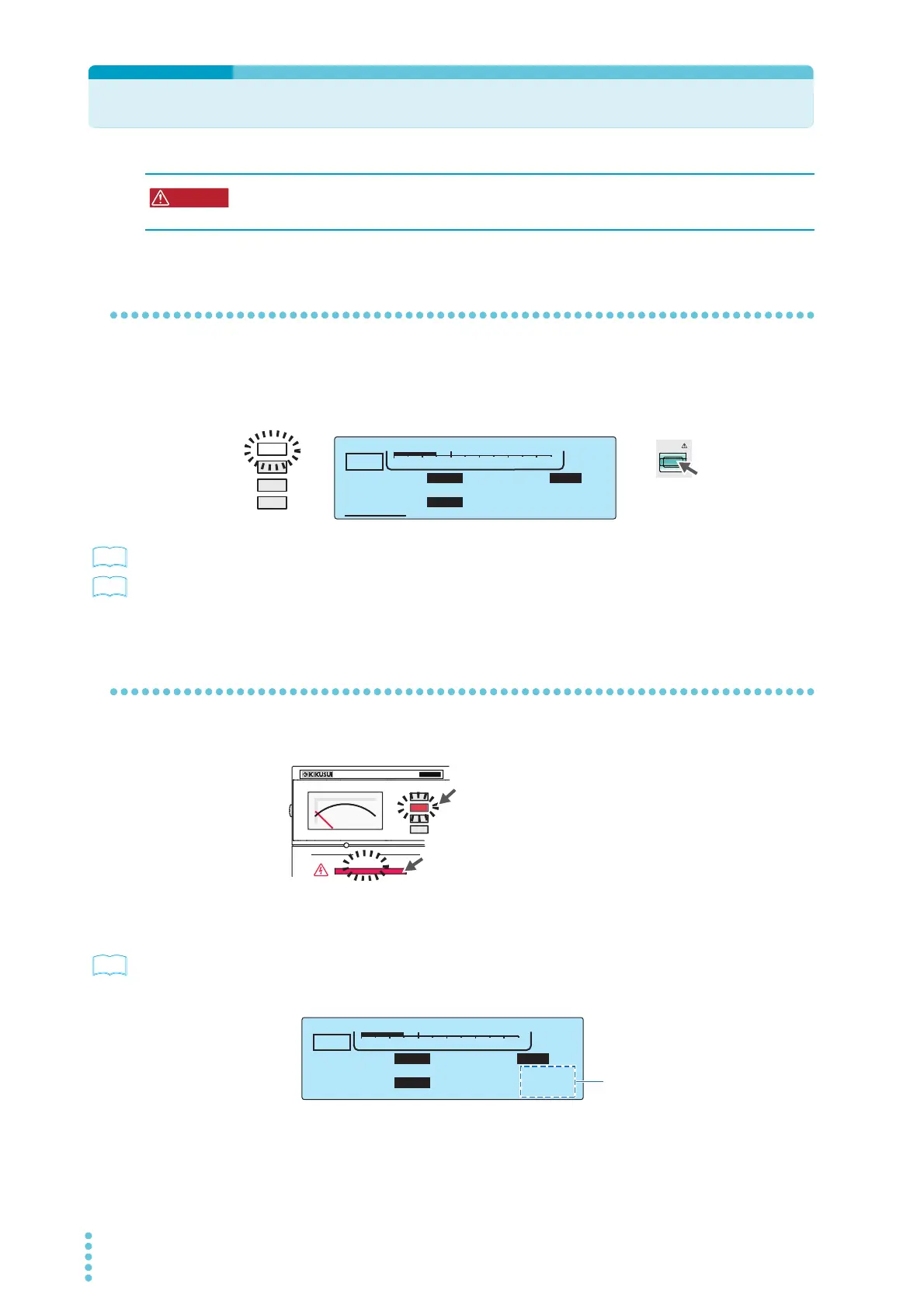
When testing starts
The TEST and DANGER LEDs light. The TEST LED lights in red.
If the start voltage and the voltage rise time have been set
p.47 , p.48 ,
p.51
After the voltage rises to the start voltage or after the voltage rise time elapses, the TEST LED lights
in red, and the test starts. While the voltage is rising, the TEST LED blinks in red, and the display
counts up to the set rise time.
Possible electric shock. During testing, do not touch the test leads and the DUT.
START
READY
TIMER UPPER
LOWER
10.0
mA
0.01
mA
1.50
kV
60
.0
s
ACW
0
5.5kV
Voltage
OUTPUT
DANGER
T
OS5
300
ACW
AC WITHSTANDING
VOLTAGE TESTER
TEST
On
On
The TEST and DANGER LEDs
light. The TEST LED lights in red.
Counts up the
voltage rise time
TIMER UPPER
LOWER
10.0
mA
0.01
mA
1.50
kV
60
.
0
s
ACW
0
5.5kV
Voltage



 To Next Page