26 TOS5300
Connecting to the Device under Test (DUT)
Using test leads
1
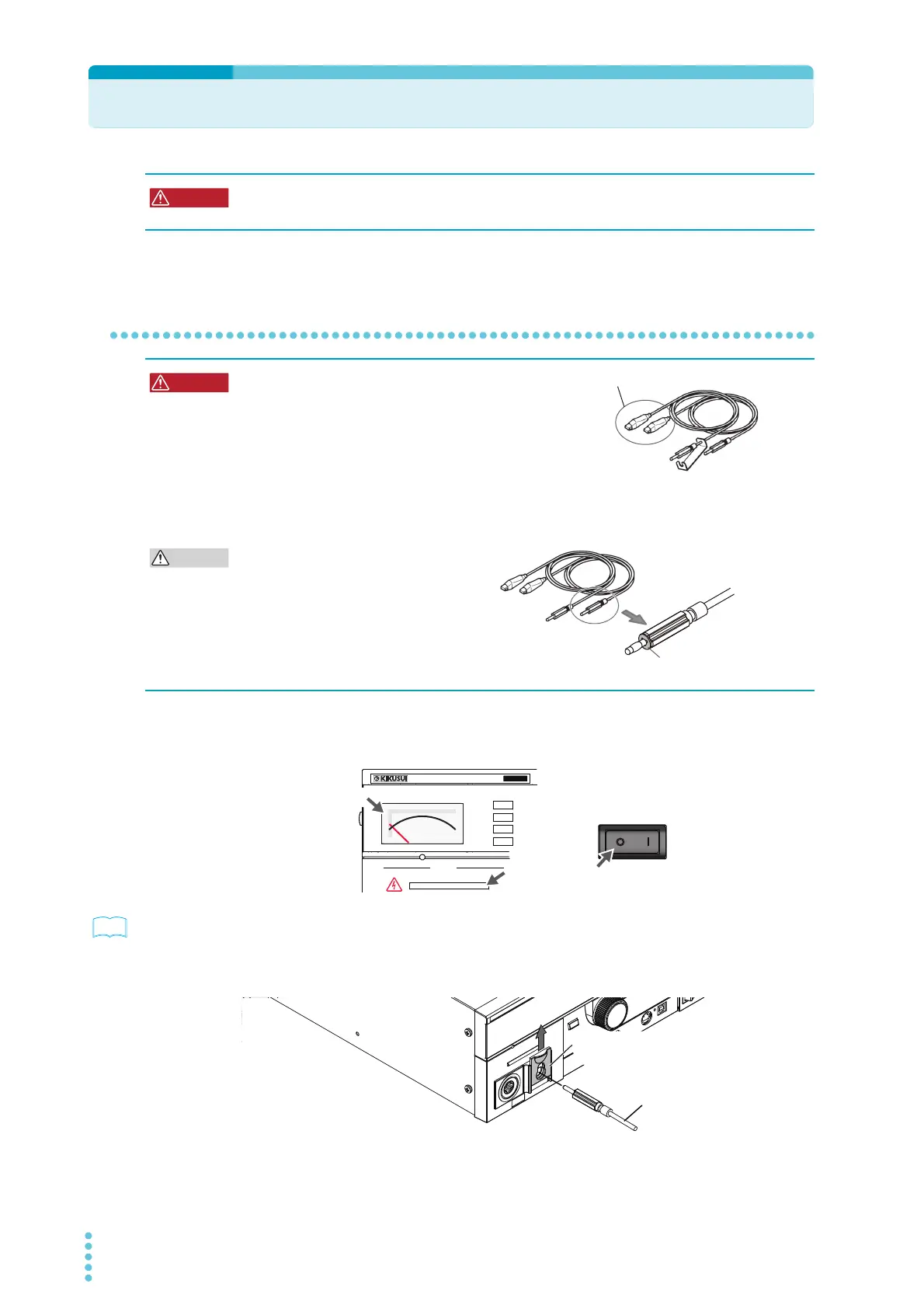
Check that the POWER switch is off, that the analog voltmeter is indicating
“0,” and that the DANGER LED is off.
p.72
2
Check that there are no tears or breaks in the test lead insulation.
3
Raise the front-panel LOW VOLTAGE terminal’s cable lock, and then connect
the LOW test lead (black).
Possible electric shock. During testing (while the TEST LED or DANGER LED is lit), never
touch the HIGH VOLTAGE terminal, test leads, and DUT.
Possible electric shock.
• Parts of the included test leads near the alligator clips
protrude from the vinyl insulation when the wires are
connected. These parts are dangerous. Never come
close to these parts during testing.
• If connections are incomplete, the entire DUT may be
charged to a high voltage. This is dangerous, so be sure to connect the DUT correctly.
• Be sure to connect the LOW test lead (black) first.
Connecting the low and high voltage
terminals incorrectly may lead to
malfunctions. A plate that is designed to
prevent incorrect connections to these
terminals is attached to the LOW test lead
(black). Do not remove this plate.
Never touch these parts during testing.
Plate designed to prevent
incorrect connections
OUTPUT
DANGER
T
OS5
300
ACW
AC WITHSTANDING
VOLTAGE TESTER
0
Off
Zero indication
Off
POWER
LOW test lead (black)
Raise the cable lock.



 To Next Page