88 TOS5300
B
Configuration Settings
The configuration settings are contained on the following screens of the Configuration Menu.
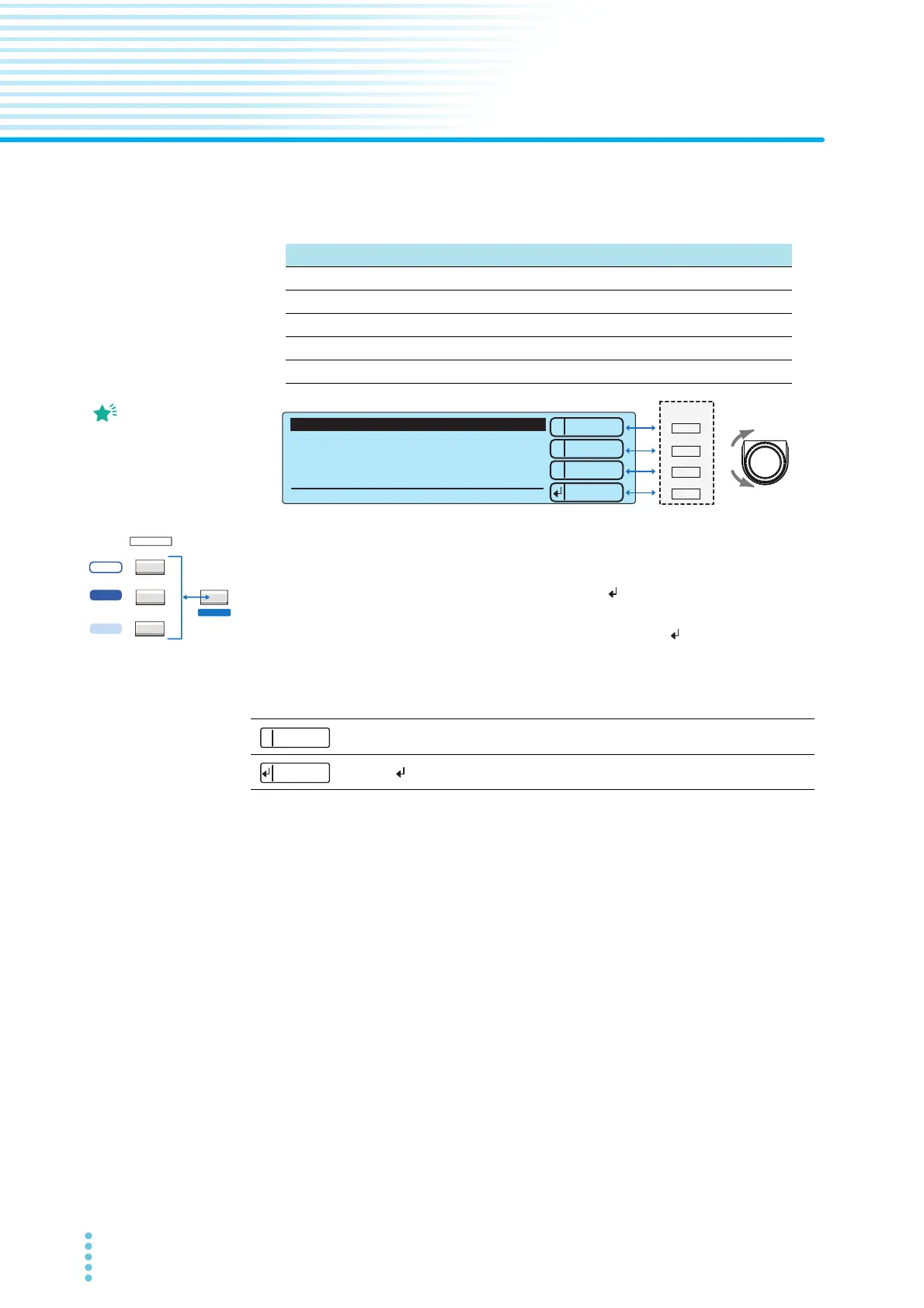
Press CONFIG (SHIFT+FUNCTION) to display the configuration setup screen (Configuration Menu).
On the Configuration Menu, press 2: Up (MEMORY 2) or 3: Down (MEMORY 3) to highlight the
configuration item that you want to set, and then press Select ( : RECALL) to select it.
On the configuration item’s setup screen, press 2: Up (MEMORY 2) or 3: Down (MEMORY 3) or use
the rotary knob to highlight the item that you want to set, press Select (
: RECALL) to select it, and
then use the rotary knob to set the value.
When a configuration item’s setup screen is displayed, pressing SHIFT changes the operation of the
MEMORY 1 and RECALL keys.
To leave the configuration item setup screen and return to the Configuration Menu, press 1: Menu
(MEMORY 1). To leave the Configuration Menu and return to the basic setup screen, press STOP.
If you perform configuration setup again without first turning the power off, the screen that you
previously were viewing will be displayed.
Configuration Menu
1. Test Mode and Buzzer Test mode and buzzer settings
2. Status Signal Output Status signal output settings
3. Date and Time Date, time, and calibration period settings
4. Communication Time settings and calibration management
5. Information Display of device information
The first screen that is
displayed when you
perform configuration
settings is known as the
Configuration Menu.
1
2
3
Select
Down
Up
1.Test Mode and Buzzer
2.Status Signal Output
3.Date and Time
4.Communication
5.Information
Configuration Menu
----
1
MEMORY
2
3
RECALL
Press stop switch to exit!
*
ACW
FUNCTION
ACW / DCW
ACW / IR / AUTO
LOCAL
SSHIFT
5300
5301
5302
SHIFT+1: Back Displays the previous configuration item setup screen.
SHIFT+ : Forward
Displays the next configuration item setup screen.
Forward



 To Next Page