TOS5300 59
Starting Testing
5
Withstanding Voltage and Insulation Resistance Tests
If the start voltage has been turned off and the voltage rise time has not
been set
After 0.1 seconds, the TEST LED lights in red, and the test starts.
If the test time has been set or if the test time has been turned off
p.47 , p.48
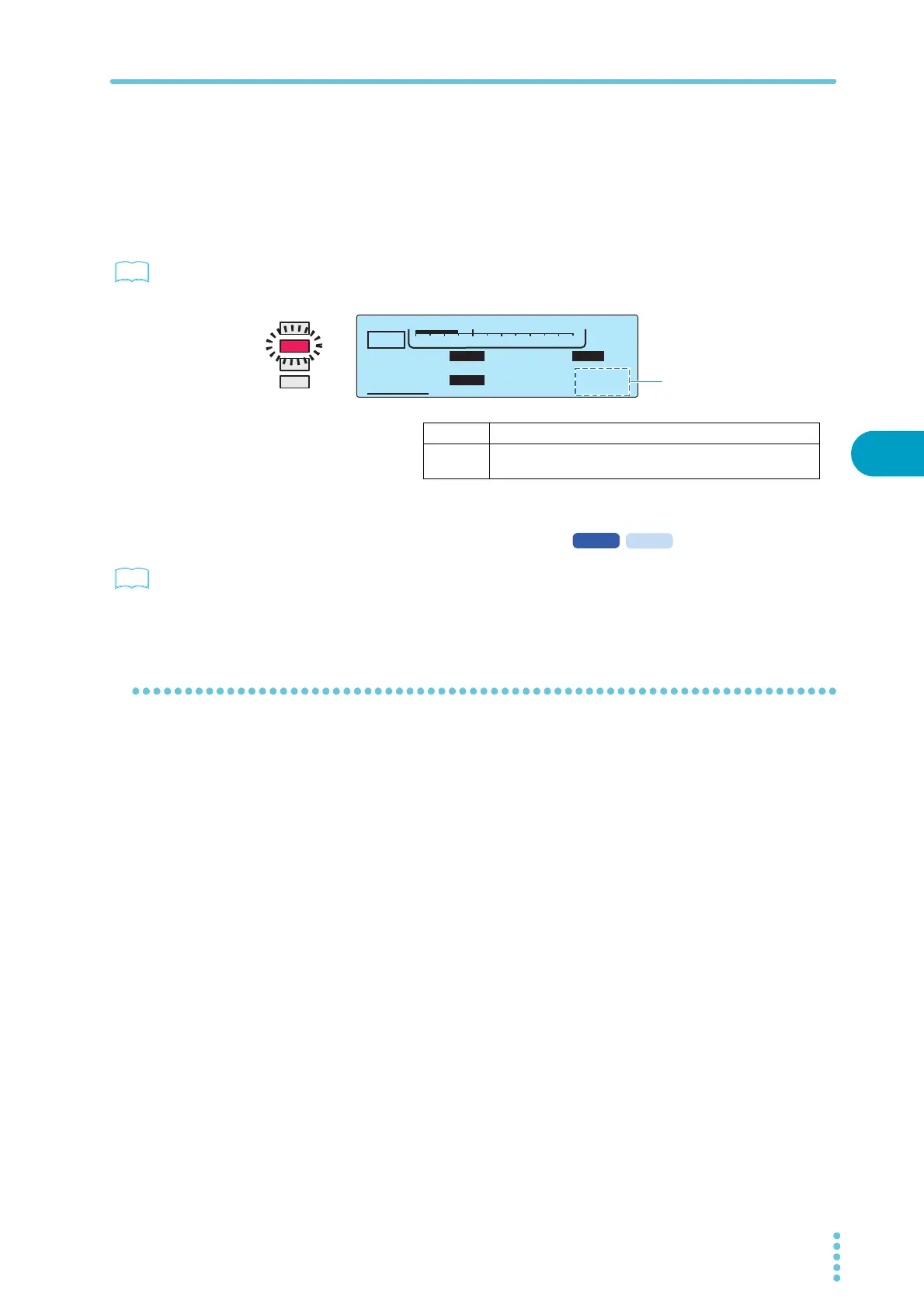
The TEST LED lights in red during testing. If the test time has been turned on, the display counts
down from the set test time. If the test time has been turned off, the display counts up to represent
the elapsed test time.
If the judgment wait time has been set
p.53
The TEST LED lights in red and the test starts, but judgment doesn’t begin until the judgment wait
time elapses.
To change the voltage setting during testing
While the TEST LED is lit in red, press SET to select the voltage setting, and then use the rotary knob
to change the value. The voltage is changed immediately.
The changed voltage is immediately applied to the test, but the voltage value on the display shows
the measured value. After the test finishes, when the TOS5300 Series returns to the READY state, the
new voltage value is shown on the display.
See
The time display after you
start testing differs depending
on whether TIMER is set to
ON or OFF.
TEST
TIMER UPPER
LOWER
10.0
mA
0.01
mA
1.50
kV
60
.
0
s
ACW
0
5.5kV
Voltage
TIMER ON The timer’s remaining test time is counted down.
TIMER OFF The elapsed test time is counted up.
When the test time exceeds 999 seconds, “999” blinks.
See



 To Next Page