54 TOS5300
Selecting Measurement Method
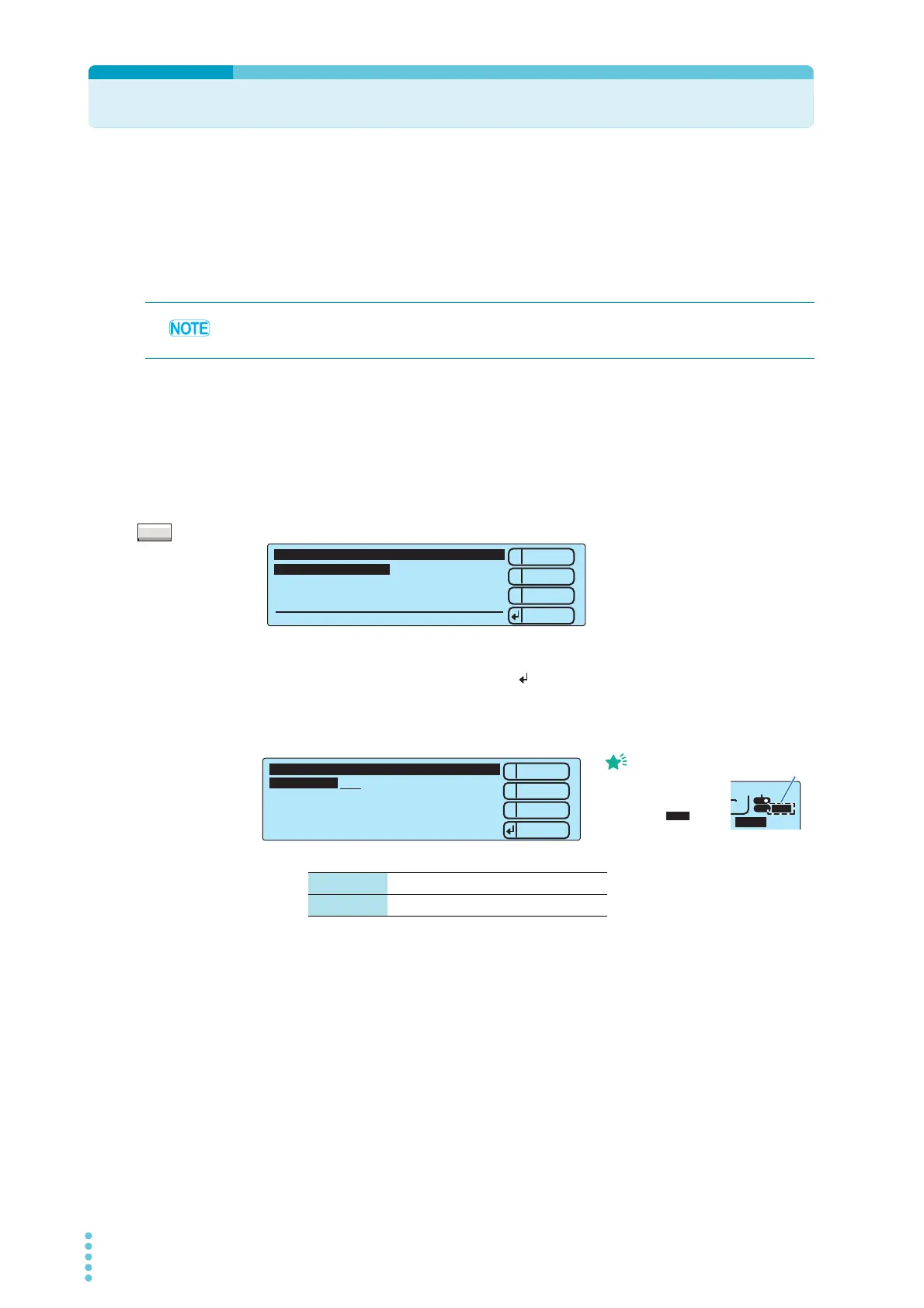
you can select the voltage and current measurement method to use in AC withstanding voltage
tests.
There are the following two types of measurement methods.
• True rms response (RMS)
• Mean-value response (AVE)
You can use the configuration setup screen (Configuration Menu) to set the method.
1
Press CONFIG (SHIFT+FUNCTION) to display the configuration setup screen
(Configuration Menu).
2
Hold down MORE for approximately 2 seconds.
The Advanced Menu appears.
3
Press 2: Up (MEMORY 2) or 3: Down (MEMORY 3) to move the cursor to
1.Measurement, and press Select ( : RECALL) to select it.
4
Use the rotary knob to select the measurement method.
To leave the measurement method setup screen and return to the Advanced Menu, press 1: Menu
(MEMORY 1). To leave the Advanced Menu and return to the basic setup screen, press STOP.
The method used in Kikusui’s TOS9200 series, TOS8870A, TOS8850, TOS8850A, TOS5000 series, and
TOS5000A series is mean-value response.
RMS True rms response
AVE Mean-value response
1
2
3
Select
Down
Up
1.Measurement
2.Calibration Date
3. 6.
4.
5.
Advanced Menu
----
Press stop switch to exit!
*
1
2
3
Responsee RMS
1.Measurment
----
----
----
Menu
TIMER
USB AVE
-
ˁ
5.5kV
“AVE” icon
If you select mean-value
response (AVE), when
you return to the basic
screen, the icon
will appear at the upper
right of the screen.
Memo
AVE



 To Next Page